Buy anything from 5,000+ international stores. One checkout price. No surprise fees. Join 2M+ shoppers on Desertcart.
Desertcart purchases this item on your behalf and handles shipping, customs, and support to New Zealand.
🚀 Upgrade your legacy laptop to WiFi royalty—small dongle, big impact!
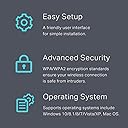
The TP-Link TL-WN725N USB WiFi Adapter delivers up to 150 Mbps on the 2.4GHz band with a discreet nano design, compatible across Windows, Mac, and Linux systems. Perfect for professionals reviving older desktops or laptops, it offers reliable wireless connectivity with easy plug-and-play setup, backed by a 2-year warranty and round-the-clock support.


| ASIN | B008IFXQFU |
| Best Sellers Rank | #33 in USB Computer Network Adapters |
| Brand | TP-Link |
| Built-In Media | Wireless N Nano Usb Adapter |
| Color | Gold |
| Compatible Devices | Desktop |
| Compatible Operating System Family | Windows |
| Customer Reviews | 4.4 out of 5 stars 117,654 Reviews |
| Data Link Protocol | IEEE 802.11b , IEEE 802.11n , USB |
| Data Transfer Rate | 150 Megabits Per Second |
| External Testing Certification | 3649-12-3177 |
| Hardware Interface | USB |
| Item Dimensions L x W x H | 0.73"L x 0.58"W x 0.27"H |
| Item Part Number | 6935364050719, TL-WN725N |
| Item Weight | 0.04 Ounces |
| Manufacturer | TP-Link |
| Mfr Part Number | TL-WN725N |
| Minimum Required Operating System Version | Windows 8.1 |
| Model Number | TL-WN725N |
| Product Dimensions | 0.73"L x 0.58"W x 0.27"H |
| UPC | 840460604468 |
| Unit Count | 1.0 Count |
| Warranty Description | TWO YEAR |
T**N
Perfect for those older laptops without WiFi!
The TP-Link USB WiFi Adapter (TL-WN725N) is an absolute lifesaver for older laptops without built-in WiFi capability. This tiny yet powerful network adapter has truly transformed my older laptop into a modern and fully connected device, and I can't praise it enough. First and foremost, the ease of installation is a standout feature. It's a simple plug-and-play solution; just plug it into a USB port, install the necessary drivers (which are readily available on the TP-Link website), and you're ready to connect to WiFi networks. It's a hassle-free setup process that even those with limited technical expertise can handle. The compact design of this WiFi adapter is perfect for laptops, especially older ones with limited USB ports. It doesn't protrude from the USB port, so you can leave it plugged in without worrying about it getting in the way or being accidentally knocked off. The N150 wireless technology may not be the fastest, but it provides a reliable and stable connection for everyday internet use. Whether I'm browsing the web, streaming videos, or checking emails, this adapter performs admirably. It's a great solution for basic internet needs. Moreover, the TP-Link brand is known for its quality and reliability, and this WiFi adapter lives up to that reputation. I have peace of mind knowing that my connection is in good hands. The TP-Link USB WiFi Adapter (TL-WN725N) is a fantastic and cost-effective solution for older laptops lacking WiFi capabilities. Its easy installation, compact design, and reliable performance make it an invaluable accessory for those looking to breathe new life into their older laptops. Whether you're a student, professional, or simply someone who wants to stay connected, this WiFi adapter has got you covered. Highly recommended!
D**N
Works exactly as needed and, for me at least, exceeds its promised standards.
I got this because of it's size. Most wireless adapters are so huge and I've never understood it, personally, as I assumed it was possible to make smaller antennae these days for WiFi. In any case, I needed an external adapter because my laptops internal wifi was on the fritz (more on that later). It works like a charm so far. I will update this review if I have problems, but installation was a cinch. Just installed the software, plugged in the thingy, and boom. Amazing reception and, surprisingly enough, my average download speeds have gone up by 2mbps (I used to get about 8-9mbps depending, now I get 10-11). It has better range than my older full-size adapter too. So, no issues so far. It's worth mentioning, though, that the reason I had to purchase this was because my laptop has an Atheros modem in it. I'm sure many of you out there have run afoul of these wireless adapters. For some people, they work fine for years with no issues, but then for some people they constantly drop connection, go much slower than they should, have terrible range, or basically just become such a problem you have to stop using the internal wifi. So, if any of you are curious why, I eventually found out why: Atheros wireless cards have a glitch that, for some reason, has never been fixed whereby they attempt to turn on their own signal diversity system by piggybacking onto your computer's bluetooth antenna which it thinks is another wifi receiver Needless to say, a wifi connection cannot piggyback onto a bluetooth connection, so it crashes the modem or will cause major connectivity issues. For some people, turning on their bluetooth and leaving it on will stop this, but for most, it still doesn't stop the glitch, so the only permanent solution is to literally sever the physical connection inside your computer between the bluetooth antenna and the frame which means no more bluetooth. So if you ever wondered what was up with your Atheros modem, there it is.
D**S
Works great
Worked great. Very small and tight in the USB port. Hard to remove
W**�
saved my Beelink MiniPC that had WiFi hardware failure
I got this USB WiFi adapter for my Beelink Mini PC that recently had WiFi hardware failure, which basically turned my Mini PC to a brick since you really can't do anything these days without internet. I tried to fix the Beelink Mini PC but was no use so decided to give this USB WiFi dongle a try before replacing the Mini PC with another one. I picked this one for price that was under $10 and the next day delivery, and it turned out to be a plug-N-play even though it came with an installation CD, which is no use for me as my Mini PC does not have a CD reader. It's tiny USB dongle that looks identical to my wireless mouse receiver and it worked flawlessly. I don't get the as fast internet WiFi speed on this but it works without any issue so I do recommend it. Hopefully, it will last for more than a year!
T**O
Very nice product !!!
I have used TP-Link products over the years and have had very good success with them and this is no exception. It works perfectly, was easy to install and setup was a breeze. I installed this on my Windows XP -32bit OS I plan to upgrade to the dual band here very shortly but just needed this to get me up and running.
J**S
Works great on Beaglebone Black!
I have no problems using it on my Beaglebone Black on Ubuntu 12.04 (Precise) You may have looked it up and find out that Ubuntu has no driver for the thing. What do you do!? You compile your own driver of course! These instructions assume you’ve already got Ubuntu running, in my case Ubuntu 12.04 (Precise). Just run the following commands and you’ll get that finely photoshopped green light blinking. My adapter is version 2. I cannot guarantee the instructions work on version 1. You can tell the version by looking really hard at the adapter. My username is ubuntu. Replace instances of ubuntu with your username. sudo apt-get update (makes sure you have an up to date list of packages in case you need to install something, like git) mkdir ~/beaglebone-ubuntu-scripts cd ~/beaglebone-ubuntu-scripts wget [...] (downloads gkaindl’s script which will install all the arm kernel headers you’ll need to compile your driver) chmod +x bb-get-rcn-kernel-source.sh (give yourself access to run the script) ./bb-get-rcn-kernel-source.sh (run the script) sudo reboot (for good measure) cd /usr/src sudo chown -R ubuntu /linux-3.8.13-bone30 (ensure total control of this folder) cd linux-3.8.13-bone30 sudo make oldconfig sudo make prepare (build the linux kernel!) sudo make modules_prepare (build more things) mkdir ~/RTL8188EU cd ~/RTL8188EU git clone git://github.com/lwfinger/rtl8188eu.git (clone lwfinger’s driver from github) sudo chown -R ubuntu /rtl8188eu (ensure total control of this folder) If you don’t have git, do this and try step 9 again: sudo apt-get install git cd rtl8188eu (change to directory with all the driver source code) sudo make (build the driver’s source code) If you don’t have make, do this and try step 11 again: sudo apt-get install make If you run sudo make and it now complains you don’t have gcc do this then try step 11 again: sudo apt-get install gcc sudo make install (install the driver) sudo reboot (required for next step to work) iwconfig You should see this text come up: wlan0 unassociated Nickname:”<WIFI@REALTEK>” Mode:Auto Frequency=2.412 GHz Access Point: Not-Associated Sensitivity:0/0 Retry:off RTS thr:off Fragment thr:off Power Management:off Link Quality=0/100 Signal level=0 dBm Noise level=0 dBm Rx invalid nwid:0 Rx invalid crypt:0 Rx invalid frag:0 Tx excessive retries:0 Invalid misc:0 Missed beacon:0 lo no wireless extensions. eth0 no wireless extensions. cd /etc/network sudo pico interfaces Then uncomment or add in the following text: # wireless network interface auto wlan0 iface wlan0 inet dhcp wpa-ssid “Wifi Network Name” wpa-psk “wifipassword” sudo reboot The green light should now be blinking! You should be able to ping it. Check your router status to find the IP address. If you’re plugged in with an ethernet cable, keep reading. Else skip to step 33! If you have an ethernet cable, unplug it. You will now no longer be able to ping/connect to the wireless IP address of the beaglebone black. Remove the power from the beaglebone black. Hold the reset button and plug the power back in and let it boot up. You should now be able to ping/connect to the beaglebone black wirelessly. Congrats! So yeah… wow! 33 steps. But you did it. We did it…
C**A
Good purchase
It works perfectly on old computers or with connection problems on your integrated network card!! Easy installation!! Just put it in a USB port on the desktop and that's it!! As a recommendation, sometimes it is network number two and you have to configure it so that this is the default!
C**K
worked for 1.5 years, broke, wasted 6 hrs on horrible support team trying to avoid RMA
short version: the RMA process makes you waste hours talking with an incompetent support agent so you'll give up. I bet this review gets the same cut/paste "check your drivers" reply as all the other bad reviews. If we knew when we started trying to get an RMA how many hours we'd waste, I would have just bought one from Plugable and thrown the tp-link one out. long version: The wireless card in my wife's Surface Pro 3 died, so I bought this to replace it because of the 2 year warranty. However after a year and a half, it would only work half the time. No software or driver changes were made, not a single other device in the house has issues, there's been no interference from the neighbors, and our router has always been insanely reliable; this was definitely a hardware issue with the product. She borrowed another wifi dongle so she could get online to chat with a support rep about getting a replacement, but the rep kept wanting to re-do diagnostics that were already done, and couldn't understand that if she unplugged the working borrowed dongle to put back the failing TP-Link one they'd be disconnected (a Surface Pro only has 1 USB port), nor could the rep understand it wasn't a driver issue. She was forced to disconnect and start a new chat later from her phone (obviously much harder to type on). The chat agents kept asking questions that she already had to answer in the form to start a chat, so clearly the support company can't even set up their own software correctly. The support agent was also extremely slow to respond, didn't always use clear English, and frequently transferred her. Eventually they insisted on being sent a picture of the computer, but the chat program didn't actually have an option to send pictures. After being told this, the chat agent took several minutes to respond with a picture pointing to a button that doesn't exist saying "use this to send pictures". After being informed (again) that no such button existed, agent sent the exact same picture. The most insulting part is the agent kept saying "I understand..." when clearly they didn't. Finally we got them to let us list all the troubleshooting steps that proved this product was defective, then they forced us to try various increasingly silly ways to "fix" the issue, all clearly indicating that the agent didn't actually understand networking diagnostic (I am a web programmer who's been building and maintaining my own computers for over a decade, trust me when I say these steps were absolutely unnecessary for proving that the product was defective) The support agent was regularly so slow to respond (more than 5 minutes, sometimes more than 10) that WE got a message saying we'd be disconnected if we didn't reply (while waiting for the agent to answer the last thing we said). Over an hour of slow replies later, the agent starts again asking for photos and things that we already stated we tried and we had to give up and disconnect. No matter how many times we said "we already tried that, as I told you" they just kept asking the same questions. Total time wasted so far was about 4 hours. A few hours later they finally agreed to do an RMA but they refuse to pay shipping on the defective part or let us throw it out, so we have to spend almost as much as it would cost to buy a new one just to send the broken one back. At this point we regret ever trying to get them to honor the warranty because of how much time it wasted, but also figured we might as well finish the process up so we at least get the replacement part for all our hassle. after mailing the defective one, we finally got a replacement a couple weeks later. SO far that's been in use for a little over a month, we'll see how long it lasts. Next time I'll buy from Plugable instead, as they state their support is based in Seattle and from what I've read they don't hassle customers nearly as much about replacement of a defective product. I will never buy a product from TP-Link again, unless perhaps a more skilled support agent sees this review, profusely apologizes, and sends out a more reliable model to compensate us for all the lost time. I'm guessing the reply my review will actually get is the same cut & paste "check your drivers, sometimes interference happens, our support team would love to hear from you" response as the other bad reviews.
C**R
Perfekt
Perfekt, köpte en till, r36s och r36max kompatibel med linux gaming hand-held devices
マ**コ
使える
Wi-Fiの接続はスムーズで使い安い
M**N
buen producto, buena calidad
buen adaptador, tiene buena velocidad y alcance, muy buena marca, Recomendado.
N**E
Perfect
Very small and powerful, works perfectly!
A**R
Works on Linux Machines
Worked with my linux machine. No setup or packages required. Just plug in.
Trustpilot
2 weeks ago
1 week ago