Desertcart purchases this item on your behalf and handles shipping, customs, and support to New Zealand.
✨ Relive Every Moment in Brilliant HD — Because Your Memories Deserve the Spotlight 📸
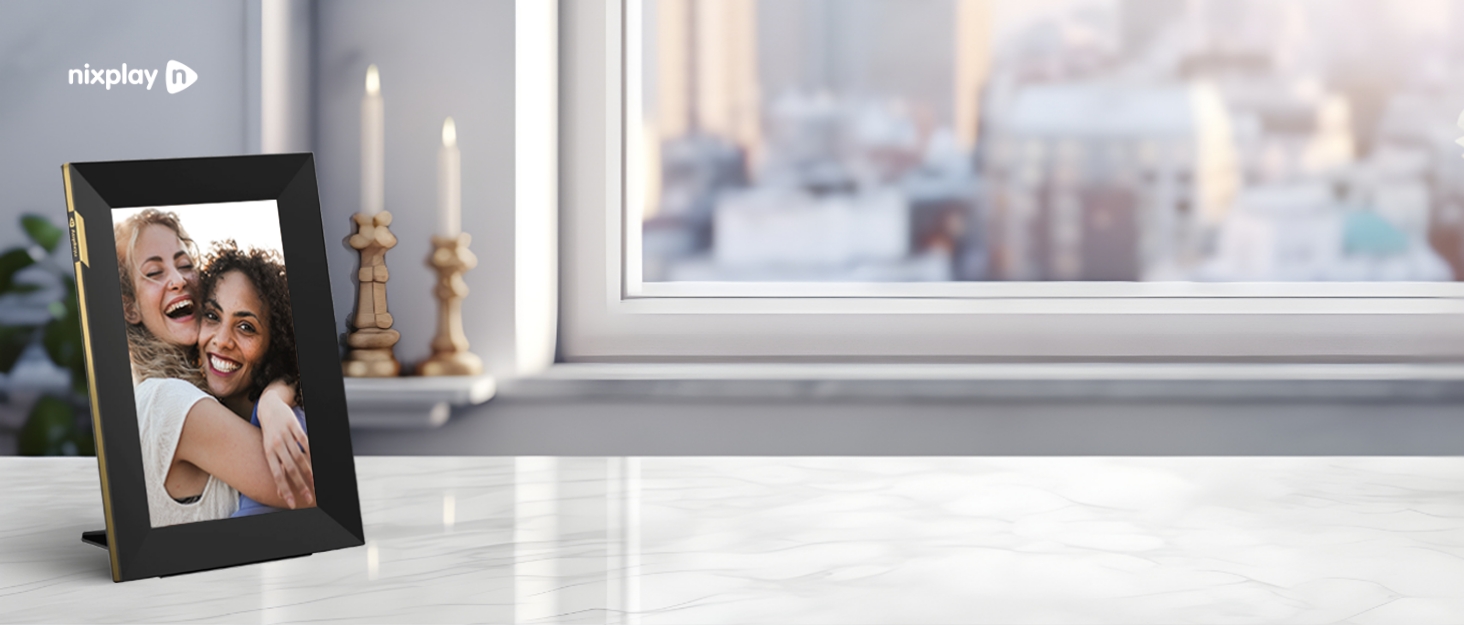
The Nixplay Digital Picture Frame features a 10.1-inch 720p HD touchscreen with Wi-Fi connectivity, enabling effortless multi-user photo and video sharing via app or email. Its AI-powered auto-rotation and face-centering technology ensure perfect display orientation, while secure, encrypted cloud storage protects your privacy. Ideal for gifting, it supports personalized preloading and offers a seamless, intuitive user experience trusted by over 4 million users.


| ASIN | B09X4L9TDP |
| Aspect Ratio | 16:10 |
| Best Sellers Rank | #33 in Digital Picture Frames |
| Brand | Nixplay |
| Color | 10 inch (Classic Black) |
| Compatible Devices | Android, Desktop, iPhone |
| Connectivity Technology | Wi-Fi |
| Control Method | Voice |
| Customer Reviews | 4.5 out of 5 stars 21,424 Reviews |
| Display Size | 10.1 inches |
| Frame Material | Plastic |
| Global Trade Identification Number | 05060156642283 |
| Item Dimensions L x W | 10.55"L x 7.4"W |
| Item Type Name | Digital Photo Frame |
| Item Weight | 1.1 pounds |
| Manufacturer | Nixplay |
| Manufacturer Part Number | W10P |
| Model Number | W10P - Classic Black |
| Number of Packs | 1 |
| Power Source | Corded Electric |
| Resolution | 720p |
| Screen Size | 10.1 inches |
| Touchscreen | Touchscreen |
| Unit Count | 1 Count |
| Warranty Description | 1 Year Labor and Parts |
M**I
Amazing Digital Frame – Still Perfect After 5 Years
I’ve had this frame for five years now, and it still works perfectly. The picture quality is great, the app is very easy to use, and adding new photos is simple. It adds so much life and personality to my room, and everyone who sees it loves it. Everything about it has been excellent. Highly recommended!
K**S
Great gift
Here’s a more uplifting, warm, and polished version while keeping it genuine and joyful: ⸻ I purchased this as a gift for my parents, who are brand-new grandparents, and their initial reaction made me laugh—they thought it was a TV! But once it was plugged in, connected to Wi-Fi, and they saw photos of their new granddaughter, their faces lit up with pure happiness. I love being able to instantly send them new pictures and videos, and without fail, they’ll call right away to talk about them. It’s already become such a special way for us to stay connected. They’re even taking it with them to Puerto Rico so they can share it with the rest of the family. Amazing job, Nix—thank you for creating something so meaningful. The picture quality is excellent, the app is incredibly easy to use, and the cloud pricing is very fair. We absolutely love it.
N**S
Huge, Clear, Quality, and Simple! Great for Older/Tech Illiterate Folks
We originally had ordered the 10 inch screen, which was OK except there was no place to assemble the backing so it could stand as a picture. It was rather small sitting on the stand, but we were very happy being able to see our fur baby pics, who we have just recently lost. I decided that I wanted to go with this bigger model and I can say that I am 100% satisfied and pleased that I made the choice! The 15 inch is the perfect size to see the rolling pictures from anywhere in the living room. I paid the extra annual subscription cost of 30 bucks so we could play longer videos on the picture screen. I am amazed at the quality of the pictures and videos and sound. It’s clear and crisp all around. I have set it so that it goes off at 10 at night and comes back on at five in the morning and it’s right on the money. I love that we can have the time displayed in the lower right hand corner and it’s not too big that it interferes with the pictures, but it’s big enough that we can see it. One of the best things about this picture frame is that a child can set it up. That’s a win-win because as an older person, I struggle with technology. It is self guided once you plug it in. it’ll ask questions and you just answer them by pushing the button and they’re simple questions as well! Then you download the app on your phone or iPad and just import the pictures you want and voilà they’ll pop on your picture screen. There’s no fancy technology, but just simple guided questions even to import pictures. This is definitely worth the money!
G**T
The larger pictures are so much more enjoyable!
We replaced our smaller Nixplay frame with this much larger one and we love it. My husband was struggling to identify people and places on the smaller frame abd now everything is so much easier to see. It is wonderful for our needs!
N**.
Sleek design, little substance. [UPDATED: Dec 11, 2020]
***UPDATE (12/11/2020): I am updating this post following an e-mail from Nixplay customer service which identified the issue I was having as being due to "a recent version of the Google Camera App". According to the Nixplay rep, they have now updated their software to fix this issue. Unfortunately, we had already returned the frames, so I cannot test this fix. However, I am changing my overall rating from 2 to 4 stars, since this "major oversight" turned out to be a minor glitch that is supposedly resolved and shouldn't be a problem for others.*** Original review continues below. ************ My wife and I purchased two of the these frames with the intent of keeping one for ourselves and gifting one to my in-laws so that we could share photos of their grandkids with them. I decided to open ours and set it up first, then set up the in-laws' frame in advance. I never got to theirs. I had a relatively poor experience with these due to their limitations, and ended up returning them both. TL;DR VERSION: I uploaded photos from my phone (Google Pixel 4XL) into the Nixplay app, which indicated they were successfully uploaded and showing on the frame, but the actual frame would not show my photos. Eight (8) days of back-and-forth with customer service to identify this issue. Turns out, the photos taken from my cell phone were too high of resolution for the frame to display. Their solution is to use a third-party app to reduce my photo sizes before uploading...adding an annoying step (or steps) every time I want to add photos. Not worth the price tag, in our opinion, so we returned the frames. Unrelated to my issue, but you should also know that for anyone to share photos to your frame, they are required to create a Nixplay account through which they can send the photos. I.e., they cannot send photos via email without setting up their own account. This may not be an issue for others, but it is for me, so make your own decision there. FULL VERSION: First, I gave this frame 2 stars instead of just 1 because despite our issues, there are some good things about this frame, that shouldn't be overlooked. Overall, the hardware is nice. The frame itself has a very modern, sleek design and seemed to be of good quality. The pictures, when displayed, were clear. The motion sense and scheduling features were nice and functioned as-expected as well. No touch-screen or physical buttons on the device, but a remote control, which has a built-in magnet that will work on the back of the frame (though only in one spot very well), was a nice touch. The app itself was a little less than intuitive, although not bad. Adding photos was a multi-step process (first add to album, then add album to frame). I was a little confused at first (in that I wasn't entirely sure if I did it correctly), but figured it out pretty quickly without having to consult the manual. I suspect most people would be able to handle this similarly. Now, getting into the issues we had, and although it was mainly one thing, I consider it a big oversight on Nixplay's part. There two main ways to upload photos. For simplicity within this review, I'll refer to these as "direct upload" (directly uploading a photo from a phone into the app/frame) and "cloud sync" (linking / syncing a cloud service, such as Google Photos, to the app/frame). I really like the cloud sync function. I used a couple Google Photos albums with our frame and it worked great. The process to connect my Google Photos albums was quick and easy, and the photos showed up almost immediately. Assuming the link with other cloud services works as well, this is probably the best feature. Where the cloud sync worked flawlessly, the direct upload from my phone into the Nixplay app turned out to be a terrible experience. The process to upload a photo from my phone to the app itself was actually relatively quick and easy. The app indicated that all my photos uploaded from my phone (a Google Pixel 4XL - 12.2 MP camera, 4032x3024 pixel resolution) had successfully uploaded into the app/Nixplay cloud storage, and upon assigning to our frame, also indicated that the photos were showing on the frame. A look at the frame itself proved otherwise. No matter what I did, the frame would not show photos that were direct uploaded. I searched through the manual and online to find help for this issue. After trying/checking a few common errors and coming up short, I reached out to customer service. For their part, customer service was very friendly and patient. They also required patience on my part, as it took eight days to resolve the issue, frequently with 1-2 days between our back-and-forth e-mail conversations. It ultimately took customer service requesting my account login credentials to troubleshoot for them to identify the problem: my phone's photos were of too high resolution for the 1200 x 800 pixel display. Now, at first this seems reasonable, but here's the problem: nearly every display (computer screen, phone, tablet, tv, etc.) that I've ever used will automatically resize a photo to fit the display screen, regardless of original size (for example, I often use my 4032x3024 pixel photos as background on my phone and computer screens, both well under that resolution). This is so common that I, and even Nixplay's own customer service, didn't think about that being an issue throughout over a week of troubleshooting. Once the resolution size issue was identified, Nixplay's solution was to use a third-party app to resize all my photos before uploading to the Nixplay app. The whole intent of this device is to quickly and easily share photos -- to our frame and the one to be gifted to the in-laws -- from our phone's photo album (which these days is the primary camera). If the frame can't handle standard photos from a cell phone without the need for the user to take the extra step to edit photos every time they want to upload, than what's the point? To me, this was more cumbersome than it's worth. This issue was by far the most problematic, but an "honorable mention" for disappointing limitations is that in order for someone else (family, friend, etc.) to share photos to your frame, that person is first required to create their own Nixplay account, even if they don't have a frame themselves. They cannot just send an email to your frame (via a personalized, unique email address) without having created their own account. I assume this also means they can only send the photos by uploading them to their Nixplay account first, via the app or website. This may not be a problem for some, but to us it was a big annoyance and we would never want to ask all our family members and friends to create an account and/or download an app that they don't use themselves. We ultimately decided to return both the purchased frames in preference for a brand which did not have the limitations of the Nixplay "Smart" frame. For the price of this frame I expected better and am happy with our decision to return these and go with an alternate brand.
J**N
DIGITAL PHOTO FRAME
⭐️⭐️⭐️⭐️⭐️ (5 STARS OUT OF 5 STARS) My family and I highly recommend this digital photo frame for a variety of reasons but mainly because of its simple design. The frame itself is fully intact when delivered. Meaning, there aren’t any tiny pieces you’ll have to join together to build. The connection and setup is basic and is all completed once you follow the connection prompts automatically displayed on the screen of the photo frame when the device is initially plugged into a power source. Once connected to WiFi you’ll need to download the Nixplay app and create an account which will allow you to link your newly created account to the desired frame. Once fully connected and linked the uploading of photos is as easy and basic as can be. The app will ask you to allow access to your photos on your cell phone and once this access is allowed you simply select the photos you wish to display and select the ‘upload’ button. This basically is confirming all of the photos you’ve designated from your camera roll will be uploaded via WiFi connection to your new photo frame. All newly uploaded pictures are added to the rotation along with all of the previous uploaded pictures. The app allows you to set the speed of the picture rotation and also gives the option to display the date and time at the bottom of the screen to be displayed at all times while all of the pictures filters through. The frame is pretty pricy and is definitely not inexpensive for a photo picture frame but my family has grown to love watching it! My family and I find ourselves watching the frame cycle through all of the pictures sometimes even more intently than watching a TV program. My mother has this frame in her living room and all of my siblings downloaded the Nixplay app and logged in to her account allowing each of us to individually add photos to her frame and update & add content periodically. Our mom is pleasantly surprised when she spots a newly added picture and it puts a smile on her face! I ended up ordering a frame for myself and simply added the serial number of the new frame to my mom’s existing account. Her app now displays two frame icons when opening the app so make sure to select which frame, or both, you wish to add your pictures to. Also, setting up our frames this way allows everyone access to add pictures to my frame as well.
C**R
Great frame
Great frame. Easy to upload photos from the app or email them to the frame.
E**N
Bait and switch. DO NOT BUY (updated)
I bought this item because it advertised FREE Dropbox connectivity. When I bought it, that worked fine. Now, they have changed it so that you have to pay a subscription to get Dropbox connectivity, even though it used to be free. I already paid for this when i bought the dang photo frame! Feels like a bait and switch. Update: I reached out to customer service and they gave me a sincere and we'll reasoned response. I understand that they seem to be in a financial dilemma, but I still do not think it is acceptable to retroactively start charging customers additional money for functionality they already purchased. I'll let you read it and form your own conclusions. However, understand that if you buy this company's product, you are accepting the risk that they may reduce the functionality of your device or charge you additional money. Their response: "Dear Evan, Thank you for reaching out. We do understand your frustrations and concerns. As you have gone to the trouble of reaching out and taking the time to write to us, We would like to take the time to respond and explain why we have had to make this decision - it’s not a decision we’ve taken lightly. For over 12 years, we have done our best to provide as much as possible for our customers in storage, data bandwidth and feature services. The fact that we have been providing such levels of service with no ongoing fees to customers for over 12 years is, we think, proof that there was never a plan to 'bait and switch'. Our assumption was that cloud costs would continue to reduce as we scaled. Unfortunately, over recent years the cost of maintaining and improving an HD content-based ecosystem has genuinely become more and more expensive on a per customer basis, not less expensive. Data storage costs are but a small fraction of the costs involved (whereas it used to be the biggest cost). We now need a complex infrastructure and ecosystem to support millions of customers using so many touch points and feature services. This requires a multitude of solution/software providers to perform many complex functions. The cost of engineers required to design, build and maintain such an ecosystem rises significantly every year. Bandwidth costs in moving HD photo and video between mobile apps, frames, websites, TVs (Nix-Cast) and third party content platforms has become very expensive, plus the volumes being moved have grown substantially on a per-user basis. In particular, dynamic content from third party social/photo platforms such as Google Photos has become very expensive as their feeds are constantly being updated and we incur costs each time for the processing required. Nearly every other major company in this space has been forced to make similar changes. Facebook now deletes videos after one month (plus they monetize your data and advertise, two things we do not do). Google and Apple charge for photo/video storage (Google also monetize your data and advertise). Amazon Photos cancelled free 'unlimited photo storage' a few years back. A very important thing to note is that Facebook, Amazon, Google and Apple all own their Content Delivery Networks (CDN) as well as their own Data Centers. With their own CDN’s, on a per-unit basis for bandwidth and caching, their costs are a fraction of ours, and CDNs are only available to the megacorps. Even whilst owning their own CDNs and Data Centers, they have still been forced to charge more over recent years. For a very long time, we managed to provide the vast majority of our services for free. We have tried really hard, for longer than most, to maintain this for as long as we could, but the sharp increase in platform costs over the past years has exceeded our ability to provide these services at no cost, forever. The time has come for us to make a hard choice. In order to continue to run the service, we need to start charging our customers a small fee, equivalent to 4 or 5 takeaway coffees per year. If we don't charge, we can no longer run the service for anyone. We're a small, passionate team that has sweated blood and tears for over a decade to build and develop what we believe is the best photo frame ecosystem, with the most features anywhere (including NixCast, Nix Events and more). We did this for our customers, and very importantly for grandparents. We're very proud of what we've accomplished, and we wish to keep delivering for Nixplay families everywhere, including for you and your family. Our mission is to help grandparents, parents and children enjoy and share their moments and memories, and we are positioning ourselves to be able to continue doing that, long into the future. Sincerely, Nixplay Team"
I**A
Evitar este producto a toda costa
Compramos este producto después de comprar uno y estar contentos y al cabo de 10 días empezó a funcionar de forma incorrecta, no detectaba con el sensor, y luego dejo de mostrar imágenes para quedarse o bien con una pantalla en blanco o negra intermitente. Contactamos a la empresa. El servicio de soporte solo trabaja en horario de oficina (indicado por Instagram) y cuando hemos intentado ni el teléfono ni el chat funcionaban. Al contactar por Instagram nos comentan que usemos el correo. Una orientación al usuario nula. No tenemos claro por el interés mostrado que nos vayan ayudar. En todo caso, no recomendamos este producto en ningún caso. Al no llevar mando remoto, si hay problemas no se puede buscar que pasa, y tampoco responde a la aplicación móvil. La pantalla no responde,… total un desastre… si se pudieran poner puntos negativos esa sería la nota.
M**G
Good quality
Great product. Highly recommended.
D**Y
The BEST
Over the past years I have purchased 3-4 frames from these people, it has 'always' arrived earlier than expected, the frame turns on and just works effortlessly, unfortunately the last frame I ordered was faulty, they refunded the money in full along with the shipping cost to return it. They kept in regular contact with me and nothing was a problem for them, I will always buy my frames from these people and nobody else, they are the best.
M**E
We Love these frames
I was looking for a decent digital photo frame to show the memories of the family and see the memories of those missed loved ones for a while and I came across Nixplay a while ago and have Nixplay frames in our house. I came across Nixplay based on the reviews compared to others, I was a bit hesitant at first because of people mentioning about a subscription but I was also impressed on the reviews about its quality and functionality, so I ordered one Well our third frame has arrived, and guess what, we love it!! Its straightforward to setup out of the box, connect it to your WIFI, load their app on your phone which finds the frame straight away and links it to your account. Then just upload some photos and done! I must admit we all had a giggle at seeing some old photos while setting it up. But its well built, robust and has a brilliant screen display, you can change the transitions and have a timer / power saver mode for when you are not at home and is activated again by its motion sensor when you get near to the frame.. Overall it is a really great product and we are really impressed with it. You can create albums with certain photos and then choose which albums to play on what frames as well as add users to your account, like the kids and the wife (They are happy, uploading embarrassing pictures of Dad aka..ME lol) and all still on the free plan Yes, there is an option to upgrade the subscription plan where it will increase the photo storage to unlimited and provides a bit more functionality where you can upload and edit more photos, videos and even link to google as well as cover multiple frames which I also think is pretty cool as we have google devices in our home and all for a really decent price. I’ll be honest, like I said I was worried about the subscription at first but its really not a problem and you don’t need one but if you do want it. But upon looking into it, in fairness its extremely fairly priced in my opinion. I was shocked from reading some of the negative reviews and quite frankly I think the reviews are a bit off putting and misleading for anyone that would want something like this to share their memories. It’s absolutely fab!!! But like most things these days, if you want more then you pay for it – just like your TV Subscription I guess, look at firesticks for an example, you buy the stick and you can do certain things for free but then you see a program you want to watch or an app you want and guess what, you have got pay for it….. So, if you want to do more or watch more then you pay for it – just like any other online services I guess and YES, we did upgrade too – this is applied to your account so it covers the frames that are added to your account, this is now our third purchase and will certainly buy another Anyway, I personally would buy this again as we love it and the kid’s now want one in their rooms 😊
E**R
Gran compra
Si te gusta disfrutar de tus fotos, no quieres estar imprimiendo cada dos por tres y no quieres convertir tu casa en un museo, te lo recomiendo. Nosotros estamos encantados con sus franjas horarias para editar cuando reproduce, la opción de albunes varios para poner el q te apetece y si quieres puedes unir con familiares que también lo tengan
Trustpilot
1 month ago
2 weeks ago