🎨 Elevate your digital art game—wireless, precise, and built for pros who refuse to settle.
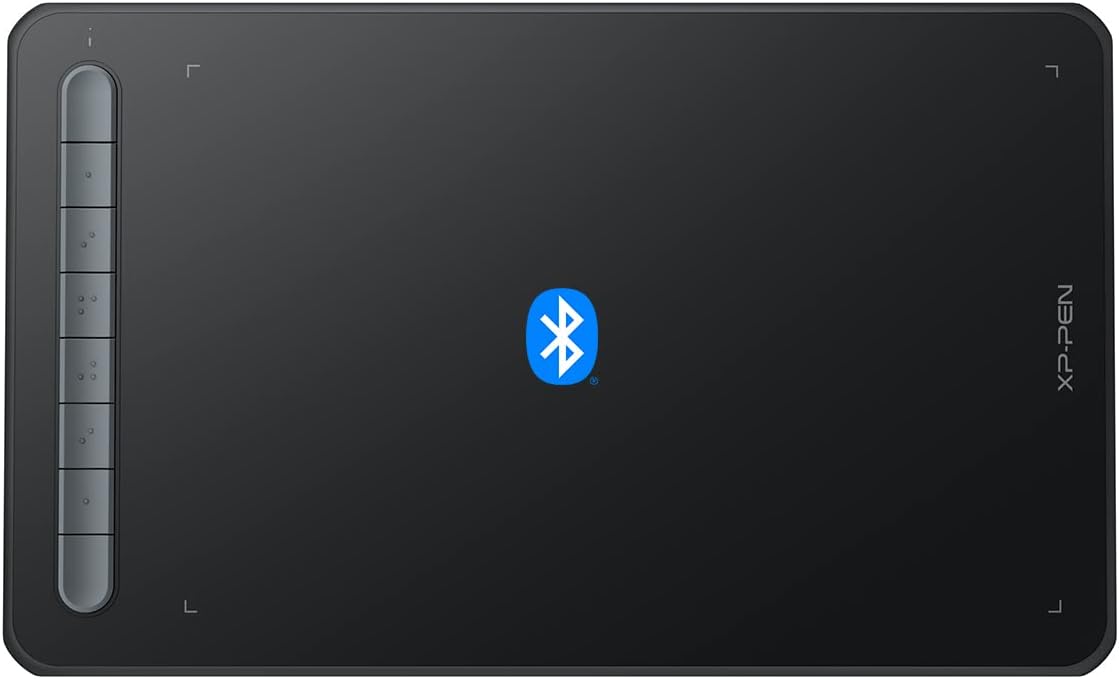
The XP-Pen Deco MW is a versatile 8x5 inch Bluetooth 5.0 wireless drawing tablet featuring the battery-free X3-Smart-Chip Stylus with 8192 pressure sensitivity levels and 60° tilt support. It includes 8 customizable shortcut keys for enhanced workflow and offers broad compatibility across Windows, Mac, Linux, Chrome OS, and Android platforms. Designed for professionals and creatives seeking a clutter-free, high-precision digital art experience, it comes bundled with essential accessories and bonus software to jumpstart your creativity.


| ASIN | B09Z2B6MTF |
| Batteries | 1 Lithium Polymer batteries required. (included) |
| Best Sellers Rank | #59 in Computer Graphics Tablets |
| Customer Reviews | 4.3 4.3 out of 5 stars (436) |
| Date First Available | May 1, 2022 |
| Item Weight | 1.46 pounds |
| Item model number | Deco MW |
| Manufacturer | XP-PEN |
| Product Dimensions | 10.35 x 6.3 x 0.23 inches |
B**E
It's a nice little tablet
I have used Photoshop on Walcom tablets for years. I started doing video editing, and I found that I needed a little more control and wanted something with quick keys. This little guy is great. The Bluetooth is a huge plus. I can just put the tablet away when not in use, and when I need it, it's ready to go! The quick keys work well on my M3 MacBook Pro and make editing the videos much quicker. A couple of things, though: 1. You must have the software running for it to work. Especially if you want screen swapping and quick keys. 2. I needed to adjust the sensitivity, out of the box it was set a bit to "Hard" for my taste. 3. Read the instructions to pair; it's not as straightforward as I thought it would be. But it does take the accidentally unsparing out of the equation. Overall, I would purchase XP Pen tablets again if I need another one or an upgrade.
S**E
Works great
Very easy to use and connected immediately to compute. Easy to carry in laptop bag. Appears to be durable and good for the value for money. Pressure sensitivity is good as well.
M**Y
Hardware Is Solid, But Software Is Lacking
First off, I ordered the Deco MW and use Windows 11. It's great out of the box! It's lightweight, has a long battery life, has a generous amount of re-programmable buttons, and it can directly connect to Bluetooth without using the receiver. Even before driver updates and installing the Pentablet App it still worked right out of the box as a basic drawing tablet. Though, after installing everything I realized how much more functionality I wanted, mainly with the Pentablet Application itself. As someone who takes digital notes, I often use a lot of shortcuts. Commands such as Panning, Undo, and Redo - which are 2 input commands on a specific app I use - are easily configurable in Pentablet. Unfortunately, the same cannot be said for 3 input commands, and actions that require you to hold the button to repeat the command multiple times. Trying to reprogram a button to take something like "ALT + W + 1" results in "ALT + W, 1" which is not the same. Additionally, reprogramming a button to zoom in (CTRL + SCROLL UP) didn't work as intended. When I naturally held down my zoom button I expected it to continue zooming, instead it only zoomed in once and I had to press it repetitively to get what I wanted. The lack of options didn't end there. I'm familiar with using the mouse, so I prefer the Mouse mode since it uses relative coordinates and I can drag the cursor to the area I want, like how you lift the mouse and reposition it to move the cursor further when you run out of space. Unfortunately, mouse mode disables one of the most important features, Pen/Erase. The ability to toggle between Pen and Erase on the same button is essential and frees up one more button on the digital pen. I wish you can manually set a button to toggle between two actions, but that's another feature left out of the software. If you want the Pen/Erase functionality, you have to get used to Windows Ink's absolute coordinates which feels weird to me. Oddly enough, even with all these flaws it still works great for digital note taking. Sure you can't assign an action that uses 3 commands to a button, but you can simply drag the cursor and press that action on the screen. If you're dead set on mouse mode, simply assign each button on the pen to Pen and Erase. Every issue has a solution, albeit slightly inconvenient.
L**F
A must have for all teachers
As a teacher this lets me walk around the room and help my students at their desk and still control the board in front of the room. Easy to set up. Great range. My kids love taking turns controlling the board while I teach. It really gets them involved and helps keep their attention. Long battery life. Easy to write on. Very sturdy since my kids drop it a lot.
C**)
XP-PEN has made a great graphics tablet for roughly $50
this is one of the best graphics tablets I've ever had the pleasure of using for digital art and sundry- it is comparable to the Intuos line from WACOM, but less expensive! am using it on a Windows PC with no trouble, the drivers are unobtrusive and do the job well also, I love that it comes in so many sweet colors, I have the pink one and it is so charming!
L**L
My daughter loves it but the software is trash
XP us to my knowledge not knew to this so I was shocked to find out how crappy their software us. When you plug in the tablet, it works perfectly but once you download the software and run it, all of a sudden your tablet will not work again unless you uninstall it. This makes it useless for anything other than very simple kids drawing fun.
S**R
A really good basic stylus tablet
I can't speak to how this is for advanced users, but I'm a beginner at 3D modeling (Blender) and 3D motion graphics (Unreal Engine), which is why I purchased this tablet. It has done an excellent job for me, not only in my 3D graphics applications, but also in GIMP, where I do a lot of my 2D graphics work. I'm using it to learn to draw as well, taking art classes focused on computer-based graphics art, and I find it easy to work with. My only recommendation is that you plan on going into the software to change the orientation if you use it in other than landscape-left-facing, to change the orientation to your preferred orientation, as I have not figured out, yet (after a month) how to change my default setting to my preferred orientation setting. Other than that, it is a good, basic stylus tablet with good pressure sensitivity and smooth integration (wired) between my drawing programs and the tablet.
M**A
It's not quite for wireless
On Windows 11 when going wireless it lags and jitters so it's difficult to make straight lines when it keeps on hopping around. Works fine wired but was hoping to be able to use what wirelessly so I don't have to bring cables around. This is the first time I saw one of these tablets wireless so I thought you give it a try. I hope in the future it gets better.
A**A
Ya llevo casi 3 años con esta tablet y ha sido lo mejor que he comprado, fue facil de utilizar, facil de instalar y hasta la fecha aun sigo utilzandola, para empezar a dibujar esta bastante bien
M**A
La he usado aproximadamente un mes y medio, todo bien. La textura y sensación al dibujar es preciosa, anteriormente usaba la star 06c y es una gran diferencia, la calidad del material es 10/10. Aun me sigo confundiendo con las teclas. pero igual son muy útiles. Si no tienes mucho presupuesto, es una buena opción.
D**A
Me encanta, lo utilizo para dibujar en celular y me ha servido mucho, es bueno para chicos y grandes
A**O
I really enjoying this device. It is really responsive and all. I am a mac book user, the only thing is that the bluetooth connection can be a little bit unstable, but even with this, i still buying it. And sometime the manager says it has to updated the firmware of the device, but it never get updated. But i am still buying it.
A**.
Si usted utiliza aplicaciones de Autodesk, entonces sabrá que se usan mucho los botones de la pluma como ¨click medio¨ y ¨click derecho¨ para moverse en una interfase 3d, y con mucha desilusión me di cuenta de que esta tableta NO SIRVE para este tipo de aplicaciones, ya que la pluma solo en modo *mouse¨ funciona, pero de una forma terriblemente mala,.....estoy realizando la devolución inmediata de este pésimo producto.
Trustpilot
2 weeks ago
2 weeks ago