Desertcart purchases this item on your behalf and handles shipping, customs, and support to New Zealand.
🔇 Own your virtual presence with MuteMe — mute smarter, meet better!
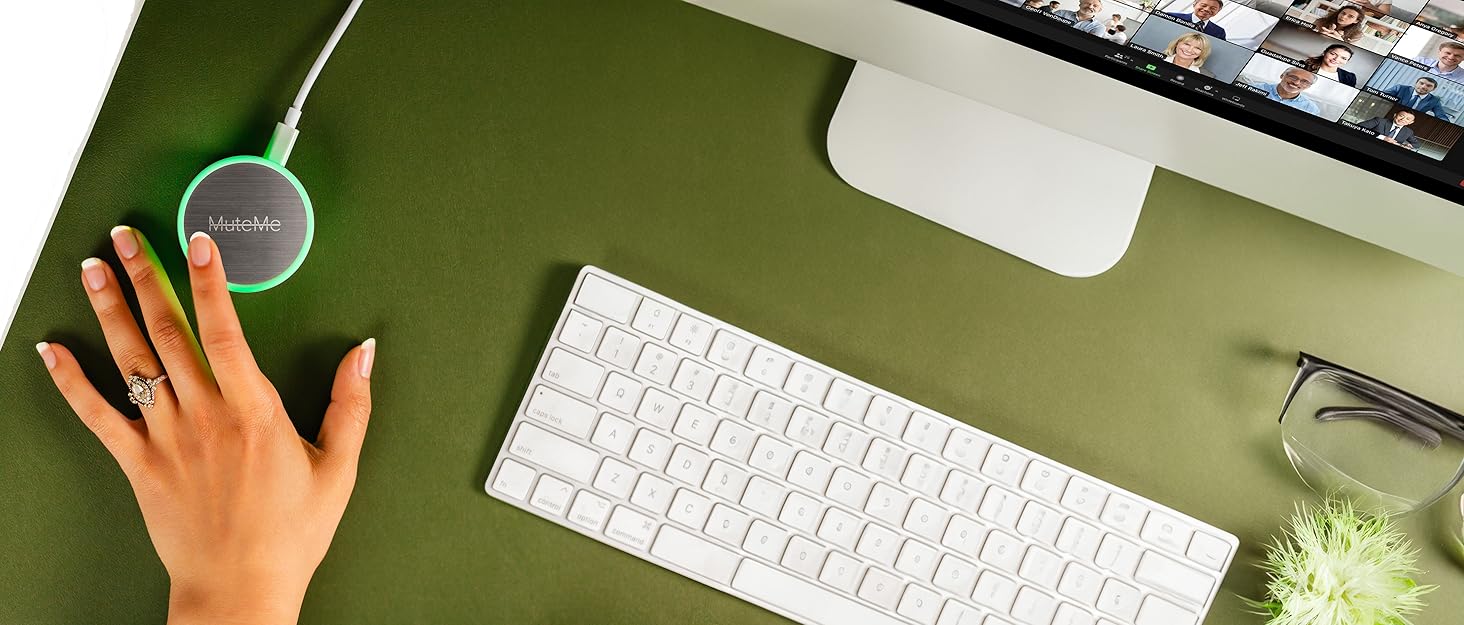
MuteMe is a compact, illuminated capacitive touch mute button designed for professionals who demand seamless control over their microphone during virtual meetings. Compatible with Windows 10/11 and macOS 11+ (Intel & Apple Silicon), it connects via USB-C or USB-A and syncs flawlessly with major platforms like Zoom, Teams, and Google Meet through free companion software. Featuring 8 customizable LED colors, it provides clear visual mute status, reducing interruptions and boosting productivity. Lightweight and surface-mountable, MuteMe transforms your remote meeting experience with instant tactile control and peace of mind.


| ASIN | B0B6HPPBXV |
| Best Sellers Rank | #66 in Computer Microphones #6,072 in Laptop Accessories |
| Brand | MuteMe |
| Brand Name | MuteMe |
| Circuit Type | 1-way |
| Color | 8 Customizable LED Colors |
| Compatible Devices | Headsets, Mac, Microphones, PC |
| Connectivity Protocol | USB |
| Connector Type | Usb Type-a, Usb Type-c |
| Contact Material | Stainless Steel |
| Contact Type | Normally Open |
| Control Method | App, Touch |
| Control Type | software |
| Customer Reviews | 4.4 out of 5 stars 773 Reviews |
| Included Components | USB C Female to USB A Male Adapter, USB C to USB C Cord |
| Item Dimensions | 2.3 x 2.3 x 1 inches |
| Item Type Name | Physical Mute Button for Zoom, Teams, WebEx and More |
| Item Weight | 40 g |
| Manufacturer | MuteMe |
| Material Type | Stainless Steel |
| Model | Batch 07+ |
| Mounting Type | Surface Mount |
| Number of Items | 1 |
| Number of Positions | 1 |
| Operation Mode | ON-OFF |
| Part Number | Batch 07+ |
| Specification Met | CE, RoHS |
| Switch Type | Push Button |
| Terminal | Usb |
| UPC | 756014335590 |
| Warranty Description | Please visit manufacturer's website for warranty information |
M**K
Wonderful for online teaching and anxious people
This little thing is amazing! Not only does it work on Teams and Zoom, I use it for my virtual classroom. While I wasn't sure it would work with Engageli (it doesn't say it would on the website) it works with my computer microphone. So while my classroom UI might not show I'm muted, the button still works for it and I just use to get to my mic quickly. My husband joked about getting this as a gag gift for someone, but when I talked about my anxiety about remembering if I'm muted or not (especially if my kids are home and I'm not right by the computer), he suggested it as an actual tool for me. I'm so glad he did! Being able to see what color it is and know I'm muted from across the room is wonderful. It was easy to install. I followed the directions on their site to have it interface with Teams and Zoom. When it wasn't working in my classroom, I realize it was because you DO need to have the app open on your computer while you're wanting it to do its thing. You can minimize the window it's in, you just need to make sure it knows it needs to be running, basically. It's the perfect size and weight to not get moved around by papers and such on a desk (about the size of a paper weight). I really love this thing! It's worth a try for sure, especially if you forget you're on mute all the time or have anxiety about constantly checking the tiny button on meetings to see if your mic is on. Also...it's not an actual button, just a touch "button" where the silver part is. Picture is MuteMe between a 3X3 Post-It dispenser and Google earbud case for reference.
D**E
This has changed EVERYTHING!
The first time I looked at MuteMe they didn't have Level 3 support for all three apps I use daily; Teams, Zoom and Slack. After checking back a few months later more and more platforms were supported at the highest sync level, so I gave them a try. After the straightforward setup of the device and each platform, I was immediately experiencing what I was hoping for within minutes of my first test meeting. Not a single issue on any of those platforms. I've only experienced one status sync issue out of nearly a hundred meetings so far and that was ironically immediately after updating to v0.25.8 and using it in Zoom. Tapping the puck forced a resync and since then it has been fine. The peace of mind knowing I am muted (or not) when multitasking on a video call is such a game changer. The stress and bandwidth of not having to worry about that when meeting is so helpful. I'm more present in my meetings and productive as a result. I don't want to have a meeting without it! I'm gifting these to a number of those in my circle as a little QOL improvement or hack. The team at MuteMe is small but their doing big things in this space. The value, ease of use, feel and build quality exceeded my expectations, which were high and why I held off initially. I wouldn't hesitate to give it a try. I picked up the combo pack with the mini for when I am on the go. There is no looking back!
D**N
Easy, convenient, and pretty much perfect
I do a zoom book club with some friends and i just have a cheap little home studio and the MuteMe is invaluable for when we are recording. Not only does it work great as a quick cough button, its terrific for when my cat decides to be a nuisance in the background. Being able to quickly and easily mute myself with such a convenient device has made my little passion project so much better. Set up is easy, and actual use is a dream. If anyone is concerned about it being illuminated, you can easily turn that off in the settings, and you have full control of the colors for both the muted and unmuted states
F**D
Exactly what I was looking for
This is exactly what I wanted, a visual sign of the mute status and a quick unmute / muting. The only issue I have with it, and it is not a huge issue, is the USB randomly disconnected 3-4 times since I have had it. It has not happened again in a bit and even when it does, just unplug and plug back in fixed the issue. It might not even be the MuteMe's problem (no other USB devices disconnect though) and it might be fixed since it hasn't done it in a while. The integration into Zoom and Teams meetings is fantastic and super easy to use. There are tons of adjustments that you can do.
J**O
⭐️⭐️⭐️⭐️⭐️ Game-Changer for Remote Meetings
I’ve been working remotely for a few years now, and the MuteMe button has quickly become one of my favorite desktop tools. It does exactly what it promises, lets you mute and unmute yourself with a simple touch, and gives you a bright visual indicator of your mic status. What I like: Instant Feedback: The light is bright and easy to see. I never wonder whether I’m muted during a call anymore. Touch Sensitivity: The capacitive touch works well, even with light taps. No need to press hard. Cross-platform: I use Zoom, Teams, and Meet, and it integrates with all of them once you install the software. Design: Sleek, compact, and doesn’t clutter my desk. A couple things to note: You do need to install the free software for it to work, but it was quick and straightforward on both Windows and Mac. If you're switching between multiple meeting apps often, make sure you have the right profile selected in the software. Overall, it's a simple idea executed really well. It makes video calls less stressful and more professional, no more accidental unmuted moments! Would I recommend it? Absolutely, especially if you're in and out of meetings all day. It's a small investment with a big productivity (and sanity) payoff.
D**E
It's AMAZING! Get it!
Oh, the number of times I can't find the right screen to unmute! For anyone who has an office job, taking conference calls most of the days while also having to manage multiple monitors and tons of apps - this is your savior! I love that I can visually see this button and know instantly whether I have a hot mic or not. I also love how easy it is to mute/unmute as I can also eat on conference calls without having to worry about co-workers hearing it. I love that I can customize the colors to whatever makes sense to me. I use it multiple times a day with Teams and Webex, but suspect it works with any of the major conferencing tools. As is clearly mentioned - you have to be able to install apps on your computer so for some reason when I got it, I was able to but I wanted to buy these for my whole team but the first person who got it, couldn't so it doesn't work for her. I got my husband one too and he loves it. This is my favorite work tool!
T**E
Move from liking to I cannot recommend in 2 years.
Nov 2024 . I loved this product for 2 years and changed 5 stars to 1 now. It was a solid product and this past year firmware pushed made it where it does not sync up with MS Teams for many calls when I start in the AM. I have even tried to leave it running all night. Support has had me reload multiple times every time. and keeps pointing at I have an issue now. Not sure why I worked for 2 years and degrade with each update. I would say not worth buying this device. Sep 2024 - It seems with every firmware push this product tends to get flaker. I set one Mic and One App "TEAMS" as level III. It does not always sync up with the App and has to be toggled many times to sync up and then gets out of sync on the cent call. The first call of the morning tends to not work. Also if I toggle the mute with my mouse or spacebar MuteMe does not change unless I touch it. It started as a rock-solid product to now unreliable. Dec 2022 Simple Install. Downloaded the Software and Off and running. I'm mainly a business MS Teams user with multiple screens and a Logitech Camera/Mic device. Not too complex. I tend to participate in or lead virtual calls with many programs open and always scrambling to find the Teams Desktop to Mute/Unmute. I set up the software to Level III for Teams using the Logitech mic and it seems to always work perfectly. Simple fast to identify Mute status, and the color options for different modes. The only item that bugs me, I left my laptop running 7/24. Tools to manage the LEDs turning off after work and back on based on time would be helpful. For now, I shut down the program and restarted it in the mornings. I never knew I needed this device until now. Fits perfectly in the base on my Blue Yeti X Mic
B**Y
Works well... most of the time
This little thing is great! However, I have a few problems. The Problems: 1. Tech support is an email response, not a great experience... and it took a few days. 2. When the app that runs it in the background wants a survey or something, it stops running completely. It waits for you to address it and it does not matter if you are in the middle of a meeting. The Pros: It is so great and easy to use. The touch is very light so you can quickly activate it. I love being able to customize lights, colors, and usage between different apps. Overall: Would recommend with the caveat that reminds you about the issues I listed above.
S**N
Does not work *all* the time.
I bought this product, because I wanted a visual queue to know when I was being listened to (eg accidentally left my meeting open or mic on), I lost confidence after a few days of use when the button was red, and people could still hear me. That should never happen in a product like this, do not buy if you are serious about your privacy. Also don't get this if you have multiple users on the same computer, you will have to get the other user to log back in and turn off the app before it will work on your account
A**R
I recommend
Very good!
R**.
Bei mein einfache Nutzung funktioniert alles.
Setze es nur auf ein Geschäftsrechner ein (wo ich kein Admin-Rechte habe) und nur für Teams. Funktioniert wunderbar. Die Software lies sich ohne Problemen installieren und Status wird synchronisiert. Alles läuft schnell, ich bin zufrieden.
A**A
Falla mucho y los menús de la app son super complejos
Falla mucho, de pronto se apaga y deja de servir hasta que se desconecte y conecte de nuevo.
M**T
Super useful
Great little device that gives me quick access to the microphone without worrying about which window is active. Also super easy to setup
Trustpilot
3 days ago
1 week ago