Buy anything from 5,000+ international stores. One checkout price. No surprise fees. Join 2M+ shoppers on Desertcart.
Desertcart purchases this item on your behalf and handles shipping, customs, and support to New Zealand.
⚡ Power your productivity with the dock that never quits!
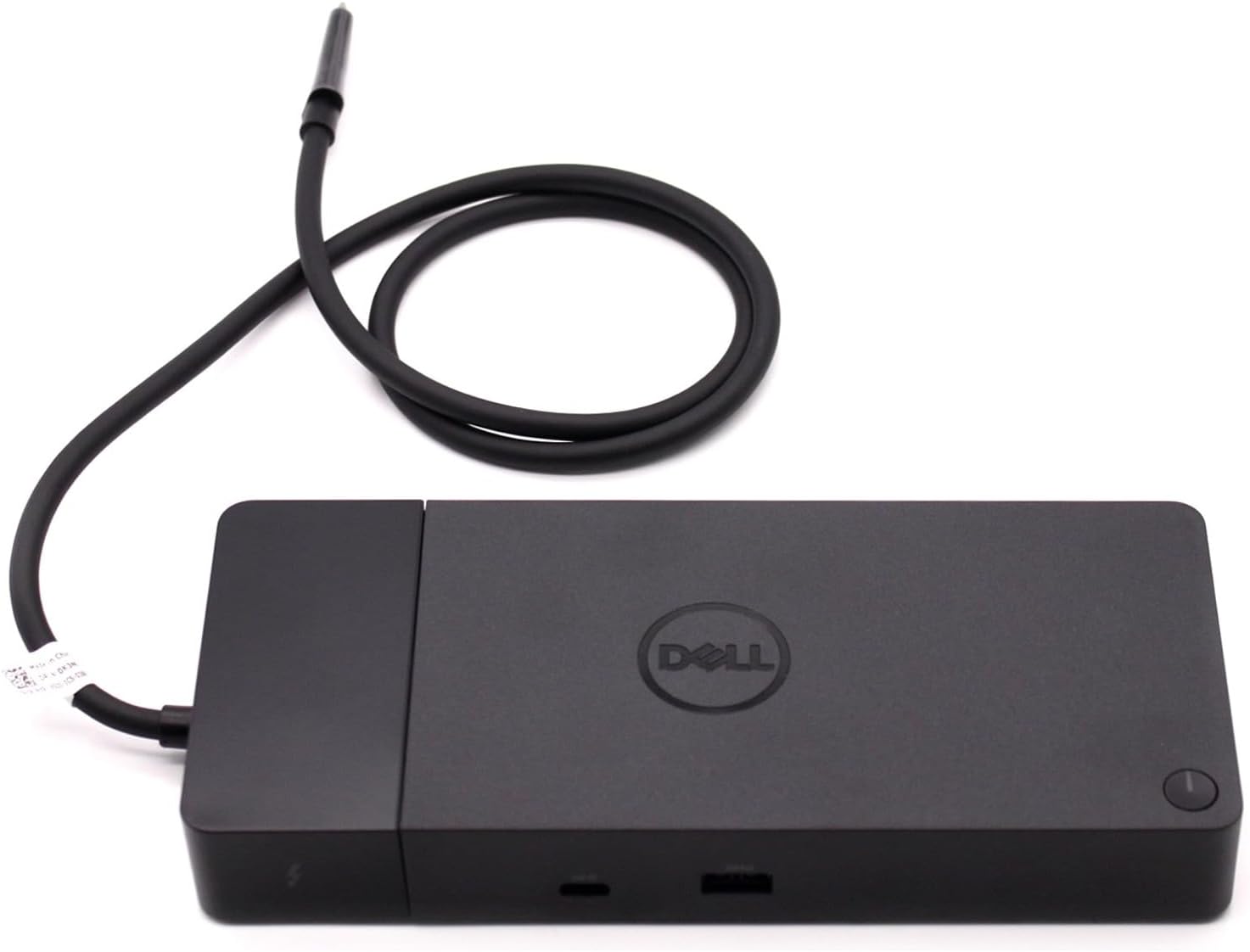
The Dell ThunderBolt 4 Dock WD22TB4 is a premium modular docking station featuring 11 ports including dual Thunderbolt 4, USB-C, USB-A, DisplayPort, and HDMI. It supports multiple 4K displays, delivers ultra-fast 40Gb/s data transfer, and includes a 180W SuperBoost power adapter for rapid charging. Designed for Windows 10/11, its swappable modules future-proof your setup while ensuring stable, high-performance connectivity for demanding professional environments.
| ASIN | B0B7P6ZNFB |
| Best Sellers Rank | #129 in Laptop Docking Stations #6,806 in Computer Accessories & Peripherals |
| Brand | Dell |
| Color | Black |
| Compatible Devices | Dell, HDMI, Thunderbolt, USB C, Windows 10 |
| Customer Reviews | 3.9 out of 5 stars 444 Reviews |
| Global Trade Identification Number | 05397184635629, 05397184718902 |
| Hardware Interface | Thunderbolt 4 |
| Input Voltage | 230 Volts (AC) |
| Item Dimensions L x W x H | 9.7"L x 6.5"W x 1.1"H |
| Item Type Name | Doking Station |
| Item Weight | 650 Grams |
| Manufacturer | Dell Computers |
| Mfr Part Number | DELL-WD22TB4 |
| Minimum Required Operating System Version | Windows 11 |
| Model Number | DELL-WD22TB4 |
| Number of Ports | 11 |
| Product Dimensions | 9.7"L x 6.5"W x 1.1"H |
| Smart Home Compatibility | Not Smart Home Compatible |
| Total Number of HDMI Ports | 1 |
| Total USB Ports | 7 |
| Total Usb Ports | 7 |
| Warranty Description | 1 Year |
| Wattage | 180 watts |
O**G
The perfect addition to my setup
I recently purchased a Dell u4323qe monitor that has a built-in USB-C hub. I thought it would be perfect for all the devices I use, including: 1. Razer Goliathus Extended Chroma mouse pad 2. Razer Blackwidow V4 Low-Profile Hyperspeed keyboard 3. Razer Pro Click V2 Vertical edition mouse 4. Elgato Wave 3 microphone 5. Logitech BRIO camera 6. Stream Deck MK.2 It was a disaster! Devices would frequently lose connection and/or just stop working. I should’ve done better research. What I needed was a POWERED dock not just a hub. The hub in the monitor delivers power but is not itself powered. I purchased this Dell T4 dock and now everything runs very well with no disconnects. I couldn’t be more pleased with the results.
W**E
Great docking station
Works great. Love the power.
S**M
Defective and resold with passing QC.
The items arrived defective. It was a returned product that did not even get properly cleaned up or sanitized before selling it off again. The docking station was sticky and even had hair stuck on it! None of the ports connected to any of the monitors nor other peripherals. The fan is very loud like a room dryer. This is one of the worst products I ever bought on amazon. DO NOT BUY!
B**H
Had Many Issues with ethernet and audio Interface...But Fixed It...
I downloaded the necessary drives for the thunderbolt dock and It did not work with Ethernet and Pairing Audio Interface. I was able to fix the thunderbolt docking station ethernet ports ability to read and pairing the Audio Interface by literally Rebooting my Computer WITH the Thunderbolt Cord Connected!!! No one told me. Though I also messed with the Thunderbolt settings in the BIOS so I am not sure if that affected anything. Other than THat so Far so good. I have had it for a week now. And at first I think my computer started smelling weird, but I think if was fine after a little bit. Thank goodness I didn't have a swollen battery... One Important point give your Laptop much airflow or else you will regret it. I have my laptop propped up on the Thunderbolt Charging Adapter, and it works great. One last thing make sure you check compatibility with device and that your device supports Thunderbolt 3 or 4.
K**N
Suspicious that this was NEW
This is my fourth Dell docking station. This one appears NOT new. It was missing original packaging and Dell installation instructions and warranty information. It works, but suspicious that it may have been an open box or returned but I paid for a new docking station.
P**R
Does what it needs!
The port works well with my computer, charges it nicely, can handle multiple monitors and multiple devices plugged in at the same time. I lament that my computer's on its last legs... one of the reasons I got the thing... a USB port is dead and the power cord wouldn't stay in.... keys are chipped. BUT! This is snug in my Thunderbolt port and has given new life to my machine. Nothing an external keyboard and mouse can't help with... and with multiple monitors, I can keep my laptop closed.
L**I
Great dock for my Dell
I got a Dell computer and purchased this dock. It was easy to install and works fine with my Dell computer. I appreciate the variety of ports that are available. It's the standard dock size. I do wish it were a bit cheaper; however, I've had bad luck with generic docks, so I'm happy to pay more to get something that will just seamlessly work with my computer.
B**.
BEWARE OF PRODUCT DEEMED DEFECTIVCE BY DELL BEING PASSED OFF AS GOOD/NEW
This product wouldn't work. I called DELL for support, and they said the service tag # indicated this product was a) sold over a year ago by DELL, b) was deemed DEFECTIVE by DELL support and a return was created at that time, c) it was for some reason never returned, and d) I suspect this is part of a scam, almost like an old time check kiting scheme, where it is sold over and over by this vendor to unsuspecting buyers, each time a refund takes 30 days to get credited while the defective device is sold 3 and 4 times over. I'll bet this seller is sitting on $1,000 of cash from selling it 5 times a month, while earning interest on the funds, while this defective product is passed around.
G**S
Me encantó
Genial
P**R
Cannot display 3440x1440 resolution
I purchased this to be ready when 5K OLED displays 5120x2160p will be available. Can't even display 3440x1440, a joke.
Z**J
Perfect
It is perfect it works with my Mac with 2 displays and with my Dell.
R**N
Coil whine si utilisé sans l’alim du XPS
Sur mon Dell XPS 9530, l’alimentation du dock n’est pas suffisante lorsqu’elle est utilisée seul : un bruit électrique (coil whine) apparaît, même si le dock fonctionne. En revanche, une fois l’alimentation du XPS branchée en plus du dock, le bruit disparaît.
A**I
Productivity at its best.
If you're working from home with multiple monitors this is a must have. - I have 2 monitors connected to it along with wireless mouse and keyboard. -Still there are ports available for connection external disk or pen drive. -There are no issues noticed for the same for the past 2 years. Only con for me is that there should have been an audio jack.
Trustpilot
2 months ago
3 weeks ago