


🚀 Elevate your projects with the Nextion 5.0” Intelligent HMI — where power meets effortless design.
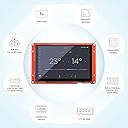
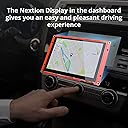
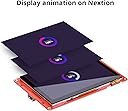
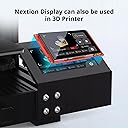
The Nextion 5.0” Intelligent HMI Display Module NX8048P050-011C combines a high-speed 200MHz ARM MCU with 128MB Flash and 512KB SRAM, delivering a capacitive 800x480 touchscreen that supports video, audio, and animation playback. Designed for seamless GUI development via free drag-and-drop Nextion Editor software, it’s ideal for vehicle HMIs, 3D printers, medical devices, and more. Certified for quality and backed by 5 years of availability and global support, this module transforms your embedded projects with professional-grade interactive displays.




| ASIN | B0B95TRTRD |
| Are Batteries Included | No |
| Best Sellers Rank | #62,202 in Computers ( See Top 100 in Computers ) #910 in Single-Board Computers |
| Brand | NEXTION |
| Color | NX8048P050-011C |
| Customer Reviews | 4.3 4.3 out of 5 stars (51) |
| Date First Available | 23 September 2022 |
| Item Weight | 143 g |
| Item model number | NX8048P050-011C |
| Manufacturer | NEXTION |
| Memory Technology | SRAM |
| Operating System | FreeRTOS |
| Processor Brand | ARM |
| Processor Count | 1 |
| Processor Speed | 200 MHz |
| Product Dimensions | 13.7 x 8.4 x 1.3 cm; 143 g |
| Series | NX8048P050 |
| Wireless Type | 802.11ac |
D**N
This model with a enclosure is great for us who do not have a 3d printer (yet) to make our own for these nextion screens.
J**N
The editor has a bit of a learning curve, but works well. Data from a microcontroller is used to create commands for the screen to interpret. The digital pins work as expected. You'll need a capable image design program to create images for display. Photoshop works well. Worth the price.. Notes: 1. My first one had an issue where after a power cycle it had to be reloaded. I fixed it by issuing the command: runmod = 0. 2. Dual state buttons will reset back to boot up state when changing screens. Example: Tap a button to turn something on... The button changes color and the "on" event takes place. Tap away from that screen and return to find the button went back to boot up condition. Solution is to make the variable scope for the dual state button global. (Local by default). Have fun with this very capable touch screen!
S**8
Well, it looks nice. I was able to user there software and update the background and put in the variables. That was about it. No matter what I tried I could not get my Arduino Mega to talk to this thing. I tried a 2nd Arduino I had and to no avail. So I switched to a Stone HMI display and was able to get that working. If you can, just use the Stone HMI display... I'm giving 3 starts as the software worked and the Display looks nice. I just wish I could have gotten it to work.
C**N
I made a weather station using the monitor and an Arduino. Could not have been easier. The display is bright under all lighting conditions. The Nextion Editor is easy to use during the development cycle. The display has been running 24/7 now for 8 months now without a problem. Would get another one in a heartbeat.
I**!
I can get some things working between HMI and ESP32. I might need more you tube videos. Does seem well built. But the editor doesn’t have any of those fancy items you see in product pictures.
Trustpilot
2 weeks ago
2 months ago