We remain fully operational. Our teams are working around the clock to ensure your deliveries continue safely.

DOWNLOAD THE APP


Copyright © 2025 Desertcart Holdings Limited
DOWNLOAD THE APP




Buy anything from 5,000+ international stores. One checkout price. No surprise fees. Join 2M+ shoppers on Desertcart.
Desertcart purchases this item on your behalf and handles shipping, customs, and support to New Zealand.
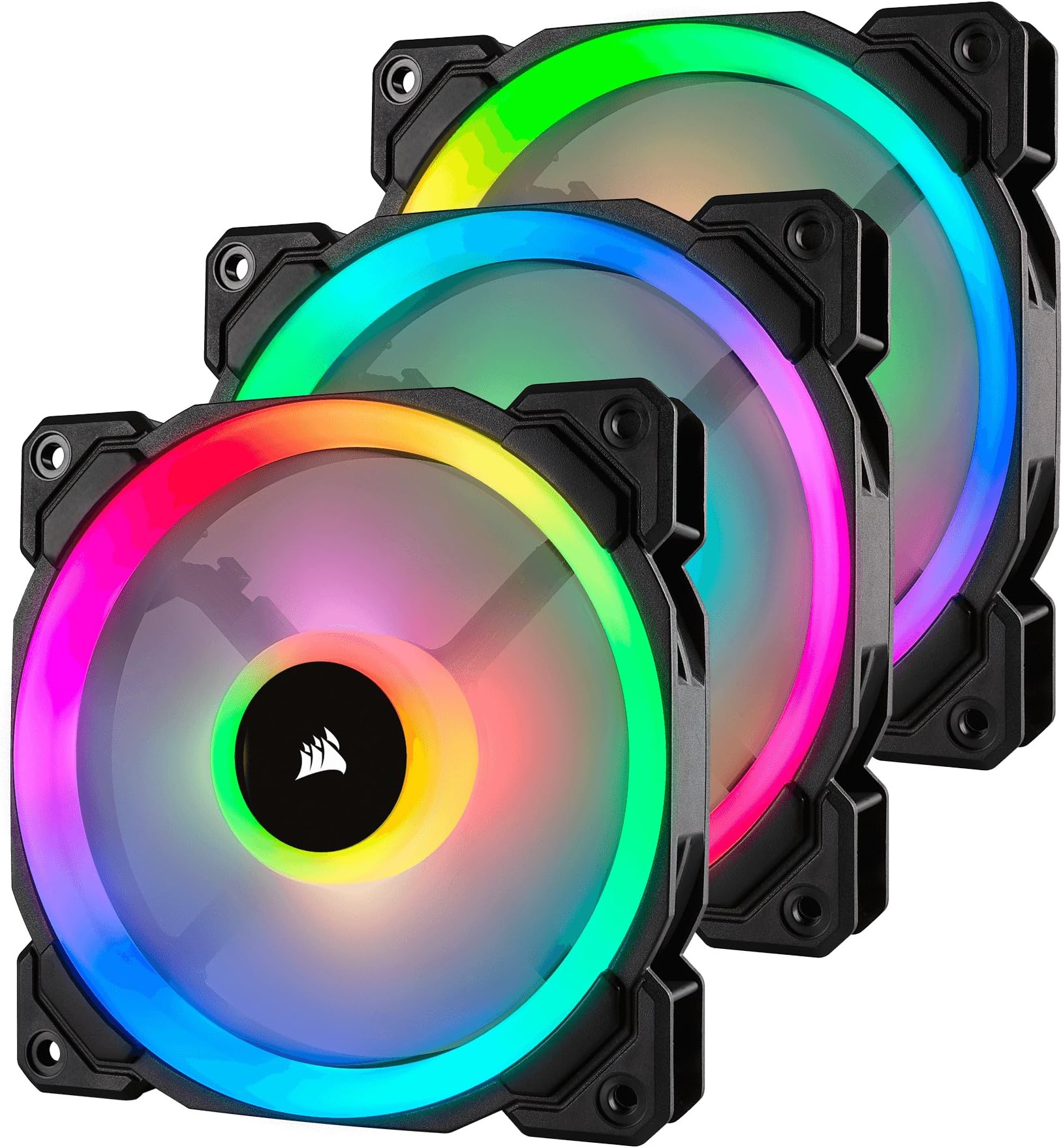
🌟 Light up your build, silence the noise, and own the airflow game!
The Corsair LL120 RGB PWM fan pack features 16 independent RGB LEDs per fan with dual light loops, delivering stunning customizable lighting effects via the included Lighting Node Pro. With a powerful 43.25 CFM airflow and ultra-quiet 24.8 dB noise level, its 120mm hydraulic bearing fans offer precise PWM speed control from 600 to 1500 RPM, balancing cooling performance and silence. Designed for professionals and enthusiasts seeking both aesthetic brilliance and efficient cooling, this 3-fan pack elevates any PC build with vibrant lighting and reliable airflow.


| ASIN | B075VGN4M1 |
| Air Flow Capacity | 43.25 Cubic Feet Per Minute |
| Best Sellers Rank | #906 in Computer Case Fans |
| Brand Name | Corsair |
| Compatible Devices | Desktop |
| Cooling Method | Fan |
| Customer Reviews | 4.7 4.7 out of 5 stars (12,196) |
| Global Trade Identification Number | 00843591032438 |
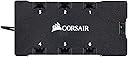
| Included Components | 3 Fans, 1 RGB Lighting Hub, 1 CORSAIR Lighting Node PRO |
| Item Dimensions L x W x H | 4.72"L x 4.72"W x 0.98"H |
| Item Type Name | Corsair LL Series, LL120 RGB, 120mm Dual Light Loop RGB LED PWM Fan, 3 Fan Pack with Lighting Node PRO |
| Item Weight | 1.08 Pounds |
| Manufacturer | Corsair |
| Material Type | Copper |
| Maximum Rotational Speed | 1500 RPM |
| Noise Level | 24.8 Decibels |
| Power Connector Type | 3-Pin |
| UPC | 843591032438 |
| Unit Count | 3.0 Count |
| Voltage | 13.2 Volts |
| Warranty Description | 2 Years |
L**R
Great If You're Looking for Fully Customizable Case Fans
I am seriously in awe at how vibrant these fans actually are. The LED brightness is definitely there. Upon buying anything RGB related I try to find something in the same company, because it is way easier to have all of your RGB linked to one program than to have several different ones open. This review goes out also to the Corsair H100i RGB Pro XT, which is our dual fan AIO. Anything really Corsair is going to act exaclty how you expected and this is exactly how I expected these fans to function. Corsair's iCue program makes these fans really sparkle. It is awesome how well they can synchronize and work off of each other to create spectacular experience in which every single LED is customizable to even get a specific color hash code. There are multiple lighting presets and you can create your own color settings if you would like which can change your PC's entire look just by clicking once. The fans overall are pretty quiet, they are like any other case fan in terms of PWM. They can be controlled through AI in your BIOS settings and while idling are pretty quiet. Haven't noticed any sort of vibrating coming from them. As a gamer, who likes to have customizable features in his PC, these are a good buy. On the question of how good they cool, I have no idea. Case fans cooling ability is really as good as any other, but regardless, these fans are worth every penny! Vibrant Colors to Use: #e92efb #ff2079 #440bd4 #04005e #24275f PS: If are building a new PC and are looking at an AIO for coolant, the H100i RGB Pro XT is the way to go. The performance is there and will keep your CPU at a temperature under 60C. If you do plan on buying that use the following performance setting: 30C - 10% 40C - 15% 50C - 25% 60C - 40% 65C - 65% 70C - 100% And set it to follow the sensor of your CPU Package.
D**.
Solid Fans
Solid fans with easy installation, good movement of air, and vibrant LED lighting. The wires are of good length to where one can mount these anywhere they like in their case. I've always preferred Corsair LED fans as their white light is more pure whereas others have white light that have a blue tint.
K**T
Pros and Cons of the Corsair LL120 fans
I enjoy these fans immensely and I hope this review helps others with their decision on computer fans. If you want a slick looking computer with great cooling performance this is the way to go. I bought there for $90 a pack cause I got a deal from the U.K. Amazon. Great price for some pretty great fans. Pros: There are a ton of awesome lighting features. They cool very well. It's a ton of fun to show them off. Cons: The're pretty pricey. They are difficult to install because you have to pre drill the screw holes. This wasn't nearly as hard as it was for my Noctua fans though. Another reason it was hard was because I have a really big CPU fan that I had to take out and put back in several times. Depending on how well you want your computer cooled, for instance max speed on all fans, they can be loud (I don't really care about this but some people do). Final comments: One last note is that there are two wires per fan. An RGB and a fan power connector. I have six fans. Lots of wires means lots of cleanup. This can take a while, but I also bought the Corsair Commander Pro. This piece keeps all of the wires in one spot and it looks very clean in the front of the computer. All you need extra for the Commander Pro is an RGB hub which comes with the three pack of ll120 fans. Thanks for reading, hope this helps!
R**N
Great fans, confusing install for newbies.
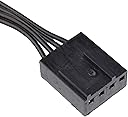
LL120s are top of the line RGB fans, they're quiet and move a good amount of air in and out of your case. The only thing that actually sucks about them is the non direct install. Each fan comes with two headers, one for the RGB lights in the fan, and the other is 4 pin pwm for the fan itself. To get the RGB working you'll need to run all the RGB headers to the included RGB header...and that plugs into the included Link, both require SATA power, while the Link requires an additional USB 2.0 header so you can actually control the RGB. If you're buying these fans I HIGHLY recommend a PWM fan splitter or hub. Wiring these fans to the board and the RGB to the link would be incredibly difficult without a central hub or splitter. Luckily those are fairly cheap and work great. Overall, great fans, add a good amount of personality and cool gameryness to your build.
J**K
Love these lights
Great addition to my white tower between the lights and the colors and compliments very well
J**F
Look great, but wiring is like usual, but just an extra step of complexity compared to the ml series
These fans are great and are plenty bright, but one you get to the back of the case that's when things get messy. Let's start with performance and sound, these fans are pretty quiet and on par with other Corsair fansin that regard, and as for cooling they work pretty well and push hot air out of my computer pretty quickly and keeps temps low, my GPU (RTX 3070ti) gets to around the mid 60's under full load and the CPU (i5-11600kf) In the 50's but that's with the ml series on a aio in the front. these temps are pretty comfortable for me now getting to installation and the wiring. Corsair is basically know for their mess of wires when it comes to their fans, and these are no different, actually worse in that regard. So these fans have the usual 1 fan cable and one RGB cable, and you have to plug it in to one of their fan hubs, normal so far. So I have already have a commander core and commander pro, I just plugged them in to some of my existing ports and I turned on the computer, they lit up for a second, then went back off and didn't show up in icue. So now you need the Manual. And apparently they need to be wired in sequence of each other, so for example these need to be plugged in, in spot 1-2-3 or 4-5-6, etc. They cant be split up by a different type of fan or RGB device, but once plugged in, in sequence they turned on and started doing the normal lighting effects. So these add a extra layer of complexity compared to their normal RGB fans like the ml series. But I guess that's the price you have to pay to be in the Corsair ecosystem.
B**0
Vorwort: Habe mir kürzlich 2x das 3er Pack (120mm) bestellt, für 90€ das Pack. Ist für ein 3er Pack 120mm Lüfter sicherlich nicht wenig Geld und etwas kostspielig. Man muss aber dazu das sie von der Qualität und dem mitgeliefertem Zubehör sehr gut sind. Kenne keine Lüfter die qualitätiv besser - deutlich besser sind. Die verschiedenen Lüfterelemente wie Rahmen, Motor und Rotoren machen einen hochwertigen Eindruck und fühlen sich dementsprechend an. Beim mitgeliefertem Zugehör handelt es sich um 12x Schrauben, ein Lightning Node Pro und das Lüfter-LED-Steuerelement + Verbindungskabel zum Node Pro (Natürlich noch die SATA-Stromanschlüsse). Installaion: Die Installation der Lüfter geht gut von der Hand. Die Lüfter haben jeweils 2 Kabel, einen 4 PIN PWM-Anschluss zu Lüftersteuerung und einen 3 Pin LED-Control-Anschluss. Wie sich vermuten lässt, muss der PWM-Anschluss auf einen 4 PIN-Stecker auf dem Mainboard und der 3 Pin Stecker in das Corsair LED-Steuerelement, welches wiederrum mit den Lightning Node Pro verbunden wird. Das Lightning Node Pro wird mit einem USB2.0-Anschluss (intern) auf den USB2.0 Header auf dem Mainboard angeschlossen. Wenn alle Kabel richtig gesteckt sind, laufen die Lüfter und die Beleuchtung ist über die Corsair Software ICUE oder LINK4 steuerbar. An diesem Abschnitt gibt es die einzige Kritik. Da jeweils 2 Kabel von jedem Lüfter abgehen und alle 3 Pin-Stecker in das Steuerelement gesteckt werden müssen, ist das Thema Kabel-Management echt nicht leicht Die Kabel kommen, je nach Position der Lüfter aus allen Ecken des Gehäuses, da ist es schwierig die Kabel passend zu verlegen. Es gibt andere Herrsteller die nur 1 Kabel am Lüfter benötigen. Das macht das Verlegen der Kabel zwar einfacher, aber dafür geht dann meist die Lüftersteuerung via Mainboard flöten. Daher gibt es keinen Stern-Abzug. Bedienung: Die Bedienung der Lüfter ist kinderleicht. RPM wird über das Mainboard (oder dedizierte Steuerung) gesteuert und für die Beleuchtung gibt es die erwähnten Softwares. Ich persönlich nutze die ICUE-Software und diese ist echt großartig. Jede LED ist einzeln ansprechbar. Auch die "Reihenschaltfunktion" ist ein Augenschmaus. Näher möchte ich nicht auf das Thema eingehen. Wer mehr wissen will, Youtube ist da sehr behilflich :D Fazit: Wie man schon erahnen kann fällt das Fazit mehr als positiv aus. Die Lüfter sind sehr performant, haben eine gute Kühlleistung bei relativ leiser Geräuschkulisse und sind mit Abstand die am best aussehensden Lüfter auf dem Markt. Die einzigen Lüfter die da ernsthaft Konkurenz machen können sind die Thermaltake Trios, welche aber rund 30% teurer sind und die eine wesentlich schlechtere Steuer-Software haben (Habe die Thermaltake Riing Plus und nutze die Software halt auch). Der einzige Kritikpunkt sind halt die 2 mittellangen Kabel je Lüfter, aber dies ist mit etwas Hirnschmalz auch lösbar. Von mir also eine klare Kaufempfehlung :D Danke fürs Lesen PS.: Kann gerne bei Bedarf Fotos und Videos hochladen.
♏**И
Très beau ventilateur, fonctionne bien, j'en ai au total 8 dans ma tour (Lian-Li PC-O11) pas de mauvais bruit, j'ai créé une courbe de ventilation à partir de certains paliers de température donc ils ne me dérangent pas le moins du monde avec le casque sur les oreilles, je ne les entends pas et sans le casque très peu, j'en suis globalement très content juste niveau prix, je les trouve un peu chers, mais je recommande les corsair LL 120 RGB si vous voulez avoir de la couleur dans votre boitier et de bonne performance de refroidissement :p
R**X
Retiré les mousses noir sur du blanc. Passé d'un cablage noir à blanc Mais sinon il font LARGEMENT leur travail ! 4,7 étoiles
K**K
Oh, my! What sensational spirals, beautiful and bright RGB colors they are. Added wows and ahs to an otherwise dull and boring user experience to a pitch-dark PC casing! Allowed me to view all the components of the PC clearly especially at night! Enjoyed watching the colors for hours as if like looking into a brightly-lit aquarium with beautiful fishes swimming in the water! Haha...10/10 for aesthetics and functionality!
I**3
まず第一にこのファンはとても美しいです PCを眺めるのが楽しくなりました 静音性 ファンに取り付ける部分、PCケースに接触する部分はゴムになっていて振動が軽減されるので静音性に気を遣っている事が分かります しかし、デフォルトの回転数でファンを3つ回すと結構な音になるのでマザーボード等でファンの回転数を落とすと静かになります 3つファンがあると回転数をかなり落としてもPC内部温度は40℃前後なので問題ないと思われます 商品の画像、説明文には載っていませんがファンのLEDハブが付いており 6個?12個?までLEDの光り方をコントロールする事が出来ます LEDのRGB制御は「ICUE」というコルセアのアプリケーションを使う事で可能になります 配線関係は少し厳しいです LEDのハブが2つ SATA電源を2つ使用して ファンの配線3つ ハブが2つ ハブとハブを繋ぐケーブルで裏配線がかなりごちゃごちゃします 正直、PCの裏はあまり開けたくないレベルで汚くなってしまっていますので PCケースが両面強化ガラスなど裏配線も見えるケースではケーブルマネジメントが非常に大変になると予想されます 静音性もそれなりに高く ファンもICUEでRGB制御可能 値段は少し張りますがとても良い買い物でした
Trustpilot
4 days ago
2 weeks ago