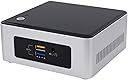
🚀 Mini PC, Major Impact: Power your productivity and play in ultra-compact style!
The Intel NUC5CPYH is a compact mini PC kit featuring an Intel Pentium N3700 1.6 GHz processor, 8GB DDR3 RAM, and integrated Intel HD Graphics supporting 4K UHD resolution. Designed for professionals and tech enthusiasts, it offers versatile connectivity with built-in WiFi, Bluetooth, multiple USB ports, and a security lock slot. Its small footprint and VESA mount compatibility make it ideal for space-conscious setups, delivering reliable performance for everyday computing, media streaming, and casual gaming.


| ASIN | B00XPVRR5M |
| Aspect Ratio | 16:9 |
| Available Memory Slots | 1 |
| Best Sellers Rank | 410,816 in Computers & Accessories ( See Top 100 in Computers & Accessories ) 2,141 in Barebone PCs |
| Box Contents | [POSSIBLY] USB keyboard, USB mouse, HDMI monitor |
| Brand | Intel |
| Brand Name | Intel |
| CPU Model Number | BOXNUC5CPYH |
| CPU Model Speed Maximum | 2.16 GHz |
| CPU model | Pentium |
| CPU speed | 1.6 GHz |
| Cache Memory Installed Size | 2 |
| Cache size | 2 |
| Colour | Black/Silver |
| Compatible Devices | Keyboard, Mouse, Monitor, Printer, Speaker |
| Cooling Method | Air |
| Customer Reviews | 3.9 out of 5 stars 513 Reviews |
| Display Type | LCD |
| Global Trade Identification Number | 00675901321464, 00735858293167, 05032037071277 |
| Graphics Card Interface | Integrated |
| Graphics Coprocessor | Integrated Graphics |
| Graphics Description | Intel HD Graphics |
| Graphics Ram Type | DDR3 SDRAM |
| Graphics card description | Intel HD Graphics |
| Hard Disk Description | SSD |
| Hard Disk Interface | Solid State |
| Hardware Interface | HDMI, USB |
| Human Interface Types | Keyboard |
| Item Dimensions | 13.7 x 12.5 x 11.6 centimetres |
| Item Type Name | Intel Next Unit of Computing Kit NUC5CPYH mini PC - Celeron N3050 1.6 GHz - 0 MB - 0 GB |
| Item Weight | 1170 Grams |
| Keyboard Description | [IN] |
| Keyboard Layout | QWERTY |
| Manufacturer | INTEL |
| Maximum Display Resolution | 3840x2160 |
| Memory Clock Speed | 1600 MHz |
| Memory Speed | 1600 MHz |
| Model Name | Intel NUC |
| Model Number | BOXNUC5CPYH |
| Model Year | 2015 |
| Native Resolution | 3840 x 2160 |
| Network Connectivity Technology | USB |
| Operating Systems | Linux |
| Operating system | Linux |
| Optical Storage Device | Not available |
| Personal Computer Design Type | Mini PC |
| Power Plug Type | Type G |
| Processor Brand | Intel |
| Processor Count | 1 |
| Processor Series | Pentium |
| Processor Socket | BGA1170 |
| Processor Speed | 1.6 GHz |
| Product Features | Microphone |
| Product Warranty | 3 |
| RAM Memory Installed | 8 GB |
| RAM Memory Technology | DDR3 |
| RAM Type | SDRAM |
| Ram Memory Maximum Size | 8 GB |
| Resolution | 3840 x 2160 |
| Security Features | Security lock slot |
| Speaker Type | External or 7.1 channel |
| Specific Uses For Product | Everyday Use |
| Specification Met | Energy Star Certified |
| Style Name | Minimalist |
| Total HDMI Port | 1 |
| Total USB Ports | 4 |
| Total Video Out Ports | 4 |
| UPC | 755034342007 735858293167 675901321464 |
| Video Output | HDMI |
| Video Output Interface | HDMI |
| Video Processor | Intel |
| Wireless Compability | 802.11ac |
| Wireless Network Technology | Wi-Fi |
| Wireless Technology Type | Bluetooth, Wi-Fi |
P**N
Rock solid choice
These boxes are absolutely rock solid. They are easy to setup and run perfectly. I have tried them with Ubuntu Linux 16.04 and Windows 10 and they are totally reliable. You get a good feel about the quality as soon as you open the box. When you switch it on the BIOS setup has a Windows style GUI, again giving you a quality feel. Operating system installation with Windows and Linux is totally smooth with no issues - just click, click next. In stark contrast if you are considering Gigabyte Brix as an alternative - don't. I have recently bought two Gigabyte Brix devices and they are unreliable having frequent operating system crashes, both with Window 10 and Linux (not actually supported by Brix). I feel quite burned by this as I spent many hours trying to resolve the problems. Not so with the Intel NUC.
S**H
Very good alternative to traditional PC
I came across NUCs at work, and I thought I'd try one. One of the best IT decisions I ever made... I was struggling with running a Wordpress server on a virtual machine running Ubuntu. I got the NUC plus 8GB RAM and a small SSD for about 200 quid, plugged int my LAN and Bob's yer uncle :-) To be a bit more serious... The hardware is very solid feeling, even though the one I bought was the low end item. Kit contains the NUC itself and a power supply, with minimal documentation, in a very robust package. The required SSD and RAM was very easy to install and went in with no problems. Plugging in and powering up was straightforward, and getting into the BIOS to check and set the boot order was simple. I installed Ubuntu LTS16.04 from a bootable USB, followed by MySQL and WordPress and finally Eclipse for coding purposes (gotta love open source and free software). Connected to my LAN and it has been running as a headless Wordpress server and development platform ever since. Highly recommended as a cheap solution to either desktop or server kit, particularly if you are OK with using a flavour of Linux as the OS.
S**B
Working well so far - 4* as can't judge reliability ...
Working well so far - 4* as can't judge reliability fully yet. Just be aware all the external usb ports are USB3.0 - if you're installing an OS from scratch that doesn't have USB3 support (eg Windows 7) then the ports don't work when you get into the OS installer! You can manually add the USB3 drivers to the install image but this is a bit of a pain or you can get an adapter to give you access to the internal USB2 ports (note, not a standard fit - small pitch).
E**N
Brilliant little piece of kit
I bought this to replace my elderly Mother's old PC which was taking up too much space and beginning to show signs of age. All it will be used for is email, web browsing, and Office programmes. I fitted a 500GB SSD and 8GB of DDR3 RAM, and the whole package cost less than £220 including a Windows 10 Pro OEM license. It took me 5 minutes to assemble, another hour to install the OS, and it works brilliantly. Virtually silent, takes up no space, and looks really neat. My mother is delighted.
P**S
The NUC exceeds expectation on all counts.
This is an excellent piece of kit that fulfilled my expectations exactly. High speed, very low noise, and super easy set up for Linux. The include bracket to mount the unit behind the screen is particularly welcome. I received the NUC and 4GB memory chip in a single delivery 1 day before expected and installed the memory, a 500GB SATA Disk Linux Mint 18.1 and135Gb of programs, music and video in less than 3 hours.
C**R
A More Than Adequate SFF Computer
I am a long-term Mac user but I wanted a cheap Intel NUC to experiment with Arch Linux. I am really surprised at how capable this little computer is. I fitted a 4GB RAM chip and a 128GB SSD. I'm not into gaming (other than learning to create 2D games in Python), so this is really a home workstation. It has only an Intel Celeron but I don't notice much of a drop in speed compared with my Mac mini i7. The HDMI graphics/audio work well with my BENQ 24" monitor. With external speakers running from the monitor the stereo sound is good (classical music mainly). Obviously the demand on the SSD Storage is light because Arch Linux is a super-efficient operating system. I have all the standard types of applications for a home desktop using open source software. I'm no fan of Microsoft so there is none of that on my computer. Overall, I'm delighted with the Intel NUC and I may well buy a more powerful model once the Coffee Lake NUCs are well-established. BTW, Arch Linux is a very straightforward installation on this NUC and is very stable. I updated the BIOS and that is also very easy.
A**N
Misleading information
The Product Information - Technical Details state the system comes with 8GB RAM and the Maximum Supported is 8GB RAM (see attached screenshot). However from the communication with Ebuyer they say RAM size is also the Maximum Supported size which does not make any sense, why would it be twice specified with different names. The included memory was the reason I bought it, if it said RAM size 0GB and Maximum 8GB I wouldn't have had a problem, but I purchased it because I have the Hard drive and needed a system with memory; or I could have oriented for a cheaper one and bought the RAM separately, which in fact I ended up doing as Ebuyer wouldn't agree to send the 8GB (I also was willing to have sent only 4GB as the system was to be ready at a certain date, but they also refused that).
S**T
Perfect for Linux
I struggled for ages trying to make an outwardly similar box (a Gigabyte Brix) work with Linux. Constant freezes and lock ups. This box was a breeze to set up, Linux Mint 18 installed on it without any bother.
Trustpilot
5 days ago
2 weeks ago