Buy anything from 5,000+ international stores. One checkout price. No surprise fees. Join 2M+ shoppers on Desertcart.
Desertcart purchases this item on your behalf and handles shipping, customs, and support to New Zealand.
📼 Preserve your past, power your present!
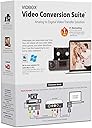
The VIDBOX Video Conversion Suite is a USB-based video capture device designed to convert analog tapes—including VHS, Beta, and 8mm—into digital MPEG-4 files. Compatible with both Windows and Mac systems, it comes complete with all necessary cables and easy-to-follow guides, making it the perfect tool for professionals and novices alike to preserve and relive their cherished memories in high-quality digital format.


| ASIN | B00ND0E7FS |
| AV Output | MPEG-4 |
| Antenna Location | Video Conversion |
| Best Sellers Rank | 123,152 in Electronics & Photo ( See Top 100 in Electronics & Photo ) 983 in Video Converters |
| Box Contents | AV Adapter, TF Card Reader |
| Brand | VIDBOX |
| Brand Name | VIDBOX |
| Compatible Devices | Personal Computer |
| Customer Reviews | 4.1 out of 5 stars 1,837 Reviews |
| Global Trade Identification Number | 00882960266890 |
| Hardware Interface | USB |
| Hardware interface | USB |
| Item Dimensions | 13.7 x 5.4 x 19.1 centimetres |
| Item Weight | 5 g |
| Manufacturer | VIDBOX |
| Manufacturer Part Number | VCS2M |
| Minimum System Requirements | Minimum System Requirements: - Processor: Intel i5 or above - Memory: 4GB RAM - Free hard drive memory: 15GB recommended - PC: Windows 10, 11 - Mac: macOS 10.12 and above |
| Model Name | VCS2M |
| Model Number | VCS2M |
| Operating System | Windows 10, Windows 7, Windows 8, Windows Vista |
| Operating system | Windows 10, Windows 7, Windows 8, Windows Vista |
| Other Special Features of the Product | Tape to Digital Conversion Suite |
| Platform | Mac OS Big Sur 11, Mac OS Catalina 10.15, Mac OS High Sierra 10.13, Mac OS Mojave 10.14, Mac OS Monterey 12, Mac OS Sierra 10.12, Windows 10, Windows 11 |
| Recommended uses for product | Video Conversion |
| Special feature | Tape to Digital Conversion Suite |
| Tuner Type | NTSC, PAL |
| UPC | 882960266890 |
| Video Capture Resolution | 480p |
| Video capture resolution | 480p |
S**U
Works - copied 24 family VHS tapes - download driver, dont use the CD enclosed
Spent 30 mins but could not get audio. Went to the VIDBOX website and downloaded and installed the latest driver software and it works! Transferred 24 family videos to mp4 files. Quality very good. I am very pleased. Our VHS player didnt have RCA so bought a SCART-to-RCA adapter for £4 and used that to connect to the VIDBOX. Brilliant.
D**R
Not a complete Suite
It doesn't say literally anywhere on the "about" or the details or on the box photos that it does not include any VCR device and you just have to have one on hand somewhere at home. Great.
T**.
It doesn't work! Seller did not respond to any queries
The seller did not respond to queries as to how to get it working. Would avoid this seller and the product.
S**2
Flaky support for flaky software
Bought this when still using Windows 7 and received v7 software. After upgrading to Win10, the software would not work properly even after reinstalls etc. Contacted manufacturer who would not provide the newer Win10 compatible software. They instead suggested just using compatibility mode in Windows. That will get it working, but it's a nightmare to use. It will often freeze during a capture requiring Task Manger End Task to kill. And the video settings (brightness, contrast etc) are not applied when a new video starts or will reset even when there is just a break in a recording (e.g. a bit of snow between sections). You need to move a slider and all the settings then are reapplied. This makes it impossible to capture the first few frames of anything reliably. These settings are present in both the driver and the software, but it's unclear how they interact. Have also had to often restart software or even reboot to get it to capture without dropping loads of frames (giving very jerky, unusually video). Also find that it will often not capture longer sections without this problem arising part way through. Spent hours trying to capture 15 minutes of video trying to work around all these issues. Driver options to cut off bottom of video (to remove tearing) do nothing. Capture format settings not retained (had to be selected each time). Quality settings button is also always greyed out. White balance, gamma, backlight comp, ColorEnable, and poweline frequency (anti flicker) all greyed out. There's a repetitive click/buzz which comes through speakers when capture is selected. Fortunately this doesn't affect captures. Had a problem when I connected to a USB 3 card interface. This resulted in picture break up with red/green flashes and unusually captures. Following manufacturer recommendations to plug direct to motherboard port solves this for the most part. It has occasionally resurfaced however. All on an fast 6 core, 12MB PC. Believe some of these issues would not be present with updated software, but supplier chooses not to stand behind their product.
M**L
Software is hit and miss
software is a bit patchy and some times crashes. it's forever asking me to submit activation and when i do it always fails. i have found that nero video 2019 supports this device so i just installed the drivers and now i use that rather than their own software.
Trustpilot
2 days ago
2 weeks ago