Desertcart purchases this item on your behalf and handles shipping, customs, and support to New Zealand.
๐ Elevate your workspace with 4K clarity and effortless multi-display power!
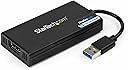
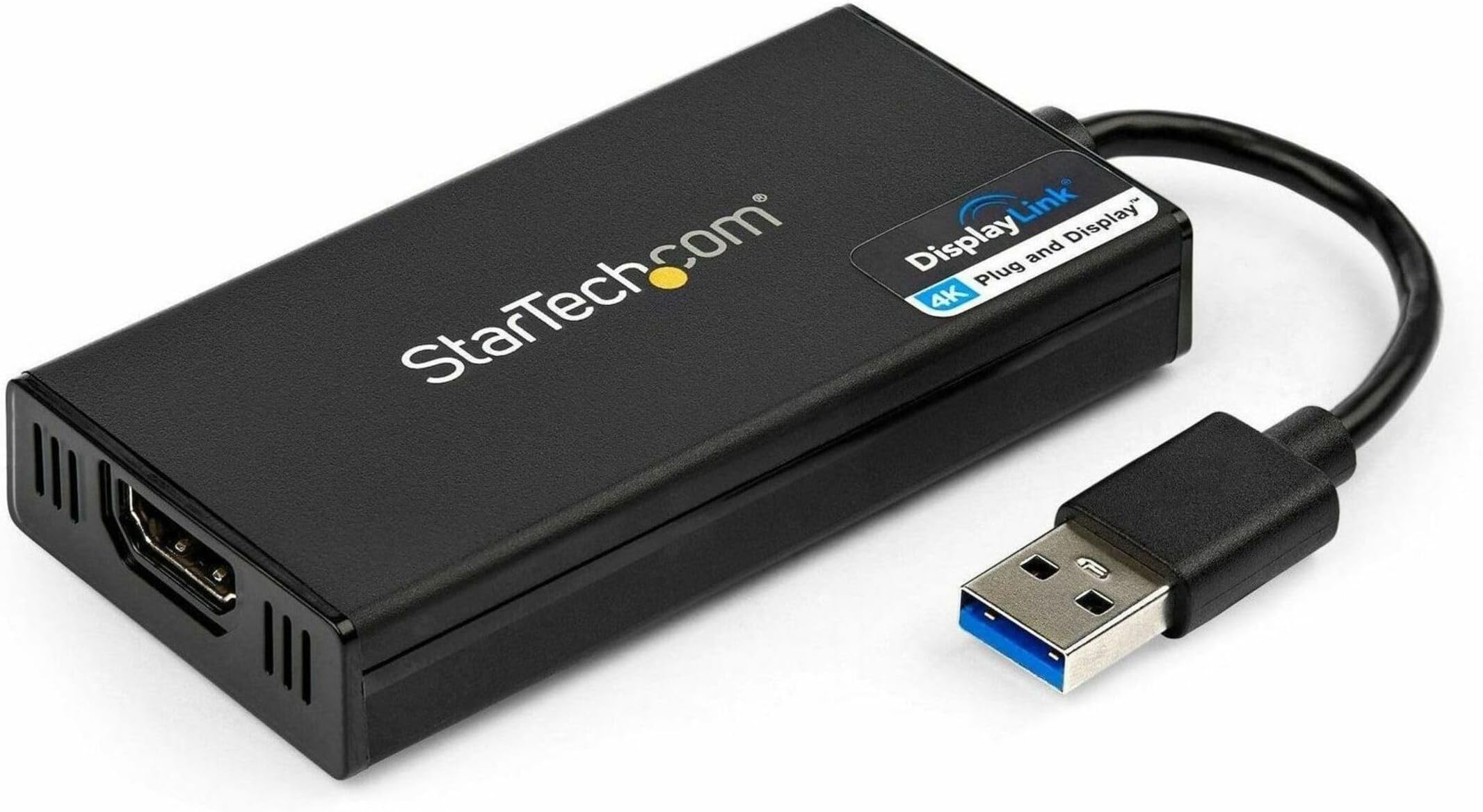
The StarTech.com USB 3.0 to HDMI Adapter (USB32HD4K) transforms any USB Type-A port into a 4K UHD external display output, supporting up to 3840x2160 at 30Hz with 5.1 channel audio. DisplayLink certified for easy plug-and-play on Windows and ChromeOS, and compatible with macOS 10.14+ and Linux, it enables extended or mirrored displays on laptops and desktops without native 4K support. USB bus-powered and compact, itโs designed for professionals seeking enhanced productivity and multi-monitor setups backed by a 2-year warranty and expert tech support.


| ASIN | B00OD37KHG |
| Best Sellers Rank | 64,288 in Computers & Accessories ( See Top 100 in Computers & Accessories ) 248 in DisplayPort to HDMI Adapters |
| Brand | StarTech |
| Brand Name | StarTech |
| Colour | Black |
| Compatible Devices | Monitor, Projector, TV |
| Compatible devices | Monitor, Projector, TV |
| Connector Type | USB-A/HDMI |
| Connector type | USB-A/HDMI |
| Country of Origin | Taiwan |
| Current Rating | 1 Amps |
| Customer Reviews | 4.5 out of 5 stars 945 Reviews |
| EU Spare Part Availability Duration | 2 Years |
| External Testing Certification | CE, FCC, DisplayLink |
| Global Trade Identification Number | 00065030859271 |
| Input Voltage | 5 Volts |
| Item Dimensions | 20.1 x 4.6 x 1.5 centimetres |
| Item Weight | 0.07 Kilograms |
| Item dimensions L x W x H | 20.1 x 4.6 x 1.5 centimetres |
| Manufacturer | StarTech.com |
| Manufacturer Part Number | USB32HD4K |
| Model Number | USB32HD4K |
| Nominal Power | 10 Watts |
| Number of Items | 1 |
| Number of Ports | 1 |
| Package Quantity | 1 |
| Power Plug Type | No Plug |
| Product Finish Type | Glossy |
| Product Warranty | 2 year manufacturer |
| Smart Home Compatibility | Not Smart Home Compatible |
| Specific Uses For Product | Monitor, Projector |
| Specific uses for product | Monitor, Projector |
| UPC | 065030859271 |
| Unit Count | 1.0 count |
| Warranty Type | Limited |
A**F
Works on Ubuntu
I am using this for a few years now on Linux Ubuntu and Windows. Works like a charm. With Linux you need to install the driver properly after that plug and play. Really good product.
Y**Y
Fantastic bit of kit to get 4K output.
Stunning bit of kit. I have a 40" Samsung 4k TV that I wanted to use as a 4K monitor. My current laptop could only go to 1920x1200 so rather than replace the laptop with a new laptop with a video card that can do 4K I decide to take a punt on this device. I connected this device this evening to a spare USB 3 slot on my laptop, driver was installed automatically, then connected a HDMI cable from this device to my 4K TV. Set input source to PC and voila, now using my laptop with a 4K 40" monitor. Default resolution 3840x2160 set automatically. I'm using 100% scaling and the real estate is massive. No noticeable input lag at all. I'm not using this for gaming obviously, just as a desktop to do development work on. I'm using the Samsung ue40mu6400 TV as a 40K monitor and works a dream in 4k using this external video card, the TV supports 4:4:4 chroma which is essential to use as a desktop, save ยฃยฃยฃs over a dedicated 4K monitor which have rip off prices. Highly recommended.
S**L
It works - but, first time around, wait for the drivers to install
First things first - does this product work? - yes. Next question, is it as easy as it says it is? - sort of. It is plug and play (used under Windows 10 and 11) - but the only thing it doesn't really tell you is that when you are using it for the first time - step 1 is to plug in the device without the HDMI lead connected. Step 2 is to wait around 5 minutes. Windows will get the device to work by itself, but it takes it a few minutes to sort itself out. I tried the device straightaway on two different laptops and it didn't work. I was going to send it back but then it started working on one of my laptops. Therefore, I then tried it with my other laptop and after waiting a few minutes - windows picks it up. If you want, you can go into "device manager" in Windows. When you first plug in the device it will show it as an error under "Universal Serial Bus Controllers" - however after a few minutes, this will disappear as Windows will have sorted out the drivers for it - you can then use it.
M**R
Does what it says on the tin, but at 30Hz
Sadly it does only 30Hz on 4K, but for browsing and watching Youtube is fine. I even manage to play few FPS on it, and although performance was not brilliant, I was impressed that it worked at all. Where it really shines is RTS. In general, great item, and does the job. I'm not sure if 30Hz is down to this item not being HDMI2.0 or my TV, but it works just fine.
H**S
30Hz, but still great at what it does
Update: after a quick exchange with StarTech, audio is working, so 5 stars it is! I got this to be able to use my older laptop (2 years or so, still has USB3) with the new 4K TV I'm now using as my desktop monitor (to replace 3 24" LCD monitors). I already had a DisplayLink HD adaptor, so I knew they were OK. This 4K one also just worked for me, from a graphical point of view. I had to set my Samsung TV into "PC mode" to get some picture improvements (4:4:4 Chroma is what you want), but now it's nice and sharp. I was a bit concerned after reading other reviews about a 30Hz desktop, but for me at least, it's completely usable, including watching video on youtube. I don't get any audio though which is kind of a pain. It seems to support it - I get a DisplayLink Audio device as a selectable option - but I don't actually get any output. The TV side is fine, because the other attached PC is sending sound just fine. The controls for the device are a bit limited (a little right-click menu thingy in the systray) so there's not much to tweak, either. It'd be a 5-star device if I could get audio working, because it's saving me from either buying a new laptop, or dealing with multi-monitor hassle.
D**S
Fantastic for business use
I got this for a HP Envy 13 laptop which is a couple of years old and doesn't support dual 4K screens - via a docking station I was able to get 1 4K screen and one HDMI screen. With this device I can get two 4K screens at 4K resolution with a 3rd HDMI resolution screen on the laptop itself - brilliant. Refresh rate is limited to 30Hz but for work use that's fine. I haven't tested it for gaming but that refresh rate will be a limitation so best to avoid if that's your requirement. Otherwise excellent!
S**N
Works perfectly on MacBook Pro M1 13"
I needed to connect a second external display to the M1 MacBook Pro and found this as an advised solution in a forum. As a long time Mac user, I am always a bit concerned if the offered Windows solution really works for Mac as well, but after downloading and installing the software driver, it immediately worked. Both HDMI screens are connected to the same USB-C hub. One to the HDMI port, the other one with the Startech adapter to an USB port of the hub. Works perfectly.
M**D
Terrible! Made my Sony TV flicker
Terrible! Made my Sony TV flicker, loads of screen anomalies(flashing pixels), very sluggish and slow. Completely avoid this if you're intending to use it for any multimedia playback it's ridiculously laggy! I was trying to use this on an HP Elitebook, high spec, i7 cpu, loads of RAM, USB 3 etc but it was useless. Unless you're using it to view static photos or work on files and it doesn't make your screen flicker or produce faults, it's pretty much pointless for anything else. I used the same cable and connection from my PC to the same TV and it worked fine, that was outputting via a GTX1070 - i know they're leagues apart, but this should be able to product a steady screen without any faults and should manage basic video playback. I thought it was a big ask for 4k output and too good to be true and this was! Complete waste of time!
M**T
En extra bildskรคrm kan anslutas genom USB anslutning
Den gรถr att du kan koppla in 2 bildskรคrmar till din dator. Denna kopplas till en USB-anslutning. Fungerar utmรคrkt. Det sitter ett grafikkort i dosan som gรถr det mรถjligt.
R**N
Perfect for Extending the Desktop for Mac... Maybe Not Good Enough for Gaming or Streaming Video
I have tried numerous HDMI adaptors to try and extend my laptop desk top to a third monitor. My 2012 MacBook Pro is certainly on its last legs, but there are too many "duds" out there that claim their HDMI adaptors work with Mac computers... try so many I became a non-believer. Alas! StarTech comes to the rescue with a quality unit which is super easy to install and worked immediately! Please note, this adaptor will not work on OSX software older than El Captain... luckily, that's what I upgraded old faithful to! All you need to do is plug in the adaptor, launch the Mac driver from the supplied installation CD, restart your Mac, then plug in the additional monitor and voila, you're all set. My setup consists of an ancient MacBook Pro running El Captain, one LG 32ML600 32" monitor connected via Thunderbolt to HDMI adaptor and now another LG 32ML600 32" monitor connected via StarTech's AMAZING USB to HDMI adaptor. For regular office use (which is what I bought this for), this does the trick! However, if you are streaming video or playing video games, this may not be the best solution. Picture-wise, the output is OUTSTANDING! I highly recommend this item to extend your desktop. It works with my fossil of a MacBook Pro, it will work for you too. It's worth the money... super happy with this purchase!
P**R
Works with a 2012 Mac Mini running OS ...
OLD review: Pretty much unusable with a 2012 Mac Mini running OS X 10.8.5 and Seiki 40 inch 4k display. It manages to display at 4k, but often flickers or drops out for seconds at a time. REVISED review (2015.2.25): Still may be early to tell, but I've revised my rating to five stars since it looks stable after utilizing a different hdmi cable. I originally used the cable which came with the Seiki, but after switching to another cable I had on hand which is 4k rated with chokes at both ends, it works! Pros: it just worked. No OS X patch necessary, no SwitchX, etc.. Again, this is with OS X 10.8.5, which came with the Mini and is the latest pre-Mavericks OS X release. Cons: Firefox is unusable [revised again, see below]; its pages do not refresh, I have to move the whole app window in order to refresh the page in view after scrolling or clicking a link. I'm not going to take off a full star for that, as Safari, Xcode and other apps appear to work fine. I may have to revise this review down if other apps don't work properly, but for now it's five stars. As far as I know, these cons only apply to OS X 10.8.5 with DisplayLink firmware version 2.3. The product release notes claim that earlier OS X versions (10.6 and .7) are not supported at all and that later OS X versions (Mavericks, Yosemite) have limitations (e.g., "[they do] not correctly support virtual frame buffers"). REVISED review (2015.10.15): Still working, this time I'm using it with an old Windows 7 laptop, but I've again had troubles with screen blanking, even when using my "best" hdmi cable. I bought several, all were rated 4k, all had issues, until I bought a StarTech.com cable. StarTech.com HDPSMM1M Pro Series Metal High Speed HDMI Cable It's perfect! No red dots. Also, regarding the 2012 Mac Mini, I upgraded to Yosemite OS X 10.10 and the StarTech.com usb 3 4k adapter still works fine. It also works with that Mini running Windows 7 in bootcamp. This is not a fast adapter for 3D but I have no issues running Visio, Office, Matlab, etc.. ALSO, regarding Firefox on OS X, it works! I had to configure Firefox to use software rendering, as pointed out by StarTech.com support. Yes, StarTech.com actually provides technical support.
ๆ**ไบ
ๆ่ปฝใซใใซใ็ป้ข
ใใใฏใใๅๅใ ใใใ ็บ็ฑใๆฐใซใชใ
T**T
Startech HDMI adaptor
Easy to use. Does what it says. No problems so far. Thank you
Trustpilot
2 weeks ago
1 week ago