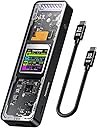
🚀 Elevate your storage game with the smartest, fastest, coolest NVMe enclosure on the market!
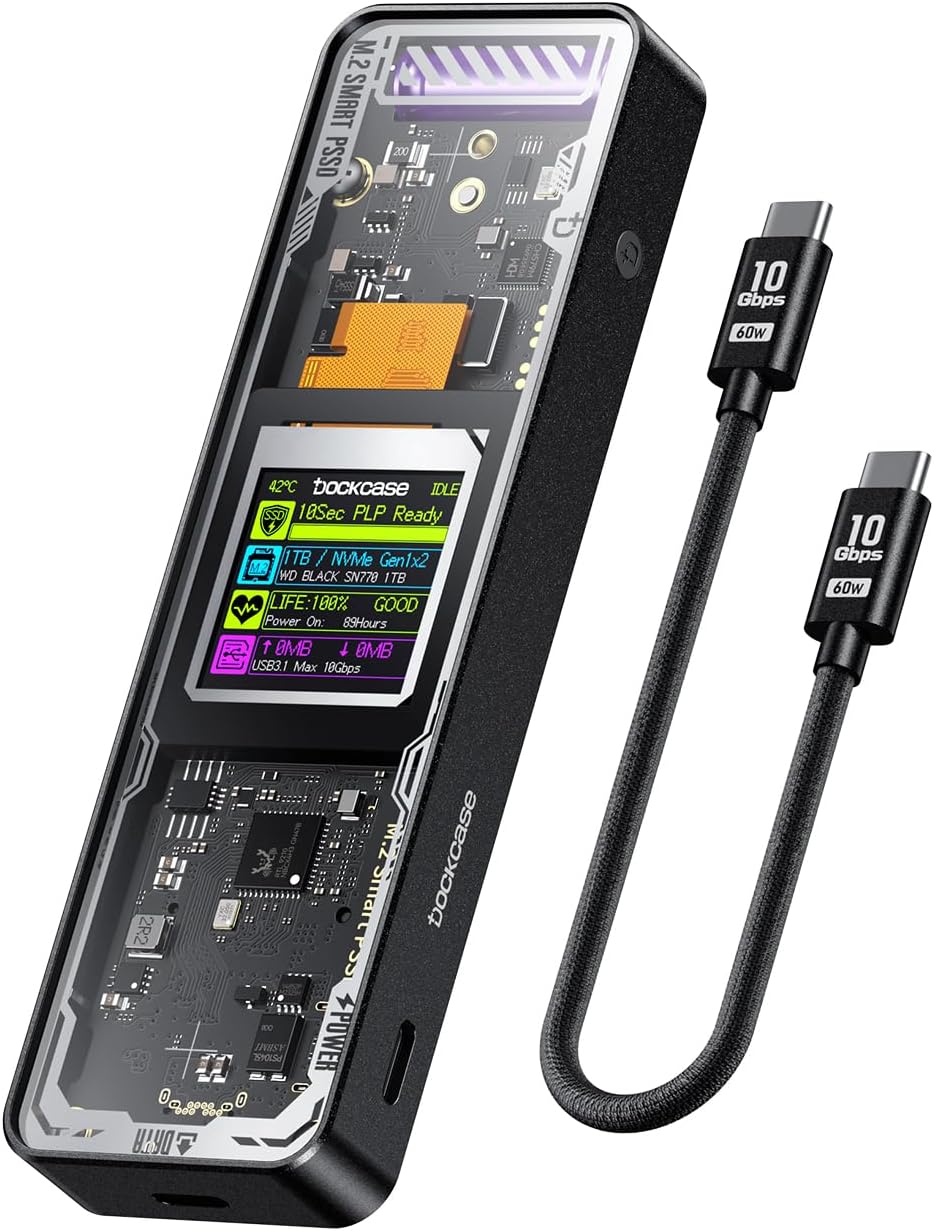
The DOCKCASE Explorer Edition M.2 NVMe SSD Enclosure combines cutting-edge USB 3.2 Gen 2 (10 Gbps) connectivity with intelligent SSD health monitoring via an integrated HD display. It supports multiple M.2 SSD sizes and keys, offers 10-second power loss protection to prevent data loss, and features dual heat dissipation technology to maintain optimal temperatures. Crafted from durable aluminum, this enclosure is designed for professionals who demand speed, security, and style in one sleek package.


| ASIN | B0BY276B3S |
| Best Sellers Rank | #44 in Enclosures |
| Brand | DockCase |
| Built-In Media | 1* SSD Enclosure, 1* USB3.2 Gen2 Data Cable |
| Compatible Devices | Laptop |
| Customer Reviews | 4.3 out of 5 stars 389 Reviews |
| Data Transfer Rate | 10000 Megabits Per Second |
| Enclosure Material | Aluminum |
| Hard Disk Form Factor | 2280 Millimeters |
| Hardware Interface | USB Type C |
| Hardware Platform | Universal |
| Item Weight | 0.15 Kilograms |
| Manufacturer | Tmd Touch |
| Material | Aluminum |
| Memory Storage Capacity | 4 TB |
| Supported Devices Quantity | 1 |
D**N
Aesthetic SSD enclosure!
Personally, this M.2 NVMe SSD enclosure from DOCKCASE Explorer Edition is not only a head-turner with its stunning aesthetics but also packed with some useful features. The display on it comes in handy, showing you valuable information about the attached drive during idle and current transfer speeds during read or write operations. While some of this data may be available on your device, it definitely adds a cool factor. The power loss prevention feature is quite effective, giving the drive a few extra seconds to complete data transfers in case of an accidental power interruption. However, it's worth noting that this cool display and the large capacitor do increase the overall power draw, potentially necessitating the use of the secondary USB-C port for additional power when connecting to certain portable devices. Installing your drive is a breeze, and they even include an extra screw in case you misplace one. Beyond the looks, this enclosure offers practicality too. The durable aluminum construction ensures longevity, and it's jam-packed with useful features like high-speed data transfer, support for up to 4TB storage, 10-second power loss protection, and an informative display. The see-through design adds an extra layer of uniqueness. Plus, the tempered glass ensures durability and safety. It's compatible with a range of M.2 SSDs, including both SATA and NVME drives, and it even provides details on SSD health, temperature, and data flow. While the power loss protection might not quite hit the advertised 10 seconds, it still offers ample time for the SSD to complete its tasks. In the end, it's a solid product with fantastic tech support and a plethora of features, making it a worthy choice for those who want a blend of style and functionality in their SSD enclosure.
E**C
Fast performance and the coolest NVME enclosure on the market!
I originally thought I would save the $15 and ordered the Fanxiang enclosure that resembles this Dockcase offering, but I now understand why this one costs $15 more as it's clearly the far superior option and a great value comparatively. I ultimately had to return the Fanxiang because it kept disconnecting itself from the computer and I was not even able to transfer any files onto the drive. This Dockcase, however, is working flawlessly! Very fast data transfer and I absolutely love the bright and clear built in display, especially the automatic/dedicated screen that shows read and write speeds when the drive is being accessed. I made sure to choose an NVME SSD that was on the approved drive list; went with a Samsung 990 Evo of which installation was a breeze. Thermals with the built-in graphite thermal pad and aluminum finned enclosure do well for proper heat dissipation. It's also worth noting that it's backwards compatible in terms of connection as it still worked great using a USB-C to USB-A cable over the USB 3.0 protocol. As a tech nerd, it's definitely the coolest NVME enclosure I've ever seen and I can't recommend it highly enough!
B**N
Excellent quality with high performance!
ase Load more Sep 9, 2023 11:01 AM I deeply apologize, I mixed up MB/s and Mbps. 900MB/s is 7.2Gbps, which is absolutely reasonable. However, I would highly recommend that you include the need to plug the enclosure into an external power source in your starters guide booklet. All that said, I will gladly ammend my comment as it is not accurate. I appreciate the lengths you went to in order to rectify this, that speaks volumes to your integrity. Sep 9, 2023 9:58 PM Hi Ben, Greetings! Thank you for your suggestion Thank you very much for your understanding and support, Please feel free to contact us if you have any product questions Thanks Katy Sep 10, 2023 11:08 PM Hi Ben, Good evening I hope it doesn't bother you. If it's convenient for you, would it be possible for you to share your unbiased opinion on your experience with the after-sales support with other customers? Thanks Katy Sep 12, 2023 8:15 PM Hi Ben, Greetings We haven't received your reply. Is there anything else we can do to assist you? Thanks Sep 12, 2023 8:23 PM That is all. I updated my review but it is still showing as the 1 star. I am unsure if you have to accept/review it first or not. I will check on it tomorrow to see if it has changed, if not then I will update it again in hopes that it works. You and your team have been amazing! I am an admin for a PC enthusiast group on FB with over 200k members, I will have no problem recommending your products when applicable. Sep 12, 2023 8:48 PM If that’s the case, that’s really great. Thank you very much for your heart-warming reply. Sep 13, 2023 10:35 PM Hi Ben, Greetings Sorry to bother you, may I know the reason why it has not been successful? This is very important for our next optimization work. Thank you again for your patience and support. Thanks Sep 13, 2023 11:45 PM I just attempted to edit my review again, is that what you are referring to? Sep 13, 2023 11:45 PM I edited my review to the following.... "My initial experience was not good, I was only getting speeds around 50Mbps. I ended up returning it as I thought it was a scam or something, but DockCase reached out almost immediately trying to diagnose what went wrong. The issue ended up being that I didn't have the enclosure plugged into external power, though it didn't specify in their quick start guide to do so (hopefully that gets changed). They sent me a replacement and it lives up to their claims and them some! It uses a Beryl Electric Double Layer supercapacitor (EDLCON), Realtek USB controller, and the body and heat sink appears to be from a milled block of aluminum. Even the screws are stainless steel. The spared no expense in building this enclosure, giving it high end performance and high end appearance. I would be happy to recommend this to anyone looking for performance.
R**R
Great enclosure!
I've been using this for a couple of months now. The enclosure supports up to 4Tb drives, so it's easy to swap out when I need to. Having the LCD screen with information on drive status is really nice to have, especially beyond just the "on or off light". I've got this as a more permanent enclosure for an external drive I regularly use, so we'll see. Have the extra capacitor there to protect in case of a power failure is a really nice touch (I've had a couple of situations where it was handy!0.
J**H
Bought 2 and neither work.
Do NOT buy. This will not detect my M.2. I bought 2 of these and neither work. Already threw away packaging so not gonna try to return. Maybe they will work with a different M.2, but mine does not work with this. Even though it is the right kind. Why did you pick this product vs others?: Screen and build Heat dissipation: Not sure, neither of the 2 I have work right. Value for money: Trash. Bought 2 and 2 don't work. Cable quality: Good. Sturdiness: Heavy and seems sturdy. Readability: None. Does NOT work. Ease of use: Good paper weight.
A**L
Speed, Smarts, and Style—All Packed into One 🔐⚡
This enclosure has become an essential part of my workflow. Its ultra-fast 10Gbps transfer speeds make high-volume data sessions seamless, while the dual heat dissipation system ensures the SSD stays cool and maintains optimal performance. Whether I’m moving large media files or backing up projects, I never experience lag or throttling. The HD display is a game-changer—it allows real-time monitoring of read/write speeds, SSD health, and lifespan. Plus, its Power Loss Protection (PLP) gives me peace of mind, safeguarding data if there's a sudden power outage. That safety net is priceless. Durability-wise, this device is built to travel. Its aluminum shell feels premium and rugged enough to handle various locations—whether it’s tossed in a gear bag or working in a mobile setup. And if you’re worried about drops or rough environments, you can easily pair it with a rubber sleeve for extra protection. It’s smart design meets real-world readiness. Overall, it’s the perfect blend of performance, reliability, and sleek aesthetics. Couldn’t be happier with it.
S**S
Amazing product, works well, only thing lacking is the support.
Pros: The product looks amazing, performs amazing, and the screen also makes this a tech/gadget lovers dream. The build is solid, the product is well designed and feels well built in it's aluminum casing and tempered glass front. Data read/write is blazing fast (of course partially dependent on what M.2 drive you place inside it). Cons: Firmware updates, not that this is usually a problem, as most drives just "work". But this thing exhibited a few bugs that needed to be ironed out and firmware updates were not as straightforward as most other companies make them. Support must be contacted and sent a screenshot of the display as the dock is booting up (i tried just sending the revision number along with the model that was displayed at bootup, but was politely asked to send the screenshot anyway with the same info). The bugs i experienced that needed to be ironed out were: - SSD went to "sleep" when not in use (unusable after it went to sleep, had to unplug, wait the few seconds for the PLP to discharge, then plug back in) - SSD would, when plugged directly into laptop (oddly only one laptop), do this odd cycle of detecting in device manager, then immediately disconnect and reconnect infinitely. Making drive unusable. When plugged into a USB-A slot or into a hub however, this problem disappeared. Both issues were solved by a firmware update, which again, was sent to me only after contacting support asking for it. Why not make the latest firmware available all the time? I still don't know. The firmware updates can be a little confusing to the not-tech friendly person I suppose, but if they solve major issues like the ones above, they are well worth performing and should be made widely available, in my opinion. Conclusion: I love this device, to be clear. It looks like a lot of cons, but I felt the two major/minor issues I experienced needed to be documented. They both were solved within 48 hours of discovery with a firmware update (I've owned the device for around 6 months). The missing star is only due to the fact I cannot update the device and solve issues myself without involving their support staff, which in my opinion is unnecessary for the geek and tech-friendly demographic that makes up the vast majority of their user-base.
C**S
Connection and bios boot option issues. ***Updated
***Update: The seller has reached out to me and has given me a detailed explanation in regards to my issue. Also updated the star rating. "Greetings Thank you for reaching out to us. I'm Katy from DOCKCASE, and I will be in charge of handling your after-sales case. I'm sorry that the product caused you trouble. According to your order information, the product you purchased is still within the 12-month warranty period. Please rest assured that we will take responsibility for handling any quality problems with the product. We’d like to provide more details about the Power Loss Protection (PLP) mechanism and explain how it works to keep your data safe during unexpected power interruptions. Power Loss Protection (PLP): The PLP feature utilizes built-in capacitors that provide a short burst of power in the event of an unexpected power loss. This mechanism allows critical data in transit to be safely saved, minimizing the risk of data corruption. Specifically: Capacitor Discharge: When the device loses power, the capacitor gradually releases its stored energy, allowing the device to safely complete any ongoing data transfers. This discharge is an expected part of the PLP process. Automatic Protection: After the capacitor fully discharges, the device then returns to its normal state. For optimal performance, we recommend waiting about 10 seconds before reconnecting the device to allow all circuits and data systems to fully reset. UI Notification: The on-screen notification helps users understand this process and avoid immediately restarting the device after a power interruption, as doing so could disrupt the normal operation of PLP. This design helps to protect both the device and data integrity, reducing the risk of data loss even during unexpected power outages. Additionally, when using the drive as a boot device, the computer may treat the drive as “ejected” after shutdown. This requires the drive enclosure to be reconnected upon reboot so the M.2 interface can be detected, allowing the drive to be recognized. We apologize for any inconvenience this may have caused during your experience with our product. To help make up for this, we would be happy to offer a 50% refund on your purchase. Thank you for your understanding, and please let us know if there is anything more we can assist you with." In short, it is part of the design of the product, and not an actual fault of the product. Case looks great. However I've encountered 2 issues so far. Firstly, when the capacity has a charge, and when I connect it to another pc, it won't detect it unless the capacitor is fully discharged before plugging it in. Same with bios boot menu. I have to fully discharge it, turn off the pc, plug the drive in, turn the system on, then it will be detected. If i restart without discharging, it won't be detected again. Not sure if this is supposed to be a feature by design, or not. Trying to use this as a Bootable recovery disk using MediCat. Pretty unpractical that I have discharge it before booting up. I'll add more stars if the issue can be explained or resolved. My inexpensive $15 enclosure can do what I need it to do without any problems.
Trustpilot
1 month ago
2 weeks ago