Buy anything from 5,000+ international stores. One checkout price. No surprise fees. Join 2M+ shoppers on Desertcart.
Desertcart purchases this item on your behalf and handles shipping, customs, and support to New Zealand.
🖱️ Elevate your workspace with precision, power, and peace—anywhere, anytime.
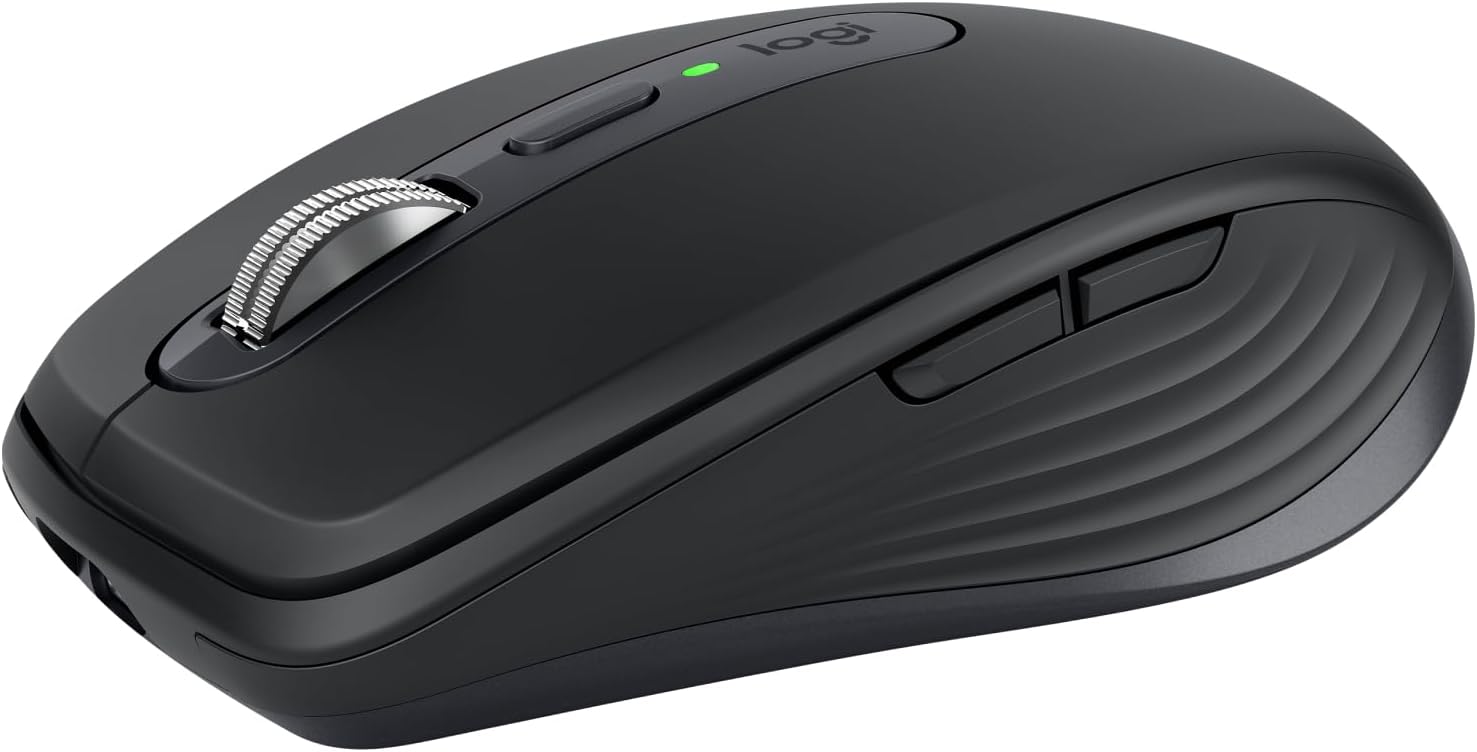
The Logitech MX Anywhere 3S is a compact, wireless mouse engineered for professionals on the move. Featuring an ultra-precise 8K DPI sensor that tracks flawlessly on any surface—including glass—it offers quiet clicks to minimize distractions and a MagSpeed scroll wheel that accelerates productivity by scrolling up to 1000 lines per second. Connect seamlessly to up to three devices via Bluetooth or USB-C, enjoy up to 70 days of battery life with fast charging, and contribute to sustainability with recycled plastic components. Designed for multi-OS compatibility and Intel Evo certification, it’s the ultimate tool for millennial managers who demand efficiency and style.


| ASIN | B07W4DGLY6 |
| Antenna Location | General Use |
| Are Batteries Included? | Yes |
| Are Batteries Required | Yes |
| Battery Average Life | 70 days |
| Best Sellers Rank | 834 in Computers & Accessories ( See Top 100 in Computers & Accessories ) 38 in Mice |
| Box Contents | Mouse, USB-C charging cable (USB-A to USB-C), User documentation |
| Brand | Logitech |
| Brand Name | Logitech |
| Button Quantity | 3 |
| Colour | Graphite |
| Compatible Devices | Laptop, Smartphone, Tablet |
| Connectivity technology | Bluetooth, USB |
| Customer Reviews | 4.5 out of 5 stars 2,927 Reviews |
| Enclosure Material | Glass |
| Global Trade Identification Number | 05099206111721 |
| Hand Orientation | Right |
| Hardware Platform | Chromebook, Mac, PC |
| Item Dimensions L x W | 10.1L x 6.5W centimetres |
| Item Type Name | Wireless Mouse |
| Item Weight | 99 Grams |
| Manufacturer | Logitech |
| Manufacturer Part Number | 910-006929 |
| Minimum Required Operating System Version | Mac OS 10.12 Sierra, Ubuntu 16.04 Xenial Xerus, Windows 10, iPadOS 13 |
| Model Name | MX Anywhere 3S |
| Model Number | 910-006929 |
| Mouse Maximum Sensitivity | 8000 Dots per Inch |
| Movement Detection | Laser |
| Movement detection technology | Laser |
| Network Connectivity Technology | Bluetooth, USB |
| Number of Batteries | 1 Lithium Polymer batteries required. (included) |
| Number of buttons | 3 |
| Operating System | Android, Chrome OS, Linux, Windows, iPadOS, macOS |
| Pattern | Standalone |
| Power Source | Battery Powered |
| Product Features | Quiet Clicks, Fast Scrolling, Programmable Buttons, Any-Surface Tracking, USB C, Multi-Device, Multi-OS, Seamless Connectivity, Long-Lasting C Mouse |
| Product Warranty | 2 year manufacturer |
| Style Name | Modern |
| Theme | Computing, Office Productivity |
| Unit Count | 1.0 count |
R**E
Best mouse I have ever used
This is the best mouse I have owned in a career linked with computers from the days of BBC, Amstrad, Acorn, Dragon Apple Mac and the brilliant Amiga. You would expect new models of a mouse to improve on the last generation, technology after all advances and this one has improved to new levels. The Bluetooth connection is instant and hangs on with a vice-like grip, there is greater sensitivity with 8K DPI which reduces the amount of movement needed to move the cursor around the screen at speed or to place it with precision, and it is designed to fit in with Intel Evo protocols. It is also quiet to the point of being almost silent, although, to be honest, I have never found mouse noise irritating or annoying so that was never a problem. I have been using a Microsoft Wedge mouse , my second, for a while, The first was to use with a Surface but despite big hands I continued with a wedge mouse on a laptop as I liked the size, shape and touch rather than a wheel. The only problem was the Bluetooth connection would sometimes fail for a few seconds, which was getting worse and more often for longer periods. This Logitech mouse was a small size, had a wheel with variable speed – a boon for long documents - and can be used on three machines with merely the press of a button. It is fast, works on pretty well any surface and the Bluetooth connection is rock steady. It has two extra buttons which are programmable but have been left as scroll left and right as my mouse needs as a writer are rather basic. They are there if I feel a need for them The quality seems excellent, with a satisfyingly substantial feel, battery life (USB C rechargeable) seems good and all in all this is a small, comfortable, uncomplicated mouse which does the job it was bought for superbly. It was bought at a sale price which made it an even better buy. You can find many a cheaper mouse but this one feels quality and although not at all heavy, has the satisfying feel of a substantial piece of kit and, most important, does everything you ask it to do quickly without fuss. Best mouse I have ever used in the best part of 40 years using them.
A**R
Great everyday mouse with multiple BT connections
Yes you can get lots of fancy mice with lots of programable buttons and advanced ergonomics - but this mouse hits the balance right between price, functionality and comfort. Quality feel and weight. Scrolling wheel nice to use and button clicks are quiet and solid. Not had a problem using on different surfaces. I love the easy bluetooth device change button on the bottom. Meaning that I can easily switch between work and personal laptops and also my iPad. USB C charging and an off switch on the bottom.
M**Y
Works as described, great on iPad
I’ve tested this on Windows, Linux (Ubuntu) and on an iPad, in all cases it connected and worked perfectly. The button on the bottom lets you pair to three different devices and switch between them really easily, with a light and a number to show which you’re connected to. The scroll wheel feels smooth, the switches are very quiet and the mouse is compact, so it’s easy to travel with. The grey colour with silver accents also looks great in my opinion. It’s particularly worth it for those needing a mouse to use with an iPad. If you’re only gonna use it on Windows or Linux, there are cheaper alternatives out there with comparable performance and build quality. In my case, It’s been a game changer for using Affinity Designer on the iPad, makes it so much more fluid and almost as easy as the full desktop version of the app. So has been worth it for that alone Navigating iPadOS with the mouse has been really smooth, the way it integrates into the software seems to get even better over time.
R**R
Excellent travel mouse with premium feel — but not ideal for all-day desk use
I bought the Logitech MX Anywhere 3S as a compact mouse to use between home, work, and travelling, mainly with a laptop rather than a fixed desk setup First impressions & build quality: It feels very solid for such a small mouse — slightly heavier than expected, but in a good way. The materials feel premium and not plasticky. It’s compact enough to throw in a laptop bag without taking up much space. Performance & daily use: The standout feature for me is how well it tracks on almost any surface. I’ve used it on: a wooden desk, a sofa arm, even a glass table and it works consistently without needing a mouse mat, which makes it ideal when working away from a desk. The scroll wheel is also excellent — very smooth and fast when needed, but precise enough for slower scrolling. It’s noticeably better than standard office mice. Quiet clicks: The clicks are much quieter than a typical mouse, which makes a difference in shared spaces or late at night. Battery life: After a couple of weeks of regular use, I haven’t needed to charge it yet. The quick charge feature is useful too — even a short charge gives a few hours of use. What I didn’t like: It’s quite small, so for long sessions (3–4+ hours) it can feel a bit cramped No ergonomic shape like larger mice, so not ideal for full-time desk work Premium price compared to basic wireless mice Who this is for / who it isn’t for Good for: • Working on the go (laptop users) • Travel / commuting • Small desks or minimal setups Not ideal for: • Full-day office use • People who prefer large ergonomic mice • Budget buyers Conclusion: This is a high-quality, portable mouse that’s perfect if you move around a lot and want something reliable without carrying a full-size setup. It’s not the most comfortable for all-day use, but for flexibility and performance on the go, it’s one of the best I’ve used.
X**K
Expensive but worth it
Well as a stand alone mouse for a computer, £90 is exteremely expensive (i did get this in the sale at £63) but this is where thmouse comes into its own. I currently have the main computer that i do a lot of work on and a laptop that i use when the mrs wants to watch tele as i use the big tv screen on the main computer. I also have a work computer that i connect up to a system i have in the house on a three monitor setup. This mouse has the ability to connect to three computers so as long as they are not all being used at any one time, a simple press of the button switches its connection to the computer you need to connect to. This for me is what drove me to get this as we rarely have more that onr computer on at a time. You can also get a keyboard that i have that does the same thing. One thing to note is this does not come with a USB adaptor to connect to as this onoly comes with the keyboard but you can use bluetooth to connect with if what you intend to connect to also has it. Ergonomically, this mouse is really nice in the hand but may feel a little on the small side for some especially if you are used to using big mouses. Functionality of the buttons of which there is many is dream, superb feedback. You will need to install an app called Logi Options to get the mouse going but this app then shows all applicable connected devices and displays the current battery strength which i really like. Also comes with a USB C charging cable that is top quality although it is only a meter in length.
T**K
Logitech MX Anywhere 3S: Your Perfect Portable Productivity Partner! Highly recommended! ;)
The Logitech MX Anywhere 3S is a truly impressive compact wireless mouse that lives up to its "Anywhere" name, making it an ideal companion for productivity on the go or in a minimalist desktop setup. One of its standout features is the 8K DPI Any-Surface Tracking, which means you can reliably use this mouse on virtually any surface, including glass. This unparalleled versatility is a huge convenience, freeing you from the need for a mouse pad. The fast scrolling feature is incredibly smooth and precise, allowing you to zip through long documents or web pages with ease. The quiet clicks are a game-changer, especially in shared workspaces or quiet environments, providing a satisfying tactile feel without the distracting noise. With programmable buttons, you can customize your workflow and assign shortcuts for enhanced efficiency. Connectivity is flexible, offering both USB-C and Bluetooth options, ensuring compatibility with a wide range of devices including Windows PCs, Linux, Chrome OS, and Mac. The compact size and ergonomic design make it comfortable for extended use, and the pale grey finish adds a touch of modern elegance. In summary, the Logitech MX Anywhere 3S is a highly recommended wireless mouse for anyone seeking portability, precision, and quiet operation. It's a premium device that truly enhances productivity wherever you are.
M**W
Price tag is unjustifiable.
The Anywhere MX used to be an exceptional piece of kit. The old version came with a carrying pouch, and the mouse had some weight to it, giving a sturdy and durable feel. The previous versions' mouse wheel could be clicked to change between smooth or 'clicky' movement/rotation, plus could be moved side to side for scrolling documents horizontally. The mouse buttons were quiet, yet had decent feedback response. The new version (MX Anywhere 3S) is terrible. It cost around £67 (reduced from £90). Not only does it not come with a case, but it feels much lighter and is made of cheap plastic and feels flimsy. The mouse doesn't feel at all durable, like one strong squeeze would be the end of it. The wheel features have been removed; now there is no choice between wheel movement, and no sideways scrolling. The wheel rocks slightly from side to side; again, it just doesn't feel well made at all. The buttons are quiet, but there is virtually no feedback response from them. The wheel can be clicked, but again, because of the low response, keeping it clicked in order to navigate a page quickly is unreliable. Overall, I returned this mouse because the price tag is unjustifiable give the poor build quality and disappointing lack of features. You can get a mouse of equal quality for a fraction of the price. Avoid.
P**S
Best mouse I've ever used!
Bought an Satechi M1 mouse back '22. The wheel broke and I decided to try this one. It's actually much better! Nice shape, feel and the wheel is awesome. Has a feature where it's tactile scrolling but when you want to scroll fast it will go loose and you can spin really fast. Nice feature. I'm using a mac and I'm deciding not to use the software. Rather use it natively. So the default buttons for forward and back are a nice default addition. I have no idea what the button next to the wheel does. I don't care. I can't be bothered to configure it. The mouse does exactly what I need. It quickly paired with my macbook M1 pro. I togged the sensitivity like the Satechi mouse before it. It has a port at the front for the usb c cable to charge and I love the internal battery. What's not to like about it? It's great. I've had it now for 6 days, using it from around 8/9am until 11/12am the following day. Going to be keeping this one. If I didn't like it, it would have been sent back. Simple as. 5/5
S**K
Bardzo wygodna
Mega wygodna mysz komputerowa. Praktycznie każdy przycisk można personalizować dla różnych aplikacji. Bateria działa bez zarzutu.
A**O
Perfect
Best mouse in the world.
K**S
Absolut het geld waard
Het voelt heel pretting aan en is makkelijk te bedienen. Ik ben een beetje verrast, maar in positieve zin :)
D**O
Wysokiej jakości mysz do profesjonalnej pracy
Mysz w pełni odpowiada opisowi. To naprawdę wysokiej jakości urządzenie. Jest bardzo wygodna w użyciu. Łatwo się ją podłącza i od razu jest gotowa do użycia. Pozwala również na zmianę wielu ustawień, ale do tego potrzebna jest aplikacja Logi Options+. Wcześniej przez jakieś 5–6 lat korzystałem z myszy Logitech Pebble. Wystarczały one jednak tylko na rok intensywnego użytkowania. Potem psuł się lewy przycisk. To znaczy, wymieniłem już jakieś 5 sztuk Pebble. Teraz postanowiłem przejść na bardziej profesjonalne urządzenie. Na razie jestem w pełni zadowolony z myszki.
R**L
Vivement conseillé
Super petite souris, fonctionne bien, la batterie tien bien la charge. Je la trouve un peu chère mais la qualité est là. Je la recommande vraiment.
Trustpilot
2 weeks ago
1 week ago