Desertcart purchases this item on your behalf and handles shipping, customs, and support to New Zealand.
🚀 Unlock your workspace’s full potential with Aceele’s ultra-fast, power-packed USB hub!
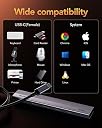
The Aceele 10Gbps USB 3.2 Hub transforms a single USB port into four high-speed USB A 3.2 Gen 2 ports, delivering up to 10Gbps data transfer. Equipped with a dedicated Type-C power port for stable operation with power-hungry devices, it features a 4ft extended cable with Velcro for flexible setup. Compatible across major OS platforms and built with a lightweight aluminum body, this hub is ideal for professionals seeking fast, reliable connectivity for multiple peripherals.


| ASIN | B0C3GRN29P |
| Additional Features | Fast Data Transfer, Heat Resistant, Lightweight, Plug and Play, Powered |
| Best Sellers Rank | #282 in USB Hubs |
| Brand | Aceele |
| Color | 120cm (4A+C) |
| Compatible Devices | Desktops, Hard Disk Drive, Keyboards, Laptops, USB Flash Drives |
| Customer Reviews | 4.2 out of 5 stars 2,244 Reviews |
| Data Transfer Rate | 10 Gigabits Per Second |
| Enclosure Material | Aluminum |
| Hardware Interface | USB |
| Item Dimensions L x W x H | 5.91"L x 2.76"W x 0.71"H |
| Manufacturer | Aceele |
| Number of Ports | 4 |
| Operating System | Chrome OS, Chromebook, Linux, Windows 7, Windows 8 |
| Special Feature | Fast Data Transfer, Heat Resistant, Lightweight, Plug and Play, Powered |
| Total USB Ports | 4 |
| Total Usb Ports | 4 |
| Warranty Description | 2 year |
N**N
Compact & handy.
It has worked well so far.
M**L
Feels very lightweight, but speed is good
I bought this to use as a more convenient spot on my desk to attach USB devices, rather than having to plug them into the computer, and it's attached in place with double-stick foam tape. The cable was a good length... I understand why many manufacturers of these kinds of small hubs usually opt for a very short cable (since the assumption is that it will be used right next to a laptop computer in a travel situation), but I'm glad that there are at least a few available that have a longer cable. I chose this hub because it had both USB-C and USB-A ports, was 10gbps, met the physical requirements of what I was looking for, and had a port for supplying power to the hub. The hub is very lightweight, I'd even go so far to say that it feels a bit on the fragile side. But hopefully durability will be ok. Speed on all four ports was good (see attached screen shots... this was a Samsung T7 Shield 2TB, with an M1Max MacBook Pro). Directly connected to the computer was, naturally, a bit faster, but through the hub is fast enough. In other words, it is indeed a 10gbps connection, even if it's slightly slower. Though my typical usage won't require it, I went ahead and supplied power to it via a USB-C cable and charger... without this, two SSDs and a flash drive mount fine, but trying to add a portable hard drive, the hard drive would not spin up (which is not the fault of the hub... that's just too much power being drawn from the host port). With the power cable attached, that hard drive (in addition to the other devices) worked fine. I'm glad the manufacturer included this capability.
J**R
Good device
Works as advertised
A**N
Very net item.
It's smaller then I thought it be. About 4" wide. It can handle large data transfers. I put my backup drive through it. Seems to be about to handle that my drawing tablet and other USB's all at the same time. Would buy again.
J**S
Good for additional USB-C ports
This USB-C hub plugs into my USB-C port and gives me 4 USB-C ports to use. I like the length as it gives me plugs that are not right next to my laptop.
S**Y
Aceele 10Gbps USB 3.2 Hub with 4 USB A Ports - the 1 YEAR LATER EDITION
Edit 1 year later - It's just more instant landfill from (you-know-where). I originally gave this a glowing review with more detail than I usually write (or was probably needed) because I felt like it perhaps was one of those products that had a lot of room for error (using the wrong wattage power brick, this USB 3.2 Gen1 x2 garbage that literally no consumers understand, and USB-C inconsistency) but when used properly with compatible hardware and ports it was actually a decent product. The problem lies with the half-wits that set USB industry standards and their ever-changing classifications that become even more confusing with each change, then, to really mess with people, they make changes retroactive. Then they throw USB-C on the pile with no set industry standards for manufacturers, making USB-C ports on devices that could be anything between Thunderbolt4/USB4 (8k video/DP-alt mode/PD/10+ gbps data) or it could be a plain old USB 3.0 data only port made in the C size (no video/no DP-alt mode/no PD/bring-a-book speed). Confusing legions of consumers purchasing USB-C dock/hubs/peripherals/displays/etc. and are surprised when the USB-C cord into the USB-C port on their laptop andn it doesn't work like it should, or not at all. While all of those things are still true and plague consumers, this is just more junk for the pile. Last maybe 6 months before it started randomly disconnecting and reconnecting then it moved on to making Windows throw the "USB Device is Unrecognized" error we all so loath to the point that it now does that 100% of the time rendering the device useless junk. Sure, it was an inexpensive item, but I'm tired of being sold garbage, literally. I don't care how cheap it was, I expect more than 6 months of light home office use before it starts failing. To make matters worse, if you try to contact the seller for product support or to inquire about the warranty they claim to offer, it is noted that Amazon handles customer service for the seller which amounts to generic "troubleshooting" steps followed by nothing. It is assumed those canned "is it plugged in?" steps will fix you up. If you back out of that dead-end and skip “troubleshooting” (just always skip it, it's worthless for any product I've ever tried), you are given a link to the manufacturer to get technical support. Great, now we are getting somewhere...and it's a 404 page not found error. That's it, that's all there is. End, Fin. There is no path forward in the process. To recap ---> Seller? "eh, talk to Amazon" ---> Amazon? "eh, is it plugged in? This is hard, talk to the manufacturer" ---> Manufacturer? 404 page not found. Now what? 5 stars is officially retracted and retroactive. 1 star is the correct rank. The mark of failure for a product/seller. To mirror the failure of the USB hub, the failure to have any product support and failure to honour warranty by-way-of obfuscation. Enjoy! ----------------------------------------------------------------------------------------------------- Original Review - for posterity and if anyone cares I'm giving 5 stars even though this 4 port hub has some limitations. I think expectations need to be properly set is the key here This is a simple 4 port USB A 3.2 port splitter, I think calling it a hub implies something more robust than this device actually is No, you aren't going to be able to use this as a docking station, but it's not meant to be. It's a run of the mill port splitter that happens to also have a unique (to its size and price point) feature - a USB C port for no reason other than providing power to the device itself. Not to be confused with "PD/power delivery" or "passthrough" where you plug your laptop power supply into the hub, then the hub pssses through the power to the laptop thereby allowing the data and video functions to still be used from that laptop's USB C port that otherwise would have been monopolized by the power supply alone. This is not that. Okay now that we aren't comparing apples with oranges I'll tell you why I like this so much that I ended buying 4. This is a cheap and easy way to externally power your external SSDs. When I upgrade an NVMe SSD to a larger size in my PCs I keep the old one, then buy a *compatible* USB enclosure, pop it in and then it becomes a super fast and easily portable external drive. Also, no separate power supply is needed since SSDs need such little power the current from the USB connection is usually enough. Usually. If you're connecting to a desk top PC then you're golden, you're not going to need external power for USB attached SSDs *but* if you are using a laptop then it's a different story. Laptops are made to be as light and efficient as possible with most machines using 45w or 65w power supplies with performance models sometimes up to 90w. Compared to a desktop that's not a lot This means that USB power output from a laptop port is limited to what's left over after it takes what it needs to run. Usually, enough power left over to send out through the USB ports to supply the connected peripherals. These are typically low powered items like mouse, keyboard, and perhaps an external drive (CD/SSD/flash drive, etc.). But if you're like me and have like 4 or 5 mouse/keyboard dongles and 3 SSDs spread over 2 USB hubs all crammed into the only 2 USB ports on my laptop, then you're going to start having issues with keeping all the devices plus your laptop satiated with that finite amount of juice from those little 45w/65w/90w power supply. You're computer's performance will degrade noticably as it throttles itself to keep power usage down so that your periferals won't start doing weird stuff, if they work at all. You have a few options - 1) only keep one SSD plugged in at a time, which isn't practical, 2) get a proper, fully self-powered docking station with plenty of juice to feed everything simultaneously, but those are $$$ not cheap (some even costing as much or more than the laptop), or 3) buy a couple of these suckers. probably went overboard but I got one for each drive (and only a single drive per hub to essentially give them all of their own power supplies (and I have a 4th hub that I plug all my dongles into together since those are all such low power}. Since I've gone to this setup, my performance issues have gone away due to no more throttling, my mice/keyboards don't have erratic behavior and the speed of the USB SSDs have ncreased dramatically. *I would avoid using more than one drive per hub because for some reason, even when fully powered, both drives read/write speeds tank, although both are still usable no problem, just slow is all.
P**D
Does the job and is well built - but lasted for less than a year
Update: Hub no longer works properly. will charge items i plug into it with no problem but will not transfer data from USB drives any more. I have tried connecting to 2 different computers and 12 different flash drives of all types but as soon as i transfer data it disconnects (with nothing else plugged into it) This is pretty common with the cheaper hubs. I was hoping this one would be different. it was a good hub while it lasted I needed a small USB hub that i could attach to the side of my desk with some double sided tape. This one seemed to be what i needed so i purchased it and am VERY happy with the quality and speed of the device. The ports all provide the speed advertised, the case is sturdy and construction quality seems spot on. the cable and 5v port aren't perfect for my needs, but there is no "one size fits all" when it comes to things like that so i do not consider that something to ding this hub for. Overall it was a great choice for the money with no downsides that i can see
E**T
Compact, light and functional
First thing is, it is still working! That is a big seller. Second thing is that it is very light and compact. That makes it easy to mount on the back of my monitor... out of the way but readily available. I bought a 5 amp power wart just to supply it with juice. So far I am ecstatic.
翠**光
コンパクトで扱いやすく、データ転送も安定
USBポートを増設するために使用しています。本体はコンパクトでデスクの上でも場所を取らず、ケーブルは約120cmあるため取り回しも良好です。パソコン本体を床に設置している環境でも無理なく接続できました。USBメモリや外付けSSDを接続してデータのコピーを行いましたが、認識はスムーズで、転送中に接続が途切れたり不安定になったりすることはありませんでした。USB-AポートとUSB-Cポートをそれぞれ備えているため、接続する機器に応じて使い分けられる点も便利です。また、Type-Cの補助電源ポートを搭載しているので、消費電力の大きい機器を接続する際にも安心感があります。現時点では動作は安定しており、問題はありませんでした。
D**D
Enfin un qui marche bien, meme avec une rallonge
Très bon produit qui respecte ce qui est annoncé dans la fiche produit ! 10Gb par port c'est OK Avec 1 SSD nvme USB3.2 en 10Gb + 3 clé USB3.0 en 5Gb, le partage de la bande passante se fait très bien pour atteindre 820Mo/s au total cumulé , sans déconnexion ou autre instabilité constaté. Le produit n'est pas fait pour recharger quoi que ce soit, ni l'hôte (pas de PowerDelivery [PD] sur ce modèle) ni sur les 4ports femelles. ( Il y'a un modèle de cette marque qui supporte le PowerDelivery mais ce n'est pas celui que je commente) Dans d'autres commentaires certaines personnes se plaignent qu'il n'y est pas ces fonctions de recharge, alors que c'est bien indiqué dans la fiche produit qu'il ne rechargera rien du tout. Par curiosité, j'ai quand même testé les capacités de ce produit avec un chargeur branché sur le port "5V IN" Un bon point : il peut délivrer 0.9A sur chaque port en simultané si besoin. (0.9A c'est la norme USB3 qui le préconise) Et encore de la curiosité : en branchant mon iPhone dessus seul , tous les autres port son vide, les ports 1&2 (coté alimentation) peuvent fournir 2A, le port 3&4 coté led eux ne donne au max que 1.5A je n'ai pas testé de brancher deux téléphones en même temps car c'est n'est pas la fonction de ce HUB d'être utilisé en tant que chargeur (même si finalement il s'en sort plutôt bien si on raccorde à un chargeur 5V/3A) Coté débit pur, j'ai fait quelques tests sous CrystalDiskMark et un simple copier/coller Windows avec mon SSD NVME dans un boitier USB-C 3.2 le tout relié à mon PC qui ne supporte que le 10Gbits/s (AMD X570, connecté directement sur le port de la carte mère à l'arrière du pc) Rien à dire, tout est ok (voir screenshots) Et dernier bon point à noter, ce Produit fonctionne toujours correctement avec une rallonge de 1m ou comme dans mon cas un Cable de 1m (certifié usb-if) avec un coupleur USB-4 qui permet d'avoir 1m60 de câbleau total pour l'installer où on veut sur son bureau dans le cas dans PC fixe c'est pratique ! Remarque : Je vous déconseille d'utiliser des rallonges qui dépasserai les 2m au total rallonge+60cm du câble du hub. 99% de chance que ca ne marche pas ou très mal ! j'ai un Cable de 2m CableMatters certifié USB-IF, avec la lecture est OK mais je dépasse pas les 20-40Mo/s en écriture, le signal est trop instable pour atteindre les 10Gbits/s et pour avoir testé plusieurs rallonges de vendeur sur Amazon 20Gbit/s 240W etc... aucune ne marche de manière Stable pour le transfert de donné au dessus de 1m. Vous êtes prévenu :)
A**W
Exactly as advertised - a proper USB 3.2 Gen 2x1 HUB
I bought this for my desktop to put some USB ports on my desk. I wanted a basic USB 3.2 Gen 2x1 (10GBPS) hub - not a USB dock with additional thrills such as display outputs, card readers, etc. This hub does exactly that. It has a nice slender aluminum body that feels solid in the hand. It's also nice and compact. It does not pass through power to computer - whew, again, just want I wanted as my desktop isn't a notebook that relies on getting power from a USB port (I don't want to risk power passing through the hub and frying the USB controller on my system). It has a USB Type C on the end that hooks up to a USB power source - like a phone charger (I have mine hooked up to a standard phone charger. This power powers the hub, and any of the USB devices that get hooked up to it - again, exactly how a USB hub should act. And then it has two USB Type C ports and two USB Type A ports for my devices. All are USB 3.2 Gen 2x1. And how does it work? Transparently - hooking up devices to it is the same as hooking it directly up to the computer - no hiccups or slow downs, and no issues with achieving full USB 3.2 Gen 2x1 performance. I docked it one star on versatility as I would have preferred the computer hookup side to have had a USB Type C port as opposed to a permanently attached cable - this is so the cable could be easily replaced if it ever needed it. If you're after a basic USB 3.2 Gen 2x1 (10gbps) hub that does not need power pass through, and does not have any other features like HDMI or card reader or other feature outside of it being a plain hub - this is it. And it is rock solid. And there are other options from Aceele makes that do support other port configurations and/or power pass through if you have a notebook that requires it.
J**N
USB Hub
En bra och gedigen hub
J**.
Excelente
Muy bien producto con excelente velocidad
Trustpilot
1 week ago
1 day ago