🚀 Print Smarter, Ship Faster, Stay Ahead!
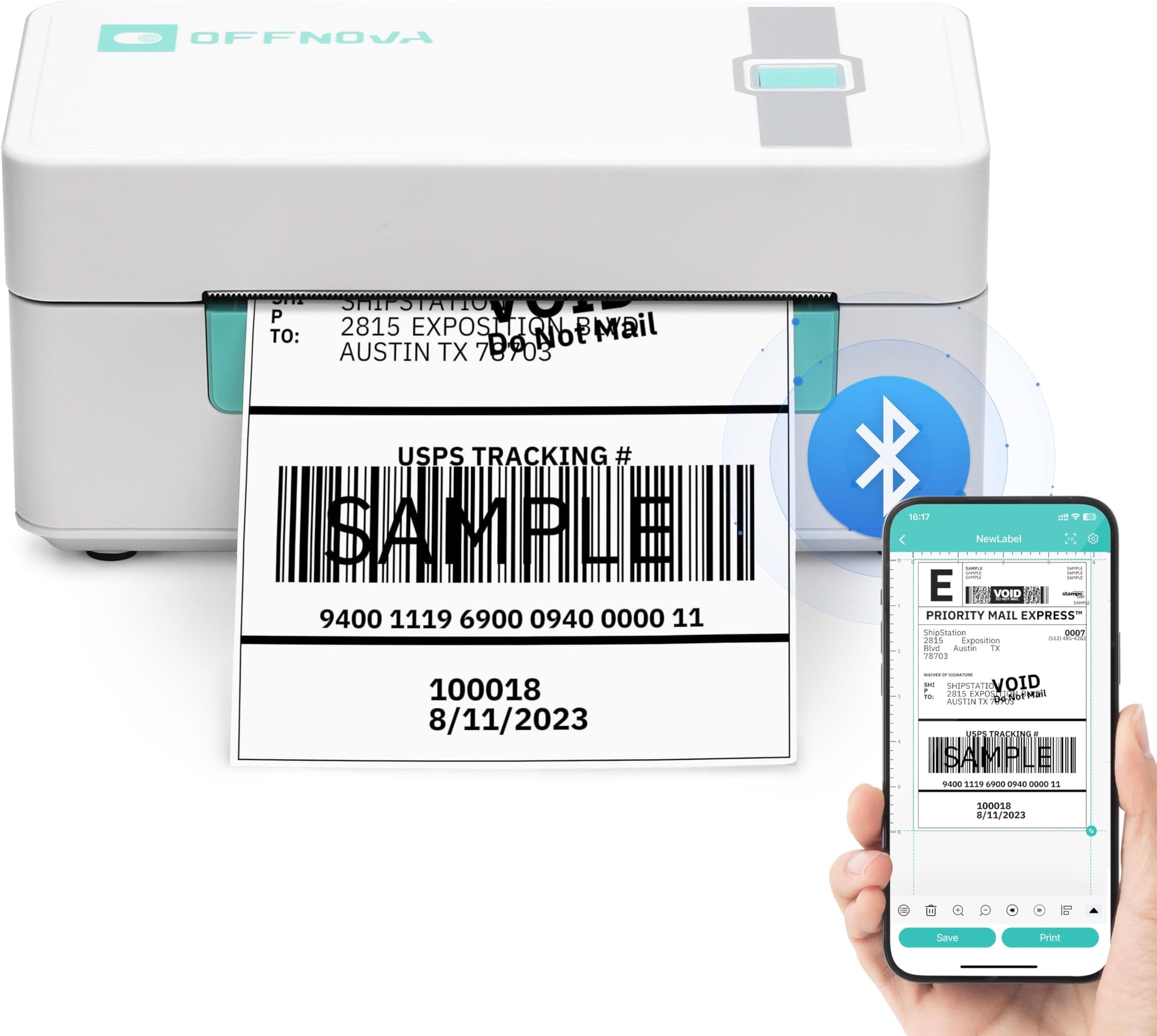
The OFFNOVA Shipping Label Printer is a compact, thermal 4x6 label printer designed for small businesses and shipping pros. It offers wireless Bluetooth printing for iOS and Android, USB connectivity for Windows, Mac, Linux, and Chromebook, and supports a wide range of label sizes with auto calibration. Compatible with major shipping platforms like USPS, eBay, Shopify, and Etsy, it delivers fast 203 DPI prints at up to 72 ppm without ink, making it an efficient, versatile tool for seamless logistics and e-commerce operations.


| ASIN | B0CDX7JKPK |
| Additional Printer functions | Print Only |
| Best Sellers Rank | #149,057 in Office Products ( See Top 100 in Office Products ) #354 in Desktop Label Printers |
| Color Depth | 1 bpp |
| Compatible Cartridge | No ink needed |
| Compatible Devices | Laptops, PC, Smartphones, Tablets |
| Control Method | App, Touch |
| Controller Type | Android, iOS |
| Customer Reviews | 4.2 4.2 out of 5 stars (1,494) |
| Date First Available | August 7, 2023 |
| Dual-sided printing | No |
| Duplex | Simplex |
| Hardware Interface | USB |
| Included Components | Power Adapter & Cable, Printer, USB Cable, User Guide |
| Ink Color | black |
| Item Weight | 2.89 pounds |
| Item model number | ZPL-2054N |
| Manufacturer | OFFNOVA |
| Max Copy Speed (Black & White) | 72 ppm |
| Max Input Sheet Capacity | 72 |
| Max copy resolution black-white | 203 DPI |
| Maximum Black and White Print Resolution | 203 DPI |
| Maximum Color Print Resolution | 203 DPI |
| Maximum Media Size | 4 x 6 inch |
| Model Series | ZPL-2054N |
| Output sheet capacity | 72 |
| Print media | Labels |
| Printer Ink Type | No Ink |
| Product Dimensions | 6.3 x 7.68 x 4.13 inches |
| Scanner Type | Portable |
| Series Number | 6140 |
| Sheet Size | 1 - 4.1 Inches |
| Specific Uses For Product | shipping and logistics label printing |
| Supported Media Sizes | 4 x 6 inches |
| Total USB Ports | 1 |
| Warranty Type | 1 Year Warranty |
A**A
Yay!! PDF Opens in FBA Print Directly from Pirate Ship
I wanted Bluetooth so I can use my thermal printer with iPhone because I wanted wireless so I don’t have to worry about connection to devices being compatible. I have a very old (probably incompatible with everything) MacBook & will likely be getting the new MacBook that no longer has a USB. This is easy to use & works great, but there was a slight learning curve in the beginning when I had no idea what I was doing. The assembly instructions were fine but after that the instructions to print were not the best. While first getting it to print I messed up on 2 labels, and a corner piece of the labor got wrapped around the roller (which was difficult to get off bc the label is sticky). I had to trick the roller into moving so I can peel the part of the label that stuck to the roller or else it would keep giving me a blinking error. I was able to get it all out after a few attempts, but troubleshooting instructions would have been super helpful!! So this is what I learned so you can skip my mistakes. (1) Make sure the label printer & label holder are pretty much perfectly aligned with the device so it does not get fed at an angle. Also make sure after you tear off the label, that it doesn’t take any of the backing off of the next upcoming label. (2) I could not figure out which option to use when printing from an image screen shot to work for the full size of the label (it was printing small or blurry) but I learned I can *easily open with PDF. I did NOT need to do all of those steps of transferring to WhatsApp or Skype or Facebook... I do not understand why that step is even necessary. While in Pirate Ship (the app I use for my small business), after I generate the label, I select *open PDF file* in FBA Print (you select this from all your apps that come up). And then the label shows up in FBA Print without those extra steps. It then prints on the 4x6 label perfectly. All packages I have ever shipped with this device has been received my clients. For those new to shipping you will use this printer, extra thermal labels (since it comes with only a few), a mail scale & measuring tape to get weight & dimensions additionally in order to get the correct shipping rate from your shipping label vendor of choice. For everyone, not all color options of the thermal printer are Bluetooth. Please check the description if Bluetooth is what you are after. Overall I recommend this product, which makes my life easier and it is super easy to use now that I know what I actually know what I am doing.
E**.
It was Great, Until it Wasn't... Printed Great for just over a Year.
UPDATE: I'm not sure why it wouldn't work the last Couple Hours, but it just started Working through FBA Print. Unfortunately, the Post Office is now Closed, so I'll have to wait til Monday, which is a Huge Inconvenience. I read ALOT of Information while trying to figure out why it wouldn't work & a Site had a Comment from the OffNova Manufacturer & I found out something I didn't know: If there's too many people using the App, it won't stay Connected. They also said if your Memory is Low it might not Work, so make sure you have adequate Storage (I had Plenty, So it wasn't bc of a Lack of Storage)... I can only surmise that there were too many people using the App earlier. Thank Goodness it started working again! I bought the OffNova Printer in January 2021. After ALOT of Research, I chose this Printer bc I didn't have a Printer or Computer & needed something that would Connect to my Phone through Bluetooth... & this was the Most Affordable Option for a Wireless/Bluetooth Printer, not to mention that it's Thermal, which means No Extra Expense w/ Refilling Ink. When I bought this the App needed was "FBA Print", I've never been able to Print a Label from a PDF File, but I could take a Screenshot of the Label, Crop it in my Gallery & then Open it as an Image in the App & Print it w/ No Problems... UNTIL TODAY. Today, I turned the Printer on, I have 3 Labels I need to Print for Packages & as soon as I Click on the "Image" Option to Find the Label, the Printer Disconnects. FBAPrint had a PopUp that said the App wouldn't be Updated & to D/L "Shipping Label" in the Play Store, so I did that. I Connected the Printer, Click on "File", & as soon as I choose the Photo of the Label, the App Closes. It won't even Open the Photo!! I'd appreciate it if someone could help me figure this out! I rely on this Printer for Sales & I've only had it 1yr, 2mons! I Paid too much Money for it to Stop Working in such a Short Amount of Time! Idk what else to try, bc I never had this Kind of Frustrating Problem, until today, but maybe there's a New Way of getting it to Work? I'll adjust my Rating as soon as the Manufacturer or App Developer tells me how to get my Printer Working in a Timely Fashion. Thank you very Much!
Trustpilot
2 months ago
2 weeks ago