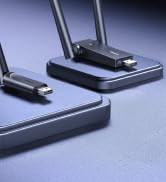
🚀 Upgrade your connection, upgrade your life.
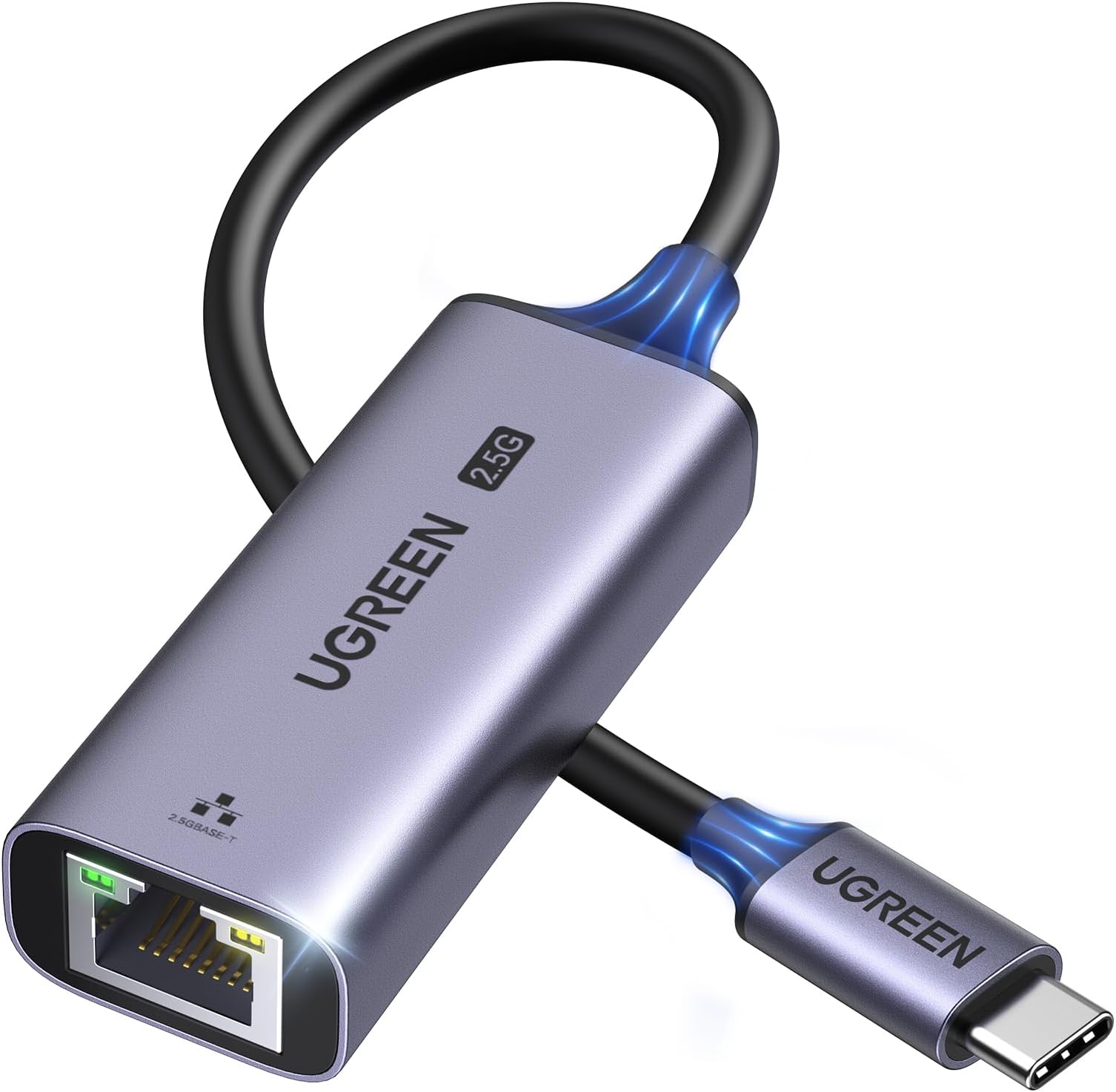
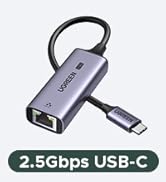
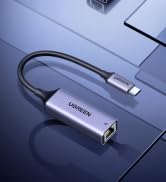
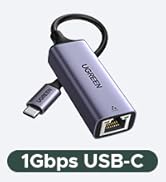
The UGREEN USB C to Ethernet Adapter delivers lightning-fast 2.5Gbps wired internet through a compact, durable aluminum design. Powered by the advanced Realtek RTL8156BG chip, it ensures stable, low-heat performance compatible with Thunderbolt 4/3 devices including MacBook Air/Pro, Dell XPS, and iPhone 17 Pro/Max. Perfect for professionals demanding seamless 4K/8K streaming, rapid file transfers, and future-proof network upgrades.


| ASIN | B0CD1FDKT1 |
| Best Sellers Rank | #13 in USB Computer Network Adapters |
| Customer Reviews | 4.5 4.5 out of 5 stars (2,488) |
| Date First Available | July 31, 2023 |
| Item Weight | 2.12 ounces |
| Item model number | UG-USBC-25052 |
| Manufacturer | Ugreen Group Limited |
| Product Dimensions | 14.18 x 1.38 x 0.59 inches |
C**H
Reliable network speed tests and smb speeds
Got this on prime day for about $20 USD. For the price and quality it was definitely worth! Works perfectly and as you would expect. No driver installations or dropped connections so far, just plug and play. Sleek design, gets a little warm (which is expected) but not hot at all. Tested on compatible internal network speeds which showed to be reliable and fast Hardware tested on: - base m4 mac mini connected via usb c ugreen 2.5g adapter - over cat7 ethernet cable (overkill but cat6/cat5e under 100meters/328ft should be enough) - 2.5g ethernet switch - 2.5g port on nas iperf3 tests: - iperf3 tests from base m4 mac mini to another 2.5g device on a 2.5g switch - shows average bitrates of ~2.35 Gbits/sec smb tests from a usb3 connected to base m4 mac mini: - only took ~2mins to transfer 31.31 GB for 11 files in varying sizes - which on average came out to around a transfer rate of 2.087gbps - which is about 260.88 Megabytes per second - i'd imagine this would even be slightly faster for files directly on the mac but wanted to test with a real scenario - probably closer 290-300 Megabytes per second for files stored on the device rather than usb3 have not had a need to test this on mobile yet but iphones with the 10g usbc (and probably just usbc in general) should be fine i'm sure if you're looking into buying one of these you already know all this but some things to keep in mind. your mileage may vary based on your cable length and runs/environment surrounding your network/cables for any electromagnetic interference. but generally as long as you have 2.5gb compatible ports and cabling and you should be good to go!
P**Y
Solid USB-C Upgrade for 2.5GbE - Good Value and Performance - Good for Mac Users
I’ve been using this Ugreen adapter for a 6 months now and it’s become one of my go-to accessories. If you have a device like the M1 MacBook Pro or Mac Mini that’s limited to 1Gb Ethernet, this adapter is a great way to unlock faster speeds, especially if you’re upgrading your home or office network to 2.5GbE. I have everything connected to a 10Gb switch after I upgraded my Synology NAS and needed a way to improve access to it for storage. Setup was truly plug and play, just connect the Ethernet cable to one end, plug the USB-C into your device, and you’re good to go. I noticed an immediate improvement in transfer speeds when moving large files to my NAS. This is perfect for anyone working with media or large data sets where Wi-Fi just doesn’t cut it. I was initially capped at 200MB/s. It more than doubled when I used the adapter to 200MB/s At around $20, it’s excellent value when compared to higher-end adapters that cost much more but often deliver the same result. It’s compact, feels well made, and I’ve had zero issues with performance or stability. It does get slightly warm during long transfers, but I haven’t seen any drop in connection quality or speed. If you’re trying to squeeze more speed out of your Mac Mini, laptop, or even a docked tablet, this is a solid upgrade. I keep mine on the desk and switch it between devices as needed. Highly recommended for anyone moving to a 2.5Gb network or needing faster wired performance.
R**N
Say Goodbye to Wi-Fi Woes—This Adapter Delivers
I couldn’t be happier with this UGREEN USB C to Ethernet Adapter! As someone who needed a reliable solution to hardwire my laptop to an Ethernet wall outlet, this adapter has been flawless. The setup was truly plug-and-play—no drivers or complicated installations required—and I was connected in seconds. Not only does it deliver an impressive 2.5Gbps speed, but it also provides a rock-solid connection that’s perfect for streaming, large file downloads, and stable video calls. The sleek aluminum design is a bonus, as it feels sturdy and looks great alongside my tech setup. It’s compact enough to toss into my bag without taking up much space, making it easy to use on the go. This adapter is a fantastic investment for anyone seeking fast and dependable wired internet connectivity. I’m thrilled with its performance and highly recommend it. Five stars all the way!

T**T
Works great on Macbook M4 Pro (or M4 Max?) and gets the full speed
I use it to connect a Macbook M4 Pro (or maybe it is a M4 Max) to a Unifi Ethernet switch (2.5G, with some quality patch cable). I get full speed, or at least much more than I was getting with 1Gb (previous version) Ethernet. in other words, I can do at least 1.6Gbps of real transfer speed, but I have not tried it with anything else like netcat to just push some data between some computers. Temperature: it doesn't get very hot. The body is made of metal, so that should do well in dissipating heat. No drivers needed, just plug and play. Main reason for using it: freeing up some wifi air time for all other devices at home.

K**R
Works great on a mac mini
this works great on my mac mini, it transfers at and sustains 2.5gbps speeds, just not on windows, on windows it keeps slowing down to 1gbps after 8 seconds of transfering
J**O
UGREEN USB to Ethernet always works.
I think I have 6 of these, great product, works in proxmox, opensuse linux and others. will buy again if I need another one. this is the first USB C version. works great I like the others! Plug and Play, and get almost 2.5 gig through put. I have one on my synology NAS, and it works great also. Almost two years on my first one, still going strong.
D**E
Fast and widely compatible
I was pleasantly surprised to find these are actually as fast as they say they are. They are detected and work without additional drivers on Windows 11 (23H2+), Linux (Ubuntu 22+ and RHEL 9.6+), and even MacOS Tahoe (26). They are nice looking to boot. I recommend these.
A**T
Love it. Works as expected
N**N
🌟
I**M
Aynı pc de 2. bir interneti kullanmak için satın aldım işini yapıyor. 1G modeli vardı bunu görünce direk aldım. Oyunu anakart üzerinden takılı olan internetten. Yayını ise bu ürün üzerinden vermek için ideal.
R**F
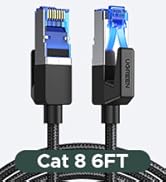
plug and play it is true with window 11 if the laptop have the built-in drive for this adaptor. if not you can download the software from realtek.it is working on usb4-c port of the laptop.i use a lan cable cat 8. i decide to put the wi fi off on the laptop to have a better speed on my other wi fi devices. i am very satisfy for this adaptor. extra info. it is working if your laptop have a built-in compatibility with this adapter. to check that,you go to window settings under network and internet.after you plug in the adapter to the laptop on the port of usb type c and a lan cable to the router. you can click on properties of ethernet on window settings. if you see realtek usb 2.5 gbe family controler,your laptop is compatible. if not you go on line directly to realtek site and download that software by choosing window 11. my laptop have a usb4 type c but a port of usb 3.2 gen 2 type c must working also. about the lan cable plug on this adapter work better with cat 8 but cat 7 or 6 probably work also. my router have a 10 ge lan port. it is where i plug the lan cable from the adaptor. if you using a 1 ge lan port,can influance the speed of your internet. another important factor about the speed of internet is the plan you have. i have a internet plan of 2 gigs. the result of speed is 2170 mbps for download and 216 mbps for upload. i have not try to do aggregation on my router because this speed is an off for me. because i have other wi fi devices on my network i decide to put the wi fi off on my laptop to increase the speed on this other devices. if you have more question ask copilot in window. this ai know a lot.
H**N
It's just Plug-n-play. Used it on newer MacOS 14 /15 and Windows 11 laptops and Windows 11 Workstations. Even on a Windows Server 2022. No heat problems moving several gigabytes of iso files against 2.5Gbps switches. Will buy more for colleagues and our regular laptop users.
Trustpilot
3 weeks ago
2 months ago