Buy anything from 5,000+ international stores. One checkout price. No surprise fees. Join 2M+ shoppers on Desertcart.
Desertcart purchases this item on your behalf and handles shipping, customs, and support to New Zealand.
๐ See More, Create More โ The Ultimate Wide-Angle Pi Camera Upgrade!
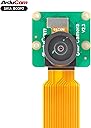
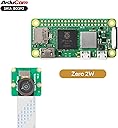
The Arducam 8MP IMX219 Ultra Wide Angle Camera Module is engineered for Raspberry Pi enthusiasts seeking high-resolution imaging with a massive 175ยฐ field of view. Compatible across all major Pi models, it supports up to 3280ร2464 still images and 1080p video, making it perfect for advanced DIY projects, security, and creative applications. The package includes versatile cables for easy setup, though it requires the latest Raspberry Pi OS Bullseye and libcamera support.


| Colour | black |
| Exposure control type | Manual |
| Media type | SD Card |
| Shooting modes | Automatic |
| Video capture resolution | 1080p , 480p UA, 720p |
| Zoom type | Kein Zoom |
P**L
Faulty
These cameras do not work. I've tried every arrangement but they simply won't work. If I transfer the lens over to the PCB of a known working raspberry pi camera it works. PCB faulty.
M**U
Cam per rasberry
Non mi va
J**K
Good little camera for Pi
Nice camera, pretty good value for the money. The camera takes nice pictures and works pretty seamlessly with the Pi (3B+ in my case). The ribbon cables are notoriously fickle for long distances, so if you plan on using a long cable look into an hdmi extender.
D**.
Working
Working
E**Y
Good product for fraction of cost.
Wonderful product at a fraction of the cost. Functions as expected and better in some cases.
J**E
Works great, after hours of research
Great little camera, but I had to do a ton of research online. I installed it on a Pi 5, MIPI DSI 0. Not only had to monkey around with the /boot/firmware/config.txt a number of times, but also had to mess with a few different libraries/packages. It comes with two ribbon cables and on a Pi 5, the one you want is the narrow one on both ends. What irks me beyond reproach, is the fact that there is no standard for these camera manufacturers. Installing the ribbon goes one way for one, but the other way on another. And as far as the web goes, when trying to find out which way to insert the ribbon, you'll find it described both ways at a number of sites. It's quite frustrating. After a few tries, and tearing the hell out of the Pi 5 CSI socket, I finally got it to work. For this camera, the ribbon contacts go towards the ethernet port on a Pi 5, and the contacts go towards the back side of the camera.
Trustpilot
1 month ago
2 months ago