Buy anything from 5,000+ international stores. One checkout price. No surprise fees. Join 2M+ shoppers on Desertcart.
Desertcart purchases this item on your behalf and handles shipping, customs, and support to New Zealand.
🎮 Level up your gaming setup—one adapter to rule them all!
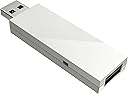
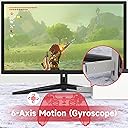
The MAYFLASH Magic NS Wireless Bluetooth Controller USB Adapter is a compact, USB-C powered device that enables seamless wireless and wired controller compatibility across Nintendo Switch, Steam Deck, Windows, macOS, Raspberry Pi, and more. Supporting a wide range of controllers including Xbox Series X/S, PS5/PS4, and Switch Pro, it features adjustable rumble, 6-axis motion support, and turbo/auto-fire modes. Designed for professional gamers and enthusiasts, it offers reliable connectivity, customizable settings, and ongoing firmware updates to keep your multi-platform gaming experience flawless.


| ASIN | B079B5KHWQ |
| Best Sellers Rank | #1,526 in Video Games ( See Top 100 in Video Games ) #34 in Nintendo Switch Cables & Adapters |
| Brand | MAYFLASH |
| Built-In Media | Magic-NS adapter |
| Color | White |
| Compatible Devices | Desktop |
| Connector Type | USB Type C |
| Current Rating | 1 Amps |
| Customer Reviews | 4.4 out of 5 stars 9,127 Reviews |
| Finish | Oled |
| Global Trade Identification Number | 06970582690163 |
| Input Voltage | 5 Volts |
| Item Dimensions | 2.87 x 0.83 x 0.35 inches |
| Item Type Name | Magic-Ns Wireless Controller Adapter for Nintendo Switch & PC - Nintendo Switch |
| Item Weight | 1.06 ounces |
| Item dimensions L x W x H | 2.87 x 0.83 x 0.35 inches |
| Manufacturer | MAYFLASH |
| Mfr Part Number | MAGIC-NS |
| Model Number | MAGIC-NS |
| Nominal Power | 5 Watts |
| Number of Items | 1 |
| Number of Ports | 1 |
| Package Quantity | 1 |
| Power Plug Type | No Plug |
| Smart Home Compatibility | Not Smart Home Compatible |
| Specific Uses For Product | Video Game Console |
| Unit Count | 1.0 Count |
| Warranty Description | Parts |
| Warranty Type | Limited |
A**A
You Need This - Update 12/30/2024: Revert Firmware Update on Your Xbox Controller!
---Update:--- My Magic-NS adapter has been working perfectly for nearly 4 years, but I recently ran into an issue and am updating to help others. I've been using the same Xbox One S controller with the Magic-NS adapter on my Switch since my original review without ever updating the firmware on either. I got an Xbox Elite Series 2 for Christmas and had difficulties switching my new controller to the Magic-NS adapter via bluetooth. This is how I got it to work: 1. The Xbox One S controller that I had been using wirelessly with the adapter had become bugged. The controller would not disconnect from the adapter and would also not reset. In order to solve this, I connected my Xbox One S controller to my PC via USB cable and updated the firmware on the controller. This caused the controller to change from classic Bluetooth to BLE, which effectively disconnected the controller from the adapter. 2. I updated my Magic-NS adapter to the latest version by connecting it to my PC and following the instructions that it came with. 3. I connected my Xbox Elite Series 2 controller to my PC via USB cable and reverted the firmware so that it uses classic Bluetooth instead of BLE. I then plugged the Magic-NS adapter back into my Switch dock, made sure it was on the purple setting and attempted to sync the controller wirelessly once again and was successful. It's important to note that it takes much longer for the Elite Series 2 controller to wirelessly connect to the Magic-NS adapter than the One S controller. Once synced, it stays that way. It's been working flawlessly ever since! ---Original Review--- Boy, am I glad I bought this! After purchasing a Switch at the beginning of the year, I was checking out all of the great accessories that are available and wanted to get a controller to use for when I have it docked instead of always having to use the joycons. I quickly learned that many controllers for the Switch run rampant with problems as well as being ridiculously overpriced (looking at you, Switch Pro Controller). While I wouldn't mind spending money on something of good quality, I just can't purchase something that so many consumers report stopped working right after the return window / warranty runs out. So I decided to have a look at some adapters. I have many Xbox controllers because I own a 360, One S and Series X. I've always preferred the design of an Xbox controller over anything else and thought it would be ideal to be able to use one with my Switch. Upon receiving my product, I was pleased to find that I didn't need to connect it to my pc for any updates for it to work properly. I'm currently using my Xbox One S controller and all I had to do was put the adapter on the purple setting and enable Switch Pro mode on the console. The adapter fits perfectly in the back of the Switch's dock and after about 5 months of using it, it has never disconnected or given me any issues. I like that I can adjust the vibration on the controller to make it stronger or weaker depending on what game I'm playing. There are a few things that I think would improve this product: 1.) Turning on the Xbox controller doesn't take the Switch out of sleep mode like it does with the console it's intended for. You have to wake the Switch up via the home button on the joycon. 2.) After putting the Switch to sleep, the controller stays on. I remove the battery pack to turn it off instead of waiting forever for it to eventually go to sleep thus unnecessarily draining the charge on the battery pack. 3.) I have the button mapping for the controller set to reflect how an Xbox controller should work. While it does save my preset, I have to go into the settings and select it each time I use the controller because it defaults to Nintendo's settings. Regardless of the improvements I feel would make the adapter better, it's important to remember that controllers for other consoles have never been intended to work on a Switch; so the fact that the adapter does just that makes this a genius hack and excellent accessory for the Switch. Despite the minor inconveniences I mentioned, I'm grateful to have found this product and recommend it to anyone who doesn't want to waste money on the low quality, overpriced controllers that Nintendo licenses.
A**R
A reliable and affordable solution for playing on a Switch console using Wii U Pro (or other) controllers
I'll preface this review by saying I've really only tested the adapter's functionality with a Wii U Pro controller on a Switch console, and I don't have any experience trying it out with other systems' controllers or using it for gaming on a PC. Now to the rest of my review. Since Nintendo still isn't officially supporting Wii U Pro controllers on the Switch console at the time of writing this, for anyone who finds the various Switch controllers to be less than ideal or not to their preference, enter this handy (and fairly affordable) 3rd party solution. Now bear in mind that if Nintendo REALLY wanted to, they could ban all users of this device and/or brick your Switch console for using "unauthorized third party devices", so understand that before you purchase this there is always such a possibility, however unlikely it may seem. However with that said, I've been using this adapter on a regular basis for over 9 months now, and have had zero issues with it after getting it set up properly, and that includes even after a number of Switch system updates have been performed while it was in active use. When I first got this adapter, I recall that the Wii U Pro controller wasn't working right out of the box, and having to go to the manufacturer's website and download a firmware update for the adapter with it connected to a Windows PC. The download and subsequent installation process for the adapter's firmware was simple, and after that I haven't had any issues with my Wii U Pro controller working with the Switch since then. I will note that for my experience at least, the power button on the Wii U Pro controller doesn't turn the Switch console on or off, and I have to use the one on the Switch itself, but that's not much of an issue to me personally. Your experience may vary, but it's something to keep in mind. It's also worth noting that because this requires a USB port, you'll be unable to use the adapter while playing the Switch in handheld or tabletop modes, only while it is seated in the dock and you are playing on your TV. You are able to charge a Wii U Pro controller either in the pass-through USB slot at the end of the adapter, or in the Switch's second front USB port just fine while playing. It doesn't trip it up charging from one USB port and using the adapter from the other port. I prefer this way myself because the adapter is a bit long and trying to use the pass through USB port on it feels to me like you have to be careful so you don't accidentally unplug the adapter or damage it in any way. It's doable, but it just seems a bit delicate and I'm much more comfortable using the second USB port to charge instead, that way I don't have to worry about jostling the adapter around. One potentially helpful thing that I discovered by accident was that if you are using a Wii U Pro controller, you can simulate the functions of the "capture/screenshot" button found on Switch controllers by pressing the + and - buttons on the Wii U Pro controller at the same time. Instead of whatever the normal functions of + and - are in that game, it will take a screenshot when you press them both. There is also a way to take advantage of the video capture feature using this as well, as I did that once by accident when I was trying to take a screenshot, but I wasn't quite sure how I did it. I think it may have been some kind of short delay press of the second button or perhaps holding the two buttons down. I don't use the video capture feature of the Switch personally, so I wasn't too worried about figuring it out for myself, but it does seem possible, and perhaps someone else has figured it out and can clarify the details for those who are interested. If you're like me and none of the Switch controllers are quite comfortable enough for you (I tried three different ones, Joycons, Switch Pro, and the wired Hori officially licensed gamepad, none of them comfortable enough for me during longer play sessions), or you don't want to break the bank spending $60+ on a Switch Pro controller, or maybe you just really prefer controllers from a different console, this adapter will allow you to enjoy the Switch console on your own terms and not break the bank. And I can personally vouch for 9 months and counting of success using this device with my Wii U Pro controller on my Switch, even in online multiplayer games like Splatoon 2 with no issues, so here's hoping it will work for many more months/years to come (or that Nintendo just starts officially supporting Wii U Pro controllers on the Switch someday. That would be alright with me too.)
J**D
Solid product, a few minor complaints
I bought this adapter because I wanted to use my old Xbox 360 Afterglow controller with my Switch. I haven't been disappointed. The Afterglow controller worked immediately upon plugging it in with no additional setup. I've also tried a few of my wireless Xbox One controllers (note that only the newer models with Bluetooth work). Setting these up wasn't the most intuitive process, but it was simple enough. You'll need to consult the instructions or watch a tutorial your first time. If you plan to use an Xbox controller, note that the Switch's A/B and X/Y buttons are reversed. The adapter has a built-in feature to accommodate for the discrepancy. Pressing a specific button combo will functionally reverse the buttons so that what is displayed on the screen (e.g. "Press A to start") will correspond to the appropriate button on the Xbox controller. This can be troublesome in some games that use a button diagram rather than listing letters (like in MarioKart). Still, it's a nice feature. It's also important to note that rumble is NOT supported with wireless Xbox One controllers. Rumble does, however, work weith USB controllers, like my Afterglow. It's great! I do have a few minor complaints. First and foremost, the LED light is a little too bright. Even worse, it NEVER stops blinking if you're using a USB controller. Put a sleep timer on that thing, Mayflash! The adapter also just "feels" cheap and wiggles around a little too much when inserted into one of the Switch's USB ports. It stays put, but I don't like it. I'm also not crazy about the beige color of the device. This isn't a big deal if you plan to use the USB port on the inside of the dock (which works quite well if you're using a wireless controller, I might add). Overall, this crafty adapter works well, but there is nothing premium about its construction or look.
R**O
Works perfectly!
Amazing little add-on to use Wii U controllers with the switch, couldn't reccomend more
X**E
Works (almost) flawlessly with the Xbox One Elite Series 2
Finally, I can use my Elite Controller with the Switch! Connecting to the dongle takes a little longer than I would like, but once it connects, it works like a charm. There is an option to swap the layout of the face buttons so that they match the actual layout of the controller. However, this has to be done every time you reconnect it to the adaptor, though you can get past this minor annoyance by setting up a profile in the Accessories app if you're using an Elite Controller like I am. I do have a note and a warning: 1. Any controller connected to the dongle can't be used to wake the Switch. On top of that, the dongle powers off anytime the Switch goes into sleep mode, and can take up to 20 seconds to reconnect when the Switch wakes up. If you're going wired, then this isn't an issue (more on that later). But if you're wireless, then be a little patient once your system wakes up. Another thing to note is that if you are using the Series 2 Elite Controller (or any controller with an internal battery) and you are wiring your controller to the dongle, be sure to sure to unplug your controller any time the system goes to sleep. If not, then the controller will continue to draw power from the adaptor and it will stop working for awhile. I had this happen to me the first time I tried to use my controller wired and thought that I fried the adaptor! Thankfully, it started to work again a few minutes after leaving it plugged in with the system on. This should be considered a limitation of the Switch hardware and not the dongle itself, as this issue does not occur with the dongle connected to a PC that allows USB power in standby. Overall, I STRONGLY recommend this dongle if you wanted to use you fancy controller with the Switch. EDIT: Turns out that USB controllers CAN be used to wake the Switch while in docked mode. If you're using a wired network adaptor then the USB ports will turn back on when the Switch is put into sleep mode, allowing you to wake the system by pressing the HOME button on the controller. I tested this with both an Xbox one S, Elite Series 2 and a PS4 controller. There is still a delay when waking the Switch with a wireless controller, but wired USB controllers will allow you to wake the system almost instantly. Definitely upped my review a star because of this, because now I can use my Elite Series 2 controller with my Xbox ONE, PC and my Nintendo Switch. I can't recommend this product enough!
F**F
This thing works! New life for my Wii U Pro Controller!
I just received this adapter yesterday and started testing and fooling with it immediately. The only type of controller I've tried pairing it with so far is a Wii U Pro Controller, but I tested it on both my Switch and my PC (WIndows 10), and it worked great on both, you just have to follow the instructions and you'll be on your way in no time. Once you learn how to use this adapter, it's simple.. I'll lay out the basics in the next paragraph. When the adapter is plugged into a PC or Switch, there will be an LED flashing slowly. If you hold the small button on the side of the adapter for a moment, it'll turn off and come back as a different color. You want Red for Switch, and usually Green for PC (for Xinput. There's also a blue for Dinput, but I haven't tested it yet. Then to connect a controller you tap the little black button instead of holding it, and it will flash much more quickly to indicate it's searching for a controller to pair with, so then press the Sync button on your controller (on the Wii U Pro Controller it's on the back of the controller). You should see the controller flash for a few seconds, then both things will stop flashing and they'll be synced up. After setting it up the first time, you won't need to repeat this process unless you want to change controllers, or change between console and pc. It will remember the controller that is paired to it, even after it's been turned off, so when you turn your console back on, and press a button on the controller to wake it up, they should re-pair automatically. Later in the evening, I had a friend over to play Smash Bros Ultimate, and it worked flawlessly the whole time. You never would have known it was connected through a third-party device. All the buttons are laid out as expected. One concern you may have, especially if you're planning on using this as your primary controller, is that the WUP controller doesn't have a Share button for capturing screenshots, but Mayflash has you covered.. simply press + and - at the same time to use the Share feature. Overall, it's extremely convenient, and exactly what I needed in order to get a quality Player 2 controller connected to my Switch for Smash without spending an arm and a leg on another Switch Pro Controller. This is only about 20 bucks, and it works.
M**M
wireless function w/ ps4 controller (updated)
Updated [9/21/17] FINALLY got this thing to work wireless. After numerous emails back and forth for 10 days since original purchase it works. At the moment i rate the actual product a 5, but your customer service is subpar. Yes you finally helped me but 8 emails and 10days later is WAY TOO LONG. The included instructions are horrible. So i wrote up usable instructions For ps4 controller to nintendo switch 1) plug in adapter 2) switch it the RED L.E.D mode by pushing the small button on adapter until light is steady red. 3) push adapter button in 1-2 times to get RED light to blink fast 4) with wireless ps4 controller off press & hold BOTH (Share button & ps button) until led bar on controller flashes fast, then release buttons. 5) both led's should turn solid syncing ps4 controller to the switch. [9/12/17] BUYER BE WARE Wireless doesnt work. You sync the adapter with the ps4 controller & NOTHING. Device works fine wired but wireless was the main reason why i got this and it doesnt work. Contacted mayflash numerous times 1st reply didnt even pertain to my issue follow up replies came with better support but end result was the same it didnt work.
R**B
Works better than I expected
I honestly didn't have high hopes, even though the reviews are overall pretty good. I had a spare Xbox One S controller laying around, and I wanted to use it to play 2 player games instead of having to split the joy-cons (which cramp my hand after 20 minutes of use). Setup is pretty easy as long as you follow the instructions. For the Xbox One S controller, I put it in Switch Pro mode (purple light) and it worked instantly. I was confused as to why the gyroscope wasn't working, only to find out later that there is no gyroscope in the Xbox One S controller (and so obvsiouly not a problem with this adapter). I'll be honest, I don't really know the difference between Switch mode (red light) and Switch Pro mode (purple). Both seem to work fine, but I didn't spend much time in Switch mode so I couldn't pinpoint any differences. EDIT(MayFlash got back to me in an email. According to them, purple mode supports rumble and sixaxis (PS4 controller), red mode does not support rumble or sixaxis. Rumble works with my XOS controller, so idk why they specified PS4). At any rate, using it in Switch Pro mode has been fantastic, and it saved me $50 over buying the Switch Pro controller or using a crappy 3rd party controller. I would recommend updating the adapter to its latest firmware version immediately. It provides additional features (like being able to set the strength of the rumble and stuff like that). I had to dust off my old windows laptop since the firmware cannot be updated on a Mac. Updating is extremely easy as well, just download, plug in adapter, and click "update". Also worth noting that this DOES fit in the USB slot on the back of the standard Switch dock, right inbetween the power and HDMI cables. There doesn't appear to be any kind of interference, and the fact that it is concealed did not seem to hurt the signal strength in any noticable way. I definitely prefer this over having it hanging out of the side of the Switch dock since the adapter isn't all that great looking.
J**L
Working perfectly!
I had no issues with this one. :) I have tested the ps5 controller and the wii u controller on nintendo switch.
G**G
Switch steering wheel 🎡
Does what it says on the tin! Works with a Ferrari steering wheel and pedals on Switch Oled. Search on YouTube for instructions. I did update the firmware. Note that this doesn't work with the newest Xbox controllers.
A**E
Beste Option, für die die schon eine Konsole besitzen.
Ich kann diesen Bluetooth Stick mit ruhigen gewissens an jedem weiterempfehlen der schon eine Konsole bzw. Controller besitzt. Ich habe mir diesen Stick wie viele auch, geholt um an einer Nintendo Switch mit einem Marken fremden Controller spielen zu können. In meinem Fall hatte ich vorher schon eine Xbox One und wollte den Controller an der switch weiter nutzen. Um nicht einen Switch Pro Controller kaufen zu müssen. Als der Stick ankam hatte ich diesen zuerst am PC ausprobiert mit Hilfe der Minecraft Win10 Edition, dort musste ich feststellen das sich der normale Xbox One Controller nur per Kabel verbinden ließ, aufgrund des fehlenden Bluetooth Moduls. Jedoch mit den Xbox One s Controller meines Bruders, welcher ein Bluetooth Modul besaß, ließ sich dieser auch ohne Kabel problemlos mit den Stick und letztlich den PC verbinden. Und alles Funktionierte ohne Probleme und Latenzen. Am nächsten Tag kam die Nintendo Switch an. Genau wie am PC ließ sich der Controller über den Stick problemlos verbinden und nutzen, Im Docking Modus am Fernseher sowie auch im mobilen Modus mit Hilfe des Bei liegenden USB auf USB-C Kabels. Auf dieser Weise konnte ich mit meinen Bruder schon einige Spaßige Stunden in Mario Kart 8 verbringen. Wohl bemerkt mit einen Xbox Controller. Zur Installation gibt es nicht viel zu sagen Stick einstecken den richtigen Modus einstellen, den Controller verbinden und der Spaß kann losgehen. Sämtliche Informationen wie man den richtigen Modus einstellt, ein Controller verbindet oder auch die Software Updates installiert stehen in der Bedienungsanleitung. Welche in einem leicht verständlichen Englisch verfasst ist. Eine Deutsche Version wäre auch schön gewesen aber Englisch ist heutzutage ehrlich gesagt kein Problem mehr. Jedoch war ein Software Update bei mir nicht nötig da alles auf Anhieb funktionierte. Das einzige was wirklich noch schön gewesen wäre ist wenn man mehrere Controller per Bluetooth verbinden könnte. Dies ist leider nicht der Fall. Aber auch nicht zwingend notwendig. Wie es mit anderen Controllern aussieht kann ich leider nicht testen, bin aber davon überzeugt das dort auch keine Probleme auftreten werden. Doch insgesamt kann ich dieses Produkt nur weiterempfehlen, da es die perfekte Lösung ist wenn man schon Kompatible Controller mit Bluetooth besitzt und sich keinen überteuerten Pro Controller von Nintendo kaufen möchte oder einfach den gewohnten Controller weiter verwenden möchte. Danke an Alle die sich die Komplette Bewertung durchgelesen haben. Ich werde diese Bewertung Editieren wenn in Zukunft noch etwas negatives mit den Bluetooth Stick Passieren sollte. Ich hoffe ich konnte Ihnen bei der Kaufentscheidung behilflich sein.
M**L
Plug and play
Marche très bien et plug and play
G**H
Xbox Controller on my Nintendo Switch
Does exactly what it claims to do. Using my Xbox One controller with this on my Nintendo Switch. It took me 2 minutes to update the firmware to the latest version prior to me using it. Very happy with this.
Trustpilot
2 weeks ago
5 days ago