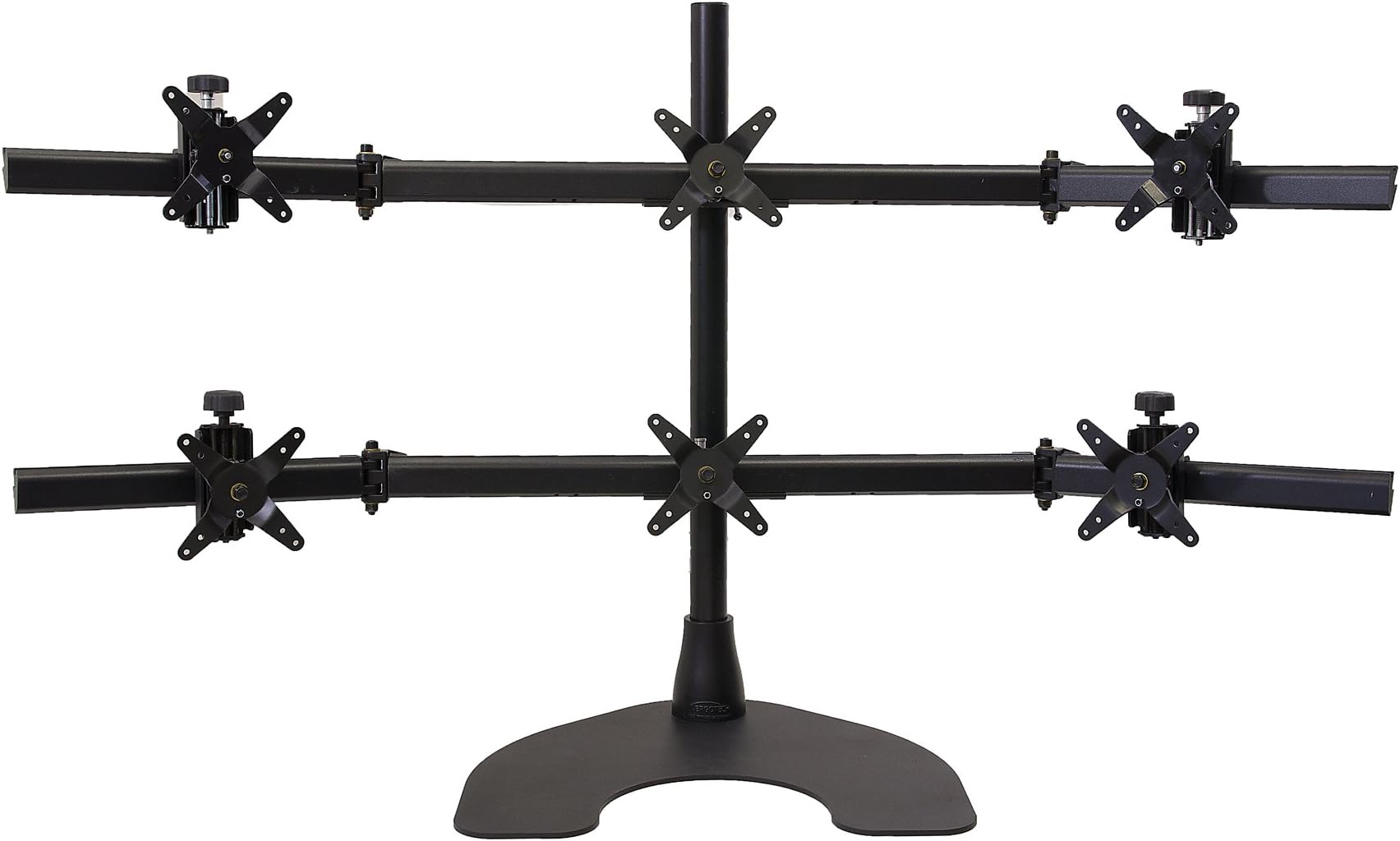

Ergotech Hex Desk Stand for LCD Monitor
Product ID: 64125611
🔄360° rotation
⚖️25lbs per pivot
🖥️Supports 6 monitors
🚀 Elevate Your Workspace, Elevate Your Game!
The Ergotech Hex Desk Stand is a robust, free-standing solution designed to support up to six 24" monitors, featuring a patented Quick Release Pivot for easy adjustments and a weight capacity of 25lbs per pivot. Perfect for maximizing desk space and enhancing productivity.
| ASIN | B001NPEC64 |
| Brand | ERGOTECH |
| Colour | Black |
| Customer Reviews | 4.2 4.2 out of 5 stars (35) |
| Date First Available | 25 Oct. 2011 |
| Item Weight | 13.6 kg |
| Manufacturer | Ergotech |
| Manufacturer Part Number | 100-D28-B33 |
| Model Number | 100-D28-B33 |
| Number of Items | 1 |
| Product Dimensions | 38.1 x 71.12 x 17.78 cm; 13.61 kg |
| Total Recycled Content | 50 |
A**I
Great product
Was a little hesitant buying this with the price so high but really glad that I did as its the only one I can find being sold in the UK, if your going to buy this make sure your desk or where ever you are putting it can support its weight as the stand alone weighs a LOT!
J**M
This is a very nice stand, my only complaint is the adjust-ability of ...
This is a very nice stand, my only complaint is the adjust-ability of the screen mountings when they are being set up. They are either far too loose or too tight to move normally and tightening them while they are in position causes them to move. Once it was set up though it has been a great product, very sturdy and worth the money. It would have been nicer if they also produced them in Europe so the price wouldn't be so high as a result of shipping them.
A**I
Great
Great
A**R
Great product
Build quality is incredible, very pleased with this purchase
A**S
I admit I was a little apprehensive with buying this monitor stand, mainly because the product description was scanty and not confidence-building. However when I received it I couldn't be more pleased, it looks and feels well-constructed, hefty metal parts, and easily adjustable. Once it place, it's locked tight, so you don't have to worry about monitors drooping or falling out of place due to lack of tension. It's pretty easy to assemble and disassemble, and all the tools come with it. Nice! I needed six monitors for a custom situation-room build, and for the record I used six identical HP Promo LA240WG 24 inch monitors, which I chose because of the aspect ratio and thin bezel. It fits very nicely and I was worried that I wouldn't be able to angle the monitors within the optimum viewing angle, but it doesn't seem to be an issue. A smaller monitor would afford you a greater range of adjustment (including rotating on its side), but for the HP Promo it was adequate. It comes with clips to help you with cable management, a nice touch. For some reason I got fewer screws for the HDMI plates than I needed, but any IT shop is going to have a bin of extras anyway. The nice thing about this stand is that it has a wide, flared base that sits on top of your desk. The problem with poles that drill or clamp into your desk is that even if drilling holes into rented furniture isn't a problem, it concentrates all the weight of the monitor and the considerable heft of the stand itself into a small area. Even the sturdiest particle board is going to warp. The flared base distributes the weight over a wide area, so it's steady without causing the desk to flex over time. It does eat some real estate, but if you're like me it gets buried under papers and junk over time, so you don't even notice. One caveat though is that even though gravity is your friend and the sheer weight of monitors will keep the stand in place, it still can be tipped over if you have kids or pets who see your monitor rack as a new climbing toy, or excitable co-workers prone to pushing monitors aside to deal with the latest emergency. What would have been really nice is if the flared base had the option for a couple of bolts to be inserted through the widest part, not to support the weight but to just prevent it from being tipped over. You could always sacrifice the sturdy but scruffed desk no one wants. However, since people in my office tend to be well behaved and respond to emergencies calmly, I don't fear the monitors falling over backwards at all. So all in all, an excellent buy, just be aware that the 24 inch monitors are about as big as the stand can support, and smaller can be better if you want to have the best possible viewing angles. -Derrick
M**R
I have a 6 x 24" display setup and needed a 3 over 3 desk stand. I purchased this stand a few years ago and have been using it ever since. When I was looking for monitor stands at the time, there weren't a ton of options out there. I settled on this one, because it had a solid construction, a fair amount of adjustments, and on sale the price was okay-ish. The $775 list price is completely out of line. I believe it's a hyper inflated list price and that the "sale" price is more in line with what the real retail price is. The base would benefit from having a non-slip surface, as it's not difficult to slide the whole monitor stand if you bump it or are trying to adjust position of the monitors. And speaking of adjusting the monitor positions, it's near impossible to get the monitors to lineup evenly. I gave up trying to get rid of the gaps between the monitors or to line them up evenly. Shipping was also a disaster. The manufacturer cut every corner they could on packaging. The manufacturer's packaging on this stand is officially the worst packaging I have ever seen. I don't know how anyone has ever received a non-damaged stand. I had to go through three of them just to get one that I could live with. I contacted the manufacturer, and they promised to send replacement parts for the couple of pieces that had gauges straight through the finish that exposed the bare metal. The manufacturer never followed through, even after months of following-up. Overall it's a decent and solid monitor stand, but the list price is way out of line. And be prepared to receive a damaged one.
P**R
Stand is sturdy and good. What I like about it: 1. The quick release / clip on-off feature of the vesa attachments. I merely need to screw on the vesa attachment to the monitor and clip the monitor on-to the stand. Dis-mounting the monitors just require the releasing the clip-on and lifting the monitor off the stand. 2. Very easy to adjust and align monitors after you have clipped on the monitors. Moving monitors up and down is done via a side screw adjustment Moving monitors left and right is done by lifting/tilting it a little and then sliding it across the arms of the mount. This is my second hex-mount stand. My first didn't have such flexibility and mounting/adjusting the monitors is a pain. I literally had to screw the monitor onto the stand. My advise -- the ease of mounting / dis-mounting and adjusting the monitors is very important. (This is especially so if your desk is against the wall, so that your mount is against the wall... meaning that you can't physically go behind your desk to do adjustments.) Just a small peeve: the screws on the vesa attachment for rotate and tilt need to be loosened a little. It was too tight and so much so that you can't do rotate/tilt adjustment. No big deal -- just use the supplied allen key to loosen it -- though it required a bit of strength to be applied.
L**E
First this is not a bad product just too expensive IMO for wha it is capable of. It was not good enough for simulation though. It's OK if you need six monitors and can afford 1+ inch separation between your monitors. I mean, if you want to use one application per monitor I guess it'll be fine. Personally for that application I'd buy something less expensive. I guess this brand's three-monitor stand should be OK because It's easy to align three monitors on the same row but aligning two three-monitor rows is almost impossible with this system. It can't handle the weight of six 24-inch LED monitors and certainly it does not offer the needed precision for final touches. If you align something be prepared to see that you messed something else.... VERY frustrating. It flexes too much and therefore aligning the edge monitors it is not possible unless you are willing to see a huge horizontal gap between the upper and lower rows. If you REALLY need/want one single screen made of six monitors buy a different solution like a complete wall mount system from Ergotron (HX arms/bows, racks, and brackets) but expect to pay something around $1.5K. If you need regular I guess you get what you pay.
B**E
This stand is awesome. I needed a stand that could expand beyond a Triple Monitor setup and my current one was limited to a 1x3 setup. This was a perfect solution and the fact that it fit within my budget was great. Very sturdy and very adjustable. I love this thing. Also like some other reviews have stated, it is possible to fit a 27" monitor but it's tricky. My suggestion would be only one 27" monitor, in the middle and on the bottom row. Even then I lost a little range of motion with the external arms bending in. But it works and it's doable. My setup is 1 monitor on the top row, center column and 3 monitors on the bottom row. The top row and outside bottom row monitors are 24", the bottom row center column monitor is a 27".
Trustpilot
2 weeks ago
1 week ago