Buy anything from 5,000+ international stores. One checkout price. No surprise fees. Join 2M+ shoppers on Desertcart.
Desertcart purchases this item on your behalf and handles shipping, customs, and support to New Zealand.
⌨️ Elevate your desk game with the classic comfort of Logitech K120!
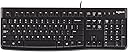
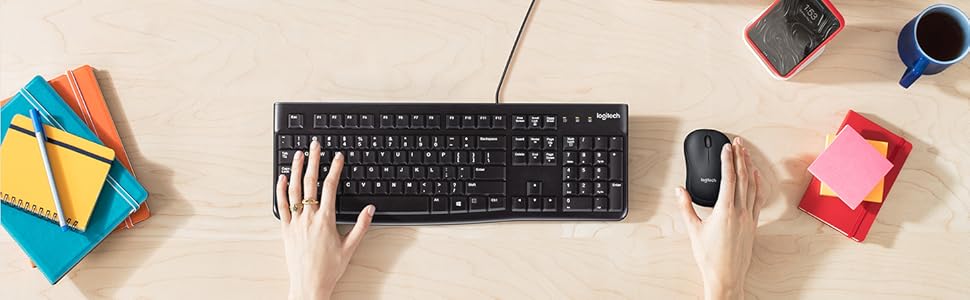
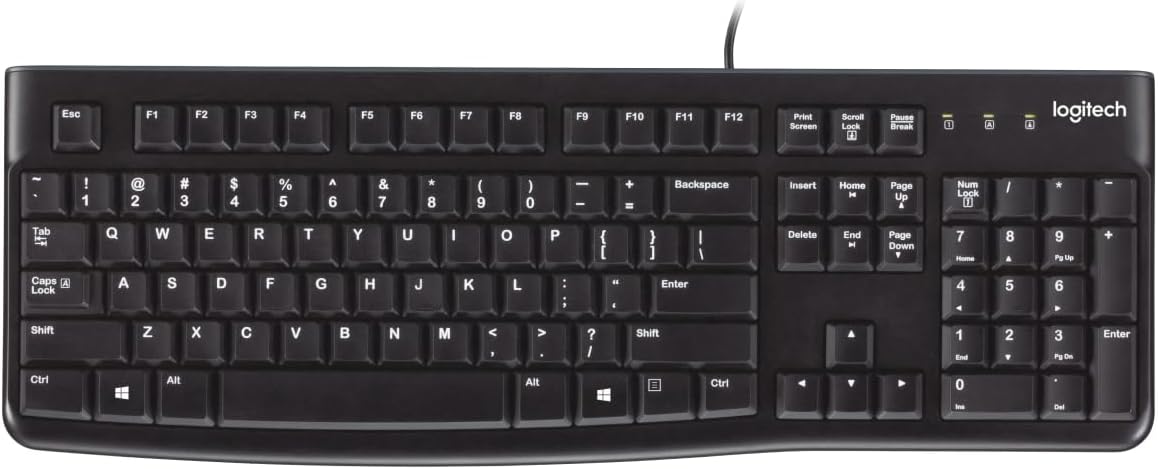
The Logitech K120 is a wired, full-size keyboard designed for Windows PCs and laptops, featuring a spill-resistant build, deep-profile keys, and a curved space bar for comfortable typing. It offers plug-and-play USB connectivity with no setup required, durable anti-fade keys, and adjustable tilt legs. Crafted with 51% recycled plastic, it combines reliability with eco-conscious design, backed by a 3-year warranty.


| ASIN | B006FEPRO4 |
| Antenna Location | Everyday Use |
| Best Sellers Rank | #554 in Computers & Accessories ( See Top 100 in Computers & Accessories ) #7 in Keyboards |
| Box Contents | Keyboard, User documentation, 3-year manufacturer's guarantee and full product support |
| Brand | Logitech |
| Brand Name | Logitech |
| Button Quantity | 104 |
| Colour | Black |
| Compatible Devices | PC |
| Compatible Operating System Family | Windows |
| Connectivity Technology | wired |
| Country of Origin | China |
| Customer Reviews | 4.3 out of 5 stars 8,532 Reviews |
| Generation | 3rd Generation |
| Global Trade Identification Number | 05099206020689, 10097855088915 |
| Hand Orientation | Ambidextrous |
| Importer Contact Information | Savex Technologies Private Limited, S1, Gala No:1-2, 101-102, Perana Industrial Complex, Anjur Phata- Mankholi Rd Village, Bhiwandi District, Thane, 421302, Maharashtra, Registered Add: Savex technologies Private Limited, 124, Maker Chambers - III, Nariman Point, Mumbai 400021, Maharashtra India. |
| Item Dimensions L x W x H | 45L x 15.5W x 2.3H Centimeters |
| Item Type Name | Keyboard |
| Item Weight Unit of Measure | 690 Grams |
| Keyboard Backlighting Color Support | Single Color |
| Keyboard Description | QWERTY |
| Keyboard Layout | QWERTY |
| Manufacturer | Logitech, Logitech Asia Pacific Ltd, Unit no. 1003, Tower 1, Cheung Sha Wan Plaza, Cheung Sha Wan Road, Kowloon, Hong Kong |
| Manufacturer Contact Information | Logitech Asia Pacific Ltd, Unit no. 1003, Tower 1, Cheung Sha Wan Plaza, Cheung Sha Wan Road, Kowloon, Hong Kong |
| Manufacturer Part Number | FBA_920-002582 |
| Model Name | K120 |
| Model Number | 920-002586 |
| Number of Keys | 104 |
| Packer Contact Information | Logitech Asia Pacific Ltd, Unit no. 1003, Tower 1, Cheung Sha Wan Plaza, Cheung Sha Wan Road, Kowloon, Hong Kong. |
| Power Source | Battery Powered |
| Processor Count | 1 |
| Product Features | Basic |
| Recommended Uses For Product | Everyday Use |
| Special Feature | Basic |
| Style Name | Classic |
| Switch Type | Tactile |
| UPC | 097855067036 088020872418 777204569403 777004570951 320127530052 642008951016 640034424191 |
| Unit Count | 1 Count |
| Warranty Description | 3 years warranty |
I**N
The OG, go for it
Amazing keyboard, super smooth keys easy to type and overall loved the keyboard. I have switched from TVS Mechanical one after got fed up with the TVS Electronics poor customer service. But yes totally worth it at this price point. Ordered Logitech K120 Wired keyboard but got K120 Wired Keyboard and Mouse combo instead and I have seen few recent orders are getting combo only so assuming they will be delivering this.
P**K
Best keyboard in this prise range
A**Y
Good product
Excellent keyboard, Comfort, good connectivity in all laptops, compatibility, Appearance 100 %, compact and sturdy
N**S
wired keyboard so no fuss.
good and dependable.
R**R
Absolutely Wonderful!! 😊👍🏻
This keyboard's performance is outstanding in this price point. I enjoyed typing on this keyboard. Best typing learning keyboard for beginners.
R**H
Not bad
Keyboard is not bad and though it is little noisy while typing, it is comfortable and able to type fast. However one problem I have noticed which is, when u hold the shift key on both side (left and right shift) and type the underscore key or few other symbols on the number (example - closing bracket on the 0 key) is not working. when you release one of the shift key it is working fine. I am not sure its the issue only with my keyboard. If it is general then Logitech has to look into this. I have never seen this issue on lenovo or Dell keyboard. Example: I wanted to type ORACLE_SID. for typing the first caps word ORACLE I have to hold the shift key and I generally hold the left shift key. For the underscore, I always use right shift key with the underscore key which is near to 0. while typing underscore, right shift key I am not releasing as I have the second word which is SID in caps to be typed after the underscore. But in this keyboard I always miss underscore as I am holding both the shift keys.
S**N
Keyboard
Satisfied
R**7
Unpretentious workhorse
The build quality is cheap with cheap plastics everywhere, cheap wires and cheap keys that get oily and lettering that rubs off with extensive use. It is a cheap keyboard, it is expected. But where this stands out is just disappearing into the background to let you do your thing. The keys are tactile when new and stay so for at least a couple of years of extensive use - gaming keys tend to get squished if used extensively. But the keys function well at least for 3-4 years before they start feeling like calculator keys, at which point it is time for a new keyboard. This is my third K120/MK270 keyboard from Logitech and it has never not worked as expected. Coming from mechanical keyboards like the G613, RK85 and even a custom built board with Akko Rose Red switches, I can honestly say I like this better than all of these because it works reliably and works well. Can't say the same for mechanical keyboards I've had as they start ghosting or chattering incessantly after a while - could have been the dust or just wear and tear. But this happens to every single one of the 7 mechanical board i have bought/built. Also note that this is a better option than the membrane chiclet boards from Dell and HP - wired or wireless. As these chiclet keys designed for scissor type switches are not stable enough to press stably enough in a membrane layout. So, they rub against the board frame and 'stick' when the non-stick coating in the keys wear out. So, I would recommend this over everything in the INR450 to INR2500 price range. The only valid upgrade path is with boards that use scissor keys and start at around INR2500 for brands that you can rely to provide reliable firmware.
M**C
Great Keyboard and mouse
Firstly, nice surprise to get a mouse with the keyboard - wasn't sure from the description that this was included. Most importantly, love the feel of this keyboard. I am so sick of the flat, non tactile keyboards so popular now (unless you pay $$$ for a 'mechanical' keyboard) This has the great keyboard 'feel', with raised keys and the 'clicky' input. For the price, I bought 2, as not sure how long these last but very happy even if only for a year or 2. Definitely recommend if you like the old school keyboards...
R**E
Goood value
You get what you pay for. In this case a relatively inexpensive keyboard to plug and play on a laptop. (Whose built in keyboard leaves something to be desire). Works for me. No real bells and whistles, but this is what I wanted. Needed.
K**A
Logitech
As expected from logitech.
W**Y
Plugged keyboard into my laptop and worked immediately
The down arrow key on my original keyboard popped out and was too expensive to fix....was suggested by sales rep to purchase this keyboard.......so I did.
F**O
Robusto y muy funcional.
Está muy bien para tecleo rápido de textos largos. Bueno para aplicaciones de tablas o bases de datos utilizando números. La disposición de las teclas inicio fin pagina anterior y posterior son de lo más ergonomicas de alta rapidez.
Trustpilot
1 month ago
4 days ago