Desertcart purchases this item on your behalf and handles shipping, customs, and support to New Zealand.
🎯 Master your media kingdom with one remote to rule them all!
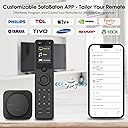
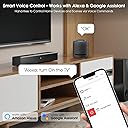
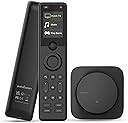
The SofaBaton X1S Universal Remote is a premium, rechargeable smart remote that supports up to 60 devices via IR, Bluetooth, and Wi-Fi. Featuring a powerful hub with 360° signal coverage, customizable app controls, one-touch activity macros, and voice assistant integration, it streamlines complex home entertainment setups. Ideal for millennials seeking a sleek, all-in-one solution to replace multiple remotes and elevate their smart home experience.


| ASIN | B0D4VCSK12 |
| Additional Features | Raise to Wake, Pre Programmed universal remote, Voice Search, Rechargeable |
| Battery Type | Lithium-Ion |
| Best Sellers Rank | #33,681 in Electronics ( See Top 100 in Electronics ) #1,576 in Remote Controls (Electronics) |
| Brand | SofaBaton |
| Button Quantity | 20 |
| Color | Black |
| Compatible Devices | Television, Streaming Device, DVD/Blu-ray Player, Home Theater, Soundbar |
| Connectivity Technology | Bluetooth, Infrared , Wi-Fi |
| Controller Type | Button Control, Voice Control |
| Customer Reviews | 3.6 out of 5 stars 568 Reviews |
| Item Dimensions L x W x H | 1.8"L x 0.7"W x 7.4"H |
| Item Weight | 3.84 ounces |
| Manufacturer | SofaBaton |
| Max Number of Supported Devices | 60 |
| Maximum Number of Supported Devices | 60 |
| Maximum Range | 40 feet |
| Mfr Part Number | HGL-X1S-US02 |
| Model Name | HGL-X1S-US02 |
| Model Number | HGL-X1S-US02 |
| Number of Batteries | 1 Lithium Ion batteries required. |
| Number of Items | 1 |
| Special Feature | Raise to Wake, Pre Programmed universal remote, Voice Search, Rechargeable |
| UPC | 741421609587 |
| Warranty Description | 1 Year Manufacturer |
R**Z
Once Set Up, the SofaBaton X1S is a Game-Changer for My Living Room
After spending way too long juggling four remotes (and occasionally losing my mind in the process), I finally bit the bullet and picked up the SofaBaton X1S Universal Remote with Hub. I use it with an Apple TV, a vSeeBox V3 Plus, a Sonos ARC soundbar, and a Samsung OLED TV. Now that it’s up and running, I can honestly say this thing has completely streamlined my home theater setup. It’s not perfect out of the box, but once configured, it delivers exactly what you’d hope for in a universal remote — and then some. Initial Impressions Right out of the box, the build quality was better than I expected. The remote itself feels solid, sleek, and surprisingly premium. The charging dock is minimal and clean. The included hub and IR blasters are low-profile and easy to tuck away. It’s also nice that the remote uses Bluetooth and Wi-Fi in addition to IR, which gives it the ability to control newer devices like the Apple TV and Sonos. Setup Experience Here’s where I hit a few bumps. Setting up the devices individually was straightforward. The SofaBaton app detected my Samsung OLED, Sonos ARC, Apple TV, and even the vSeeBox V3 Plus (which I was surprised by, since it’s more niche). However, configuring the Activities section took some trial and error. If you’re not familiar with how macros and power-on sequencing work, you might get frustrated at first like I did. For example, getting the “Watch TV” activity to correctly power on the Samsung OLED, switch the input, turn on the vSeeBox, and activate the Sonos ARC took a few tweaks. The initial setup didn’t always switch inputs correctly or would leave the soundbar off. But after some fiddling with device delays, input settings, and testing sequences, I got it working exactly the way I wanted. The good news is — once it’s dialed in, it just works. Daily Use Now that it’s set up properly, the SofaBaton X1S is a joy to use. I hit one button and everything powers up in sync. It switches inputs, sets audio correctly, and I never have to touch another remote. The remote layout is intuitive, and the scroll wheel at the top actually feels useful (not gimmicky). The backlit buttons are great for nighttime use, and the overall response time is quick. No lag when controlling devices — especially noticeable with the Apple TV and vSeeBox. The hub makes a big difference too. I can control devices even when the cabinet doors are closed, and the signal is reliable. Also, the app control feature is handy for times when the remote isn’t nearby — like when I’m on the couch and my phone’s in my hand already. Pros and Cons Pros: • Controls Bluetooth, IR, and Wi-Fi devices all in one • Works seamlessly with Apple TV, Sonos ARC, Samsung OLED, and vSeeBox • Hub allows for closed-cabinet or line-of-sight-free setups • One-touch Activities work beautifully once configured • Remote has great build quality and responsive buttons • App-based customization and updates are solid Cons: • Activity setup is a little finicky and has a learning curve • Some UI elements in the app could be more intuitive • Occasional trial-and-error required for niche devices (like vSeeBox) • No physical number pad if you prefer that for channel entry Final Thoughts If you’re willing to spend a little time on setup, the SofaBaton X1S is easily one of the best universal remote solutions on the market right now — especially for those with a mix of newer smart devices and older equipment. It’s clean, modern, powerful, and customizable. I haven’t touched my Apple TV, Samsung, Sonos, or vSeeBox remotes since I finished configuring this thing, and that alone makes it worth every penny. Final Verdict: 9/10. Small learning curve, big payoff. This remote earned a permanent spot on my coffee table.
C**R
Too many bugs for reliable use ...
Well, the Sofabaton X1S is a work in progress ... On the positive side, the hand-held remote is well made and the simplicity of the layout might work for most streaming devices that you want to control with the X1S. However, if you want to use the Sofabaton X1S to control your Over The Air (OTA) recorder, note that the hand-held lacks a record button - as well as other transport controls. Perhaps Sofabaton's work-around for the lack of the record/transport buttons is that the device would be selected using the scroll wheel, and that one would actuate the button sequence using the scroll wheel / select actuations. For my ChannelMaster CM-7500, DVR+, OTA recorder, starting a recording using the X1S requires a bit of effort to scroll to the RECORD selection, followed by a press of the scroll wheel. Most of the confusion comes when you want to STOP the recording, which you do by scrolling and selecting STOP. However, the DVR+ wants you to confirm that you really want to STOP the recording, so a dialog appears on the TV screen asking for a CONFIRM. You then need to scroll to the OK selection and hit it to dismiss the dialog. At this point, perhaps you might think that the recording is over and you can watch OTA TV, but the OK actuation opens another dialog on the TV screen asking if you want to start a another recording. You then need to dismiss the dialog by scrolling to and hitting the EXIT selection. Otherwise, you need to wait a few minutes for the dialog to time out... At this point, I'm really irritated with Logitech for their abandonment of the Harmony remote, which had working RECORD/transport control buttons on the hand-held, as well as other features for easily dismissing the DVR+ dialogs. Another issue with the X1S is that each device as displayed on the hand-held's screen is listed as the manufacturer and not the model number (or preferably, a user-assigned name). Maybe there is a way to rename the device, but I did not find it. x1s-display.png For example, my media system includes a Sony XBR television, a Sony Blu-Ray DVD player, and a Sony Soundbar. Why must the Sofabaton X1S identify these devices using the name: "Sony" for all three devices? If you need to go to extended controls for the Sony Soundbar (like the rear speaker volume, for example), you need to remember which of the three "Sony" selections is for the Soundbar - before scolling to the control and selecting via the scroll wheel press. It is clear - that IF one can successfully configure the X1S, the best way to use it is for routine selection of devices for a desired activity as well as simplified configuration and control of your media system. The Sofabaton X1S is not practical for control of additional device features provided by the component's hand-held remotes that came with each component. In other words, using the scroll wheel for selection of these detailed commands is impractical. One might ask: what is the real purpose for the Scroll wheel and its display - given the issues with device naming and the actions required to select using the thumbwheel? Use of the original Remote I don't often record OTA signals on my ChannelMaster DVR+. When I would want to, I would use the DVR+ hand-held remote control - to set up and start a recording. The DVR+ remote would also be used to fast-forward through commercials or to go back in a recording to replay. This approach is superior to trying to use the X1S scroll wheel... In other words, don't think that the X1S will allow you to stop using your old hand-held remote that came with the component, in this case, the ChannelMaster DVR+ ... Problems with Learning from another Remote The control code database for the Sofabaton X1S covers many components from numerous manufacturers, but there are instances where you may not find a device for your component in the database. For such cases, Sofabaton offers a learning feature that is used to record control codes from an existing hand-held IR remote. Unfortunately, the recording of control codes from the hand-held (IR-only) remote can be affected by many factors, which can make the recording of IR commands unreliable. For example, I plan to use a model: UHDS-401A, HDMI switch (manufactured by OREI), for selecting HDMI sources in my system. The Sofabaton database includes other OREI devices, but not the UHDS-401A, so I tried to record the IR control codes using the "Code Learning" feature. I think that the UHDS-401A hand-held remote sends multiple control messages in rapid succession whenever a button is pressed, and the X1S hub does not do an adequate job of finding the button-press message's beginning and end. The X1S records a corrupted version of the IR control message, and for the UHDS-401A remote, any attempt to use the recorded IR message will be unreliable. The recorded IR signal may work perhaps 50% of each attempted actuation, which is not acceptable for reliable control of a devices' button selection. Also, the configuration of a set of IR control codes for some non-existing device's IR remote, requires that you start with some other (unrelated/different) device in the Sofabaton database. Rather than provide some simplified tool to define user-entered button names with recorded codes, Sofabaton requires that you must find some other device/remote in the database, which you would then edit to assign recorded IR control codes to pre-existing buttons provided for that selected device. For the OREI, UHDS-401A, I decided to start with the UHDS-402A (which is in the database) and to edit the buttons with reciorded IR codes. So, for selection of the "In 1" HDMI input, I need to edit the button named "Up" by recording the IR code, while pressing the button for that function on the UHDS-401A IR remote. Instead of allowing the user to change the name of the button to "In 1", I must refer to the button selection as "Up", because I can't edit the button name! I need to maintain a table somewhere else (like an EXCEL spreadsheet), so that I know what button name corresponds to which functional selection on the actual HDMI switch. Because the recording of the IR codes would have been corrupted anyway, it is evident that I could not have used the modified X1S UHDS-402A device from the database to reliably control an OREI, UHDS-401A switch. The only recourse I had to go with was to find some other similar, OREI device in the database that might control the switch. With a bit of research, I found that the OREI, HDA-934 device, which is available in the Sofabaton database, does reliably control the UHDS-401A, HDMI input selection. However, the HDA-934 device does not support control of other button presses available on the UHDS-401A IR remote... Note: I found during the process for defining an activity, that it may be possible to change the name for the button; however, I was not able to test the renaming capability, because of a non-recoverable communication issue. The Last Straw While I was working on the X1S activity configurations, I ran into numerous issues with hub communication, where the WiFi connection between my cell phone and the hub would disconnect. After many tries to reconnect and finish the activity configurations, the X1S hub eventually refused to communicate with my cell phone over the WiFi network. I felt that my only recourse was to do a factory reset of the X1S hub and to start over with the configuration. I went to the Sofabaton website and sent a chat message to Sofabaton support, asking how I could do a factory reset for the X1S hub. The chat was not active, but my support request message was sent, and I got an email back a day or so later: reset-x1s-hub.png Unfortunately, from the response from Sofabaton, performing a factory reset of the X1S hub, requires that you connect to the hub via WiFi, so that you can actually send the factory reset command. In my case, I could not connect via WiFi to the hub, so a factory reset was not an option. Note that the X1S hub did appear to work with whatever I had previously configured, so, for example, I could control my Apple TV with the Sofabaton X1S hand-held remote. The Bluetooth connection between the hub and hand-held apparently worked just fine, but the WiFi connection to my cell phone would not... Comment: The X1S hub includes a button to initiate Bluetooth pairing. It would make sense for the button to also function as a means to initiate a factory reset - by pressing and holding the button for say, 20 seconds. This way, the hub could be reset to a controllable state - without having to depend upon a WiFi communication link with the hub to issue the factory reset. I finally decided that the Sofabaton X1S was no longer worth the effort and that it was time to send it back to Amazon for a refund...
J**I
A great remote for a decent price.
So a few things before i start the actual review. I did not get paid for this review, also I work in IT and am fairly good at anything related to technology, so your experience may vary. Also, i am basing my review off of both this remote, some comparatives to the remote i replaced (Logitech Harmony Ultimate Home) Actual Review Time: Look and Feel. The remote is nice to hold in the hand it feels like your holding something that has a little weight to it, but not in a bad way. it feels like its made well and although i havent dropped it (yet) it does feel like it would withstand quite the fall. The buttons are of decent quality, and the bottom buttons light up nicely. My only downside to the buttons is the top buttons dont light up so you have to feel around to find the power off button. There might be a setting for this though but i didnt see any. Charging: The remote charges via usb-c and the hub gets power from usb-c. the box comes with one power adapter (its a usb-A power plug) so you will need another block to charge the actual phone. Also, unlike some of the higher end remotes, it doesnt have a dock so it just gets a cable plugged into the bottom of the remote. Screen and navigation: The screen is easy to read, but unlike some of the higher end remotes you will find (such as the Ultimate Home), it isn't touch screen. It has a track ball that you use to scroll up and down and click in to select. might be a bit tricky to function if you have someone with bad arthritis or other hand muscle issues, but its only really used to start activities, or change activities. After your in the activity, you really don't use the screen much. Setup: This is done through your phone. no need to plug into a computer, just download the app, then it will guide you through plugging in the Hub(there is a manual as well which has this info in it). The difference between this and something like the harmony remote software is that this is a bit less intuitive. Example would be things like when you set up a device, you scroll through the list of devices, some have user added devices, others are added by the manufacturer. It allows you to add Bluetooth devices, IR devices, and there are 3 or 4 devices you can add via IP (mostly lighting devices such as the hue). Selecting the device then downloads the device data to your setup. This does take a little bit of time to download, and it does this for each device you are adding, so it is a bit slower then the harmony app, but its nothing to be negative about in my opinion. Once you add a device, it will ask you how it powers on, There are 3 options, (i forget the exact wording, but it has descriptions, and for the most part i found the top option worked for all of the devices i own) and then they ask you to test to make sure the option worked. Its a bit less intuitive then harmony's software, but its fairly easy to do. After you add all the devices, you then go and do activities. as with the devices, it walks you through everything and i found it to be fairly easy to get through. Once set up it functions very similarly to any higher end remote, and other then a few hiccups it looks and feels like a pretty good remote. Look and Feel 4/5 Setup 3.5/5 Screen 4/5 Battery Life 4/5
B**D
⭐ If I Could Put a “Just Buy It” Button Instead of 5 Stars, I Would
SofaBaton X1S — A Home Automation Powerhouse With Huge Potential Ahead The SofaBaton X1S has quickly become the command center of my entire home. I work with home-theater and home-automation equipment every day, and I’ve used more universal remotes over the years than I can count. Nothing I’ve touched matches the versatility, multi-protocol reach, and practical real-world capability this remote delivers. With IR, RF, Zigbee, Bluetooth, and Wi-Fi support, this isn’t just a universal remote — it’s a universal controller. ⭐ What I Control With the X1S Here’s what this thing currently runs in my home: • Every TV in multiple rooms • A full home-theater projector setup • Room lighting and LED lighting • Motorized blinds, mini-blinds, and window shades • Smart AC, fans, and a bathroom heater • RF outlets for appliances • My router (rebooted through an RF plug) • My entire surveillance system • My home-security system — including arming/disarming Once everything was set up, it stopped feeling like “a remote” and became the central control hub for my whole smart-home ecosystem. ⭐ Remote + App = Total Control The handheld remote and the SofaBaton app mirror each other perfectly. The app works like a second remote, giving you full control even when the physical unit isn’t nearby. It’s fast, smooth, and extremely helpful in multi-room setups. ⭐ Suggestions for Future Versions (X2 / X3) The X1S is impressive, but a few additions would push it into legendary territory. 1. Customizable App Launch Buttons Instead of preset paid streaming buttons found on many remotes, fully customizable quick-launch buttons would be incredible. Let users create one-touch buttons for: • Tubi • Plex • YouTube • Smart-home scenes • Security toggles Physical buttons, a scroll-wheel menu, or a quick-launch panel would make this remote the most customizable in the industry. 2. Custom Icons for Activities A simple icon library — or lightweight custom icon uploads — would make navigation clearer and faster. ⭐ 3. App Interface & GUI Usability The hardware is outstanding. The app works, but the GUI would benefit from a more modern, intuitive design. Certain parts still resemble older universal-remote interfaces that became more complicated than they needed to be. Improvements that would help: • Cleaner layout • More intuitive navigation • Streamlined activity setup • Touch-friendly UI elements • Faster access to common functions Professional note: I think the visual approach used by Channels DVR is an excellent example of a clean, user-friendly smart-home interface. For context: I’ve used the SofaBaton U2 for years and recommended it constantly. The X1S is a major step forward, and the app now has room to evolve to match the hardware’s sophistication. ⭐ 4. Base Station Improvements The base station works very well for protocol management, but future releases could offer: • A more compact design • Additional mounting options • A higher-end model with extended range New Suggestion: A secondary wireless IR blaster would be extremely useful. If devices are spaced farther apart than the included IR-blaster cable can reach, users are forced to rely on RF/Bluetooth/Wi-Fi alternatives. A wireless IR module — connecting via Bluetooth, RF, or Wi-Fi — would allow IR control in rooms or cabinets without running long cables. This would dramatically increase flexibility for multi-room and multi-rack setups. ⭐ Final Thoughts The SofaBaton X1S is the most capable and forward-thinking universal remote I’ve ever used. It controls entertainment systems, lighting, blinds, HVAC, appliances, networking equipment, and even security systems — all from one controller. If you’re building a smart home and you want a single device that brings everything together, this is it. I’ve followed SofaBaton since the U1 croudfunding days, and with just a few refinements — customizable buttons, a modernized GUI, and expanded base-station options — the next generation could completely redefine the smart remote catagory. It has been my pleasure writing this review and making suggestions looking forward to the next release.
M**T
Great in theory, but not the solution I want/need
The remote is high quality physically, but lacks the functionality I was looking for which was to directly turn my govee lights/devices on and off. I realize this was not a stated feature, but with all the possible customization and online user bad had hoped to find some kind of workaround without some complicated Home Assistant configuration methods. Controlled my Samsung TV and Nvidia Shield pretty well, but does have intermittent connectivity issues with Shield, especially if it was turned on with the regular remote then attempting control with the Sofabaton. It does work quite well with learning IR device control as long as you can ensure the HUB can reliably reach the particular device's sensor. Also, the app for programming everything is not very pleasant to use but it does, eventually, get the job done with enough tinkering so long as you have enough time/patience. overall, cannot justify the cost of the device for the limited usage I am personally able to obtain with it. the 2nd star is merely for the physical quality of the device, which is quite nice.
F**N
Mother of God! |:BO
I was extremely hesitant to drop this amount of money of a remote control, but my god is it worth it. Ignore the negative reviews, any failure to set this up is 100% user error, but it does take effort to set this up. I will detail explain my set up below. I have a diverse arrea of remotes for my custom home theater, all but one device was on the list, and one on the list need some heavy manual settings. Yes, it can take awhile to program, but it does have good directions in the app. The picture shows what I am up against, and yes, cable management if next on the list after mounting my sound bar below my mantle. Device list and what it took to get everything functioning on the X1S and Hub: ViewSonic Project (IR): On the list, I only needed to set up the power to perform 2 clicks as an activity. I swear ViewSonic has a setting option to make it a single click, but i couldn't find it and just made a double click action for the X1S. NvidiaShield (Bt): On the list, no additional setup. J-Tech HDMI hub (IR): On the list, but I had to manually set up HDMI 1-4 on the buttons I wanted. Ultemia D80 Boom (IR): D80 is on the list, but Boom is not. This too me the longest. It wasn't totally necessary, power, volume and mute were set, but I added almost everything from the Ultimea remote to the X1S. SilveMagic (R314Mhz): Not listed. I programmed this one from nothing. I found the it was RF at 314Mhz signal through trial and error. A tip for RF signal capture: It works best from about 3ft away from the hub. The 3 IR emitters for the hub were totally necessary. I place one on my project mount facing the projector, one inside my power/device cabinet, and one right below my sound bar. Once I mount my sound bar, it will be atta he'd to the motel right above the soundtrack and I expect it will work the same as it does now. The activities settings are incredible! I set up my POWER activity (Statup Sequence) to do the exact procedure the gets things working without a fuss. 0.5 sec delay Screen DOWN, 1sec delay, Nvidia Shield ON, 1 sec delay, Ultimea ON, 1 sec delay, Viewsonic ON, 29.5, sec delay, Project Screen STOP. It is absolutely perfect! Then to turn it all off, I click the OFF button in the top right of the remote (it run the POWER Shutdown sequence) shuts down and the screen rolls up. I did have the put a stop watch to time my screen for the exact time need to reach its perfect position and deduct the delays, I did a test run and found I needed a 0.5 sec adjustment and it was dialed in. The whole set up has never worked this well! Despite the 2hrs+ I spent dialing this all in, I dare say it was actually a fun processes. Everything was fairly intuitive, explained well enough in the app, and/or I was able to find more details online pretty easily. Again, this is so freaking awesome, it is absolutely worth the price to not need 5 remotes and do exactly everything I had hoped it could do and more!!! 🔥🔥🔥😙🤌🔥🙌🙏🔥👏👏👏🔥🔥🔥
P**R
Has great potential. Quality not up to Harmony standards.
I want to give a higher rating because this is truly the ONLY accessible option out there for Harmony users whose remotes are finally past their prime. If you're a said Harmony user, you'll find the software interface manageable. As with your Harmony remote, you'll have to spend time dialing things in. The Sofabaton software has many idiosyncrasies that can cause frustration until you sort them out. Not impossible, but there is clearly room for improvement. After some time, I got my remote to work essentially as I liked, and for most circumstances, it runs reasonably error-free. When a problem does arise, it is normally easy to correct. All good so far. Using a hub can also create some issues, but again, higher-end Harmony remote users have already solved that, so no worse for wear. Additionally, the remote layout is overall intuitive and simple to use. All good things. So why only 3-stars? I dropped the rating 2-stars because the actual build quality/durability of the remote has proven to be sub-par. After only three weeks of use, the N/S/E/W command button began to crunch and squeak noticeably, feeling and sounding like a garbage $10 remote. Absolutely unacceptable at this price range, and does not instill confidence that the remote will last very long with average use. I sent mine back, got a new one, and all buttons are quiet and feel solid as they did when I got my first one. I am hoping my initial remotes lack of durability was a fluke. If the new remote proves more durable, then I'll update this review and raise the rating. We'll see. Bottom line: the X1S has a bucket-load of potential and a few software tweaks will really help improve the setup experience. I am hoping my replacement remote will prove more durable. If not, then Sofabaton will really need to step up their game for the price they are charging. We shall see...
V**K
Simplifies watching TV on set top box, various streaming options and listening to music
As someone with a home setup that includes a non-smart TV, AV receiver, Roku, Xfinity set-top box, Fire TV, and a Sound bar, managing multiple remotes was a challenge, especially for my mother when she visits or dog sits. I decided to try the Sofabaton X1S universal remote, and after two weeks of use, I’m thoroughly impressed with its ability to simplify my setup. Setup and Configuration Getting started with the Sofabaton X1S was straightforward. The process involved downloading the Sofabaton app, connecting the hub via Bluetooth, and then syncing it to my Wi-Fi network. The app is central to both the setup and operation, allowing you to add devices, configure activities, and customize button mappings. One feature I particularly appreciated is the ability to use the phone app as an additional remote, which means I can control everything even if the main remote isn’t nearby. Adding devices was seamless. The app includes an extensive database of remote codes, and for my devices, finding the correct code set was easy. For example, my Roku and Xfinity box were added in minutes. I did run into some issues with an older device, but the app's user-submitted codes helped me get it working. Configuring power settings and button layouts for each device was intuitive. I initially had some difficulty with the remote, experiencing lag and inconsistent performance. After some troubleshooting, I realized the issue was due to improper placement of the IR repeater eyes. Once I adjusted their positioning to ensure they were correctly aligned with my devices, the remote's functionality improved dramatically, and the lag was eliminated. Using Activities to Simplify Control One of the standout features is the ability to create custom activities. For instance, I created an “ROKU” activity that powers on the TV, AV receiver, and Roku, sets the correct inputs, and adjusts the soundbar—all with one button press. This has been a game changer, especially for my mother, who can now enjoy her shows without fumbling through multiple remotes. Daily Use The remote communicates with the hub via Bluetooth, and the hub sends commands to devices using infrared (IR) repeaters, which, after adjusting the IR placement, now work flawlessly in my setup. The remote is responsive and feels very much like using individual remotes. I also noticed that it transmits RF signals, though I haven’t had the chance to set that up yet. The physical remote has been easy to use. I also added shortcuts for common actions to make it even simpler for others. The app, however, has become my backup remote when I don’t have the physical one handy. It mirrors the remote’s functions, offering additional flexibility. Build Quality and Battery Life The remote is rechargeable via USB-C, and after two weeks of regular use, I haven’t needed to recharge it yet. Compared to previous universal remotes I’ve used, the Sofabaton X1S strikes a good balance between functionality and affordability. Overall Thoughts The Sofabaton X1S has made controlling my home theater setup much easier. The ability to use the phone app as both a setup tool and a secondary remote adds significant value. While I had initial issues with IR placement, resolving them made a significant difference in performance. For anyone looking for a Harmony remote alternative, this is an excellent option that simplifies complex setups and makes life easier for everyone in the household.
C**Z
universel
excellent appareil je recommande merci
Trustpilot
1 week ago
1 day ago