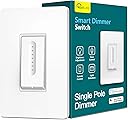
💡 Elevate your space with smart dimming that listens, remembers, and adapts.
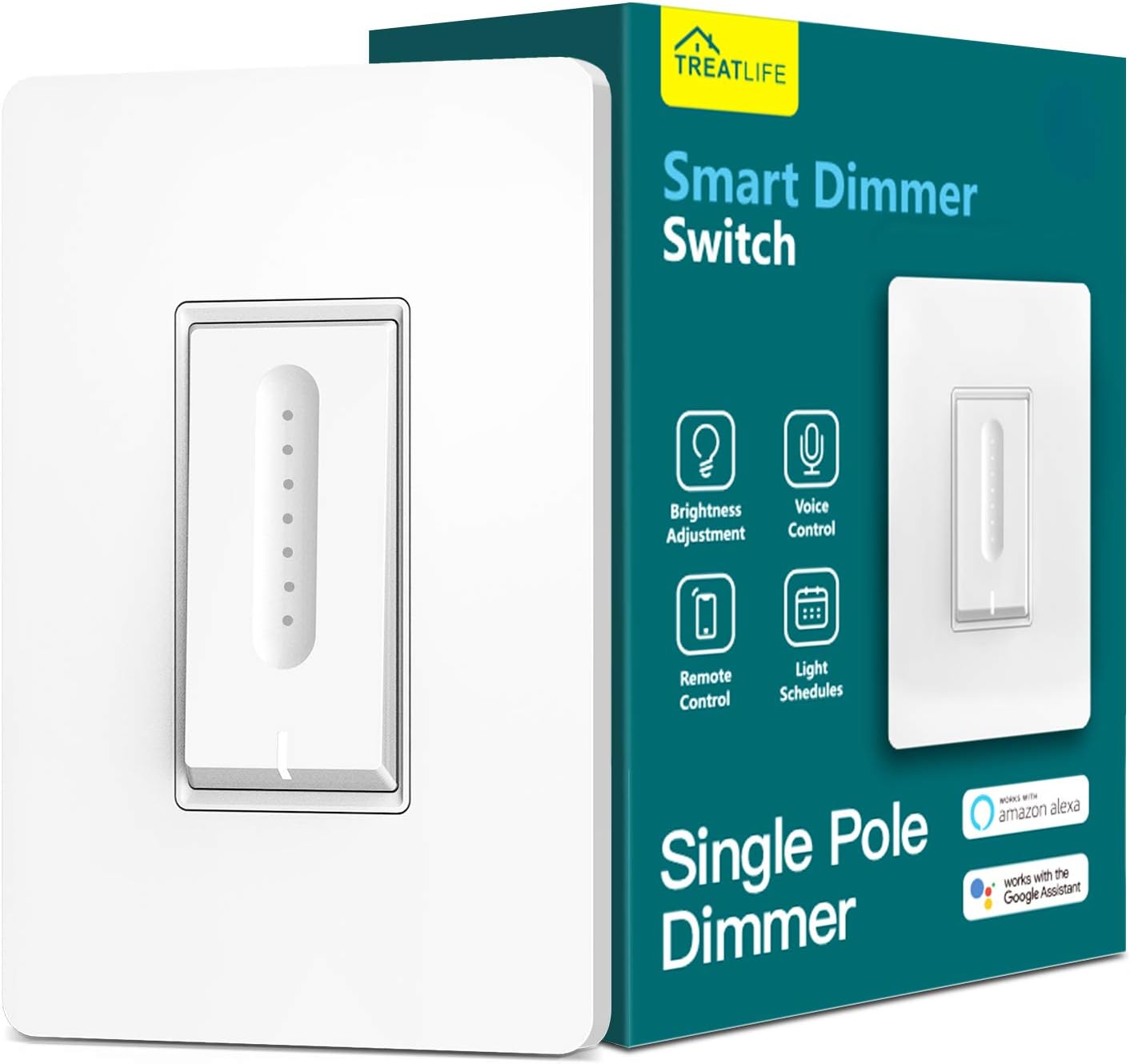
The TREATLIFE Smart Dimmer Switch is a sleek, single-pole WiFi-enabled light switch designed for dimmable bulbs up to 400W. It offers stepless touch dimming, app and voice control via Alexa and Google Home, and remembers your last brightness setting. Compatible with 2.4GHz networks and requiring a neutral wire, it supports scheduling and multi-user control, making it a perfect upgrade for modern smart homes.


| ASIN | B07CKNWGN4 |
| Actuator Type | Push Button |
| Best Sellers Rank | #119,033 in Tools & Home Improvement ( See Top 100 in Tools & Home Improvement ) #245 in Dimmer Switches |
| Brand | TREATLIFE |
| Brand Name | TREATLIFE |
| Circuit Type | 1-way |
| Color | White |
| Connectivity Protocol | Alexa, Google Assistant, SmartThings, Wi-Fi |
| Connector Type | Push Button/Touch Dimming, Screw |
| Contact Material | Plastic |
| Contact Type | Normally Closed |
| Control Method | App, Touch, Voice |
| Controller Type | Amazon Alexa, Android/iOS, Google Assistant |
| Current Rating | 3.3 Amps |
| Customer Reviews | 4.3 out of 5 stars 4,156 Reviews |
| Included Components | 1*Smart Dimmer Switch, 1*Wallplate, 1*4 Wire Nuts, 1*2 Screws |
| International Protection Rating | IP54 |
| Item Dimensions | 5.04 x 3.31 x 1.42 inches |
| Manufacturer | TREATLIFE |
| Material Type | Acrylonitrile Butadiene Styrene, Plastic |
| Model | DS01-Dimmer |
| Mounting Type | Wall Mount |
| Number of Items | 1 |
| Number of Positions | 2 |
| Operating Voltage | 120 Volts (AC) |
| Operation Mode | ON-OFF-ON |
| Specification Met | FCC |
| Switch Type | Slide |
| Terminal | Spst |
| UPC | 606479447409 |
| Unit Count | 1 Count |
| Warranty Description | 2 years |
| Wattage | 400 watts |
J**E
Great, easy to install dimmer for home automation
I needed to update the lighting in my home office and while I was buying a new fixture and LED bulbs, I saw this switch and thought having a dimmer would be a great replacement for the smart switch I already had in my office. This was a great upgrade to my home office. Installation is done fast with only a screwdriver, and the included wire nuts (and some electrical tape if you're like me and wrap all connections). The switch came to life, obtained an IP address and was ready to go in minutes. Setup is equally fast. I already had the Smart Life app installed because I have some smart plugs already that used this app, so setup was about as quick as clicking the Add Device button, selecting "Dimmer" from the device options and following a couple prompts. And since I already had some Smart Life devices connected to Alexa, this new dimmer switch appeared instantaneously so all I had to do for Alexa was modify my routines to use the new switch instead of the old. Usage works great. Physically it's like other smart switches, press to turn lights on, press again to turn lights off. The dimmer slider is touch, not physical, and is very quick and responsive. The dimmer levels are good, going from almost off to full bright smoothly, and if you do experience problems, there are three different dimmer modes to try that may help. Additionally, you can lock the dimmer controls via the app so that the dimmer function is disabled and the lights always stay at the same intensity you set before locking. Working with Alexa is like any other smart device, you can tell Alexa to set it to 50% and the lights dim to 50%. You can turn them on and off and include them in any routines you need light control in. So all in all, this switch works wonderfully and I will likely install more of them in other rooms throughout my home.
W**R
works well, easy install, elegant design, but one minor thing to know
I'm completely happy with these dimmer switches. I installed two of them to LED lighting. One set of LED lights replaced traditional incandescent lights, and the other set of LED lights replaced fluorescent tubes. In both cases, the dimming function is pretty smooth. They were straightforward to install in place of existing dimmers or on/off switches. Of course, you have to be comfortable to safely work with replacing a wall switch, but that would be true of any dimmer. The included wiring instructions were clear. If your US home was wired within the last 20-30 years, you will have the required neutral wire. I have not integrated the switches with Alexa or any other automation yet, so I can't comment on how well that works. (I will be integrating them with Home Assistant later.) The reason I selected these particular dimmers is because I liked the design of the touch/slide dimming. I think the tiny white LEDs on the switch are very elegant looking. The column of white LEDs that show the dimmer level is completely intuitive for anyone who encounters it. The touch/slide action for changing the dimming level is very responsive. You turn the switch on and off by pressing the bottom of the switch. It's hinged at the top and spring-loaded at the bottom. That works smoothly and doesn't require much force. The one thing to know about these is that the dimmer adjustment might actually be too responsive. It's very easy to touch the column of LEDs when turning the lights on or off, with the result that you simultaneously set the dimming level to a very low point. That's a pretty minor issue, and it's pretty easy to train yourself to avoid accidentally touching the column of LEDs (even though we want to control technology and not have technology train us into submission :-) ), but everyone in the house noticed it.
A**R
Great Switch - Greater Install!!
The switch was easy to install (great directions) but even better was the app installation and how easily it connected to my google home account. Since I have other products on the Smart Life app, I simply opened the app...it auto recognized it, asked if I wanted to set it up and then done. Changed its name to what I liked, opened google home and there it was...simply added it to the room I wanted and done. Less than 10 minutes total from switch install to up-and-running. I would not recommend this any higher.
J**H
Great Dimmer but Slider is Intrusive
I'm going to start with my complaints since that's probably why you're reading this review: My complaint is that the dimming slider is right in the MIDDLE of the switch. You are able to dim the dimming slider by simply touching anywhere on the groove, so when I go into a room blindly, and vaguely tap anywhere on the face of the switch to turn it on, I inadvertently change the dimness to something other than what I want. As a result, I always have to turn it on and THEN adjust the brightness back up to where I want it. Unless, of course, I want to carefully walk into the room, look for the switch, and make a point of turning the light on by touching somewhere around the border of the switch. It's also a bit hard to program a very specific program. Read on... The dimmer was very easy to install. You will probably need either a voltmeter or a voltage pen, otherwise I would have been unable to discern between line and load on the original switch. The other connections are easy. The box is quite deep so I really had to shove the copper wires back in the box to make them all fit. From a dimming standpoint, it works really well with my 60W LED lightbulbs. They dim down to literally nothing, there isn't some sort of theoretical minimum to the dimming, beyond which they just shut off; you really can have extremely dim. That's nice. When you click the switch to turn it on and off, the click is more akin to clicking a mouse button than throwing a breaker; it certainly doesn't feel like it will survive 60 years of abuse, but maybe that's just me. I like big mechanical toggle switches that CLACK when you switch them on and off. But this is not a problem. I must learn to be more dainty. On the bright side, you can adjust the brightness without turning the switch on. For example, let's say you wake up at 3am but don't want the lights on at 100%; you can slide your finger down the dimmer to the last dot, and THEN click the clicker to turn it on, so that they come on only at the low brightness. Nice! Programming it with the app takes a little bit of an expert to get it to do what I want, but lots of functionality is certainly possible. I really wanted to recreate one of the sunrise alarm clocks that fade light in over 30 minutes to wake you up "naturally" like the sun rising, but after seeing the price of those, I made my own with this switch. I set about ten Automation 'alarms' for every two minutes. The first one turns them on, the second changes the brightness to a value out of 1000, where 1000bright = 100%; 241bright would round to 24%. Anyway, these increase to about 60% (or 600bright) over about 20 minutes, and this works fine. The weird part is that you are allowed to combine functions together, but they don't work. I put the following logic sequence: at 5:30AM, turn lights ON and set brightness 100bright. All this did was turn the light on to whatever the brightness was last time. You also cannot set two functions at the same time, i.e. one function for 5:30 to turn ON and a separate function at 5:30 to set brightness 100bright. Again, it will not work. I instead made a function that says if the light turns ON, set brightness to 100bright, and make that only valid from 5:29 to 5:31 am. That works. This kind of 'loophole' thinking is something I can imagine is frustrating to, say, your grandparents, who are simply trying to make the lights come on at a certain time, but a 29 year old software engineer would have no issue figuring it out. Just keep that in mind with the app. You can also assign a phrase in Siri to a function in the app, so you can use Siri on your Apple device to do different functions. That was a very pleasant surprise. In summary, as a dimmer switch, it works great except maybe my fingers are too fat or something. The programming takes a bit of getting used to, but it definitely works better than I was expecting.
D**W
App allows lower dimming
I bought one of these 6 years ago, but didn’t realize I could use an app to control it. The reason I bought this one was because the old one would no longer turn the light off. This was simple to install since I simply swapped the wires one by one (with the circuit breaker off of course). The app was simple to install and I was able to dim the light lower. I am using this on an LED light fixture.
D**J
Amended (upgraded) Attractive, functional, and great customer service.
I had to amend my review because of a silly mistake - I was running 120 watt bulbs and not 100 watt bulbs. The switch would occasionally shut down to self-protect -- exactly like it was supposed to. Which means the switch has been working fairly flawlessly since. The only issue (which I'd deduct maybe half a star for) is occasional loss of wifi. But this may be a network issue more than the switch, so I'm leaving the stars at 5). The company has been extremely responsive. My wife likes the look - the work well - so yeah, I'd buy more... (Original Review below) This was purchased because it would fit in a multi-gang Decora-style set-up. It looks nice, synced up easily, and worked as soon as installed. However, after about 30 minutes or so of leaving the lights on, the unit will shut off. The literature mentions possible over-heating issues. However, when the circuit breaker is thrown, the unit immediately re-sets, re-syncs, and works again. The problem is, whatever is tripping the protection, it appears it does not re-set itself after a fault. And I've not found a way to re-set the light other than at the breaker. I've been able to re-set the switch and get it to work again. And I've had it stable overnight without issue. However, it doesn't appear capable of maintaining the claimed wattage. I'm running it right at 400 watts (old-school incandescent can spots, 4x100w each). The switch is rated to handle this. My real-life use case indicates this is wrong. I'd like to give a higher rating to this because, when working, it was quite nice. The dimmer works pretty well. It's reasonably responsive in-app. And the Alexa system found it and worked great. It's just the mechanical fail point that's the issue. I'd give a one-star rating if it weren't for the fact everything works flawlessly for about 30 minutes at a stint. The fact it goes into some form of self-destruct mode from which there's no recovery leads me to caution others against this purchase. If you're running all LED's well within the limits of the switch, perhaps it won't be an issue. Otherwise, I wish you luck. Unfortunately for me, this may have to get replaced with something a little more robust.
J**.
Unstable. Do not buy.
They are not built in good qualities. I entirely replaced all the switches at home with Treatlife smart switches a couple months ago, and they are mostly dimmable switches since all the lights at my place are dimmable LED's. When I dim down, the Treatlife switches clearly shows their weakness. Dimming down a dimmable switch means that the unused voltages would bypass via neutral wire, and in many homes including mine, the neutral wires are shared/combined. When this happens, the Treatlife switches cannot really let the voltages pass by. Instead the switch receives the voltage and turn the lights on even though the switch is actually off. This drove me crazy yesterday, and made me write this review. The other symptom is that the LED lights flickers when I dim the lights low. I thought it was usual symptom for LED lights, but lately I learned that it's not about LED's, but all about the built quality of the switch and how stably the switch can send the low voltage to the actual LED lights. I today replaced one of the Treatlife dimming switches at my home with a TP-link KASA switch, both symptoms are completely gone, so I have just ordered a dozen of KASA switches to entirely get rid of all the Treatlife switches. (Treatlife switches and TP KASA ones are pretty much at the same prices.) If you're installing just one or two, you may not notice those symptoms (especially if you don't place two Treatlife dim switches next to each other), and they may seem working fine, but please be aware that they are not working fine. One way that you can simply check (even if you don't have noticeable issues) is to check the temperature of the unit as soon as you installed when the switch is off. When a Treatlife switch (especially the non-dimmable on/off switch) is connected to a shared/combined neutral wire(s), you will definitely feel the unit gets quite warm for no reason. That is exactly because Treatlife switches cannot handle the bypassing voltages via neutral wires. Again, Treatlife switches may seem to be working fine, BUT THEY ARE NOT! They are unstable and unsafe. DO NOT BUY.
D**R
Simply does what it should, makes my life easier
Because of the layout of my living room my recliner is in the middle of the room, not close to any plugs or lamps. There is a spotlight over the fireplace that I was able to aim at my chair, so I could have light to read or work. Only problem, the dimmer switch is on the wall I need to get up, go around the back of my chair, turn the light on, and come back. Not exactly a cardio workout, but inconvenient at the least. Enter this little beauty. It just simply does what I need it to do, at a good price, and with a minimum of set-up muss and fuss. The instructions were simple and clear. Only hiccup was that my wiring at the wall plate (housing a dimmer, a light switch, and a three-way light switch) was a bit non-standard, so I needed to do a bit of research, figure-crossing, and a quick prayer. The problem was totally in the wiring, and not the dimmer. Once I had that figured out I hooked up the wiring, reassembled the panel, and was ready to switch power back on. I installed the app on my phone, signed in, and switched power back on. The switch automatically went into pairing mode, and the app acquired it. I forgot to disable the 5Ghz WiFi as the instructions said, but the switch was able to find the concurrently running 2.4 Ghz signal and locked on to that. Enter the password and the app had control. I then loaded the skill to Alexa, had her located the new device, and I was ready to go. I especially appreciate that Alexa and the switch were able to communicate without an extra hub in the middle, like some other devices need. Now I can sit in my chair, call for the lights at the level I need, and turn them off to settle in for a movie, all without the bother of going over to the switch. Additionally, I get the security bonus of setting a timer to turn the light on and off when I am gone, so it looks like someone is home. And the subtle led light on the face of the switch makes it easy to locate in the dark for that midnight kitchen run without having to have a conversation with Alexa and waking my wife. As an older guy who saw the original run of Star Trek in the 60s, I love having all these things at my voice command. This switch is solid gold.
Trustpilot
3 weeks ago
3 days ago