Desertcart purchases this item on your behalf and handles shipping, customs, and support to New Zealand.
๐ Diagnose Like a Pro, Save Like a Boss!
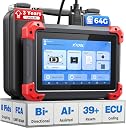
The XTOOL D7 is a cutting-edge bidirectional OBD2 scanner with 64GB storage and a powerful 5000mAh battery, offering full-system diagnostics, 39+ special functions, and ECU coding. Compatible with over 100,000 vehicles and supporting FCA, CAN FD, and DoIP protocols, it delivers professional-grade features including live data graphing, advanced module resets, and multilingual support. With 3 years of free updates and a 2-year warranty, itโs the ultimate tool for DIYers and mechanics aiming to save time and money while staying ahead of vehicle issues.
| ASIN | B098LF38DS |
| Automotive Fit Type | Universal Fit |
| Best Sellers Rank | #12,143 in Automotive ( See Top 100 in Automotive ) #79 in Code Readers & Scan Tools |
| Brand | XTOOL |
| Brand Name | XTOOL |
| Customer Reviews | 4.3 out of 5 stars 1,694 Reviews |
| Included Components | D7 OBD2 Scanner * 1, Device comes with English by default. Simply send us the serial number, and weโll authorize your preferred language, such as Spanish, French, and more!, OBD2 Cable * 1, Type C Fast Charging* 1, US Tech Support: (999) 563 1033 Mon-Fri at 9:00AM-5:00PM PST OR [email protected], we've got you back! |
| Item Dimensions L x W x H | 12.52"L x 11.22"W x 4.13"H |
| Item Highlight | AI-Assisted, Full System Car Scanner with EPB, Injector Test, Throttle, Crank Sensor Relearn, FCA /CANFD / DoIP |
| Item Type Name | XTOOL D7 OBD2 Scanner Diagnostic Tool |
| Manufacturer | XTOOL |
| Manufacturer Part Number | XTOOL D7 Smart Diagnostic System |
| Manufacturer Warranty Description | 2 Years US Warranty |
| Model Number | XTOOL D7 Bidirectional Scan Tool |
| Native Resolution | 1024x600 |
| Number of Items | 1 |
| Operating System | Android 10.0 |
| Power Source | Battery Powered |
| Product Dimensions | 12.52"L x 11.22"W x 4.13"H |
| Screen Size | 7 inches |
| UPC | 789605297021 |
J**.
Fantastic Bidirectional Scanner & Top-Notch Customer Care!
I couldnโt be happier with the XTOOL D7 Bidirectional Scan Tool. Right out of the box, it gave me access to deep diagnostic data, live-data monitoring, bidirectional testing, and capabilities that simply werenโt possible with the other code readers Iโve owned. One feature Iโve found especially valuable is the ability to record live vehicle data and export it as a CSV file. I use AI to analyze those files, help determine which PIDs and data points I should monitor next, identify patterns and abnormalities, and essentially act as a smart diagnostic mechanic alongside me. Itโs an incredibly powerful combination. XTOOLโs customer service has also been excellent. Special shoutout to Carina! When I needed a replacement cable, they sent it promptly, and their support team has consistently followed up and made an effort to help whenever Iโve contacted them. There was one interesting limitation: XTOOL support told me that the CSV files couldnโt be transferred off the scanner in the way I wanted. After some experimenting, I figured out a workaround myself, and it works! So for other D7 owners who want their recorded data on a phone or computer, hereโs what I discovered: TIP: Transferring CSV files from the XTOOL D7 1. Go to Reports โ CSV View โ Download icon. 2. After exporting, the D7 displays the storage path where the CSV was saved. Make note of that path. 3. Open ES File Explorer on the D7 and navigate to that location. 4. Select the CSV file and choose Bluetooth. 5. Transfer it directly to an Android phone. 6. For iPhone users: Bluetooth it to an Android phone first, then use LocalSend to transfer the CSV from Android to the iPhone. Once the file is on my phone, I can upload it to AI and have it analyze an entire test drive instead of trying to interpret dozens of changing readings while Iโm driving. AI can then help identify suspicious data and tell me exactly what additional parameters I should record during the next test. So while the CSV transfer solution took a little ingenuity to figure out, that doesnโt change my opinion of XTOOLโs customer service. Theyโve been responsive, helpful, and genuinely interested in taking care of me as a customer. Between the D7โs diagnostic capabilities, bidirectional controls, recordable live data, and XTOOLโs excellent customer care, Iโm extremely pleased with the purchase. Highly recommended for serious DIYers and automotive enthusiasts who want to go far beyond simply reading and clearing trouble codes.
P**.
Likely the best sub-$400 Scan Tool you can buy
My old code reader from the '90's could only pull engine DTC's on a good day and now it just errors out when plugged in to most modern vehicles. This Xtool D7 is my first foray in to modern scan tools, let alone a bi-directional tablet so I knew going in that there would be a learning curve involved and there has been but it hasn't been that bad. Xtool contacted me about a week after purchasing it to see how I liked it and to see if I had questions. Spoiler alert: I did have questions! And they answered them! Xtool's ongoing customer support has been excellent. Xtool also provided me with links to their official FB group, Reddit page and YouTube page. There is quite a bit of content out there to learn from. Xtools interface is pretty simple and intuitive. The autoscan feature has worked perfectly on the first 3 family vehicles I've plugged it in to. It finds every available system in the car and reports on any faults found in those systems. The live data is quite comprehensive and will keep you busy scrolling to see it all. Depending on the vehicle, you may have more or less bi-directional actuation features available between your different vehicles. Even though I've been wrenching on cars for well over 50 years, I'm still a neophyte with modern scan tools but this Xtool D7 has already helped me diagnose and repair a couple of problems that have probably come close to paying for the D7. From here on out it will just keep saving me money and time. Is it as good as a genuine factory scan tool? Nope. Is it as good as a Snap On scan tool? Doubtful. But you can't buy the former and I (for one) can't afford the latter. For under $400 bucks? It is definitely worth that and more. The support has been really good and the free software updates keep flowing in. And I expect the Xtool D7 will only get better by the time the 3 years of free update runs out. UPDATE as of March 20, 2025: Jude from Xtool has continued to stay in contact with me by reaching out through regular periodic emails. Recently a TPMS lamp on the dash of my wife's car lit up. It was not the normal low tire warning lamp, but rather one that indicated a fault in the TPMS system. I sent her off to Discount tire, who scanned all 4 TPMS sensors in her tires and pronounced them working fine. Further research showed there is a TPMS module mounted inside the car behind the dash board that acts as an antenna for the 4 tire sensors and communicates with the BCM/ECM. I swapped this part out and I thought that was the end of the problem, only to find the module must also be programmed with the VIN# and wheel size. At first, I could find no way to do this using my D7. But a quick email to Jude got him working on the problem. A few emails back and forth and a software update soon had me typing the VIN# in to the module! If you want a scan tool with excellent after sales support, then Xtool is for you.
S**Y
A lot of scanner for the price
The D7 scanner is a solid device, not a cheap tablet like some others on the market. It has rubber bumpers on the corner to help protect it. I like that it came in a custom fit case that had a space for everything. I just donโt have room in the toolbox for a bunch of loose cables and adapters. I bought this unit as an upgrade to a lower level Xtool to help diagnose an issue with the brake lights constantly being on in our 2012 Jeep Compass. Since it wasnโt a simple issue with just a brake switch, I needed a way to see what the car computer thought was going on. The D7 scanner gave me the live data view to see that the car was reporting that the brake pedal was pressed at all times, even though it wasnโt . Turns out it was an issue with the totally integrated power module under the hood. The scanner was essential in ruling out a short or ground issue by seeing the live sensor data. It also gave us the ability to bleed the brakes using the ABS pump which is something that was on the maintenance schedule. The scanner came nicely packaged and was easy to set up. I created an Xtool account directly from the tablet and it immediately allowed me to download the vehicle definition updates from their online update site. One of the features that I really like is the way it creates a diagnostics report whenever you scan a vehicle and then you can directly email the reports from the tablet. You can customize the reports with a logo and business name if you are running a shop, for me it was just nice to have a PDF to refer to. I tried the scanner on all of my vehicles just to see if it truly was compatible. It auto detected my 2012 Jeep Compass, 2018 Volvo XC90, required a manual input of the VIN for my 2004 Jeep WJ but that is a limitation of that year Jeep since it isnโt coded in the ECU, and failed to detect my brand new 2025 Subaru Outback. I was wondering how it would work on the 2025 since it was a brand new model year, the vehicle has 460 miles on it. The 2025 has a warranty for 3 years so I hope I donโt need to scan it but I was impressed to learn that if I used the OBD II vehicle option on the scanner, it bypassed the auto VIN function and just put me into an OBD II standards based scanner. It was not only able to read the status of fault codes but also gave me the live data which I didnโt expect. Attached is a video that shows the scanner reading and graphing the throttle position as I press the pedal. I donโt have a shop but do take care of all of our vehicles. A dealer will easily charge you more in diagnostic fees than the cost of buying your own scanner. Plus, it gives you the freedom to use it whenever you want.
J**N
Time will tell but good so far
The initial tool I received only lasted a day before it started to drain the battery while being plugged into the charger. I returned it for a replacement unit that hasn't had an issue yet. The features of the tool are better than a scan tool with a $325 price point should have. I bought a Mac Tools code reader 20 years ago, that cost me a couple hundred dollars, and all it could do was read a limited amount of live data and erased DTC's. This tool scanner goes so much farther than that. If the tool lasts long term it will be a steal of a deal but only time will tell. You will need to use your email address or a burner account to initialized the scan tool, but after setup it has worked for me while being disconnected from a wifi network.
A**.
I Love this Thing.
Like many others, I spent a lot of time watching YouTube videos and reading Amazon reviews trying to decide which diagnostic scan tool to buy. So, I hope this info helps anyone out. In my YouTube searches for scan tools, I kept seeing the name XTOOL. So, I decided to look into their D7 and D8. Any company can have a few fans who give glowing reviews, but when EVERYBODY seems to think the XTOOL is a great unit, especially for the price - that's a good clue that the reviews might actually be legit. OVERALL: I did buy the XTOOL D7, and I love this thing. It's solidly well built, great price, and as someone who doesn't like to have to read a manual just to use a product, the way that the software is designed on the XTOOL is intuitive to where I could just take it out of the box and go straight to the things that I wanted to do. LIVE DATA: The problem that I was having with my car was an issue with one of the 5 volt signal reference circuits (found out it was too high at 5.51 volts). I didn't know before I bought the XTOOL that it also had graphing capability where I could see the 5 volt signal up on a live graph - kind of like having an oscilloscope (see photo). Very cool. REPORTS: There are times when I might not want to do a particular repair - so, I needed a scan tool that would enable to me to easily print or save a report that I can give to another tech/mechanic to show him what I found so far. I also think it's a good idea to keep a 'history' of your car health reports. With the XTOOL, after I run an automatic scan/diagnostic I can just "Share" the file right into a folder on my laptop or PC (it's a regular pdf file), or I can send it straight to the printer, or I can email it to myself or to another tech. CUSTOMER SUPPORT: Nowadays, there are a lot of companies where you can't even get a response from them. In my case, everything worked great with the D7 - I could get all of the DTCs, and could do all of the scope-type graphs, and live data and reports, etc. But, I had a minor issue where occasionally the PCM in my car, it seems, wouldn't release the 'freeze frame' data to the D7. Every brand of car has its own PCM/ECM/ECU - so, there are a lot of different ones out there. I sent an email to XTOOL support on Monday, I got a response back the same day from the tech/engineering team and also a response from XTOOL customer service, I sent their engineers some specs for my car that they requested, and by the very next day they had a software fix programmed, on their website ready to be downloaded for my next update, I installed the update, and the now this D7 works great with my car's PCM. MISC NOTES: A few months ago, for the first time ever I considered buying tablet PC. I've been going to the doctor lately, and I could put all of my records on a tablet PC, instead of having to bring an entire laptop. As it turns out, the XTOOL has a standard Android operating system, with a regular web browser and regular file folders. So, it's PERFECT for all of the pdf file test results that I might want to show the doc. And I can load all the same apps onto the XTOOL that I would on my phone or computer. Or if I have an appointment or meeting somewhere, I can use the XTOOL as a tablet to browse the internet while I'm waiting without having to look at the small screen on my phone. Or of course you can pull up YouTube repair videos right on the XTOOL as you're doing a repair on your car. I also have a security system which I can monitor from a web browser, so I'm able to use the XTOOL as a remote monitor tablet for my security system. I'm usually hesitant to give a full 5 out of 5 stars on a product. But, I just can't find anything wrong with the XTOOL where it would be fair to take off any points. So, I'll give it all 5 stars. Good luck.
C**T
Doesn't Cover What it Should, Competitors Offer Free Lifetime Upgrades
The scanner hardware is nice (an Android tablet), and it's rugged. As for the software, it covers oodles of car brands โ some Iโd never even heard of โ and the company provides very frequent updates. That's good. I did have to buy a 15-foot computer video cable so I can lay under the car with the scanner and listen while actuating components (the provided OBDII cable reaches only as far as the driver's seat). And good luck connecting to a printer if yours is more than a couple of years old. HOWEVER ... in some cases, it falls short of even basic expectations. Todayโs problem is that it wonโt perform an ABS bleed on a 1997 Chevrolet K2500 4x4. Thatโs a very widely used system thatโs been around for 30 years or so. I thought maybe I followed the wrong menu or had a bad connection, but a disappointing email response from the manufacturer confirmed they donโt support that function for those vehicles! That capability should be a no-brainer for a bidirectional scanner thatโs otherwise so capable. So, Iโll continue to use it for what I can. Iโm just not sure Iโll be paying for their annual access subscription when my initial trial period is done. Update, December 2025: Competition has changed the scanner landscape. My second annual $99 XTool subscription is fast approaching, but I've found other scanners for under $400 offering similar or superior capabilities that include free lifetime updates and Bluetooth (so no video cable required). Thus, if I let the XTool die on the vine by declining the updates, I'll save $99 immediately and each year in the future. So the new scanner will pay for itself in four years or less, and after that it's all gravy. (If the annual fee were, say, $25 it could be a different story -- but it's not.) My guess it that I'll end up relegating this four-year-old scanner to a closet shelf and then tossing it after a few years of disuse. I could give it to my son -- but he'd have to start right away with the $99 per year updates so he may as well buy the competitor's scanner just like me. Update, January 2026: Here's some good news for those who think their scanners may have bricked themselves. If the scanner is completely unresponsive, charge it up anyway (overnight if possible). Then find the TINY hole next to the charging (USB) socket. There's a reset button inside that hole. I inserted the eye end of a sewing needle (one of the few things that will fit) and pressed gently. I could feel the pushbutton switch inside actuate and release, and the scanner came back from the dead. It's worth a shot.
P**.
The Xtool D7 is an excellent mid-level diagnostic tool with an affordable appetite for update costs.
The Xtool D7 is a very powerful and comprehensive diagnostic tool with an 8 PID count for Live Data, with the option of a normal list of graphs or a 2D overlay of all 8 PIDs that allows the filtering out of non relevant PIDs to be able to focus on the freeze frame action of specific PIDs as they interact with the other selected ones. There is also a grip on the slidebar so I can jump to the frame of interest. I prefer the real-time response from the 16 pin VGA style cable. Although the cable can be difficult to manage at times, the the 9' extentiom cable allows me to watch the screen while under the hood. The buffering lag from Bluetooth devices leave me waiting that half second of response time to see the results of my action. With the functions of this mid-level tool, I can pinpoint the the cause of any or all of the components that are out of balance as well as why they are out of balance and by how far. Cleaning or replacing those components can then be verified, compared and recorded for several reasons, such as to check my work or provide a printout of the diagnostic path taken to resolve the issue and bring the system back into balance. At that point, I have spent a small amount money on parts and invested a moderate amount of money on tools, but the abillity to know which circuit could be causing an imbalance of my vehicle is of much more value then paying someone else to fix it for me, and still only wonder wich components or connectors might fail next. If the need for programming should arise, then I will know why, as well as how to minimize or prevent the need for future programming from here on. When every vehicle I've ever owned has been pre-owned or built from scrap, lol, and now most vehicles on the road are dependent on transisters to maintain a near perfect balance of the smooth function of that vehicle, then learning the language of electronic control of energy through digital communication becomes a valuable skill that can save the avarage novice a bundle of money on diagnostic and repair costs. The D7 has been a game changer for me, to have the knowledge of the function of my vehicles and maintain that balance for a reasonable investment of studying and observing the components involved and know the costly "what as well as why" answer to most any reason for that light to let me know that an issue IS present. A monthly diagnostic is less painful then a trip to the dentist. The customer service team is very dedicated and responded the very next day. They really do care that have I have purchased the device that will provide me with the level of diagnostic interaction that I am needing to assist me in keeping all of my vehicles in as near perfect balance as financially possible. I know from experience with a Launch X431 pad that I tried to use, that the process to success is to beg the development team for support that may never arrive. This is not the case with Xtool. They are very engaged, as well as knowledgeable to the needs of the customer. I am confident that I have made a logical choice in purchasing the D7 from Xtool, and I believe that you will be amazed at the performance and versatility of Xtool products.
P**N
Good value scan tool
Overall, this scan tool is a good value when you compare the purchase price, the capabilities, and the fact that you receive three full years of updates. Most competitors only offer one year of updates, or possibly two at the most. While there are many pros, there are also some cons as addressed below. Pros: 3 full years of updates. Bi-directional control of components (this will vary based on your vehicles capabilities). Fairly compact scanner. Main screen is very intuitive and provides easy access to all the main menu options. Can send reports via email using Xtool servers without setting up the email app. Has the ability to Wi-Fi print to your online printer. Has both 2.4 and 5GHz wireless connections. Excellent and responsive customer service support. Cons: The biggest con with this scan tool is its live data recording function. There is no way to set an automatic trigger event to start recording a parameter that is above/below a threshold. You cannot flag a point in the recording if you detect a problem while on the road test. Perhaps the worst aspect of the recording function is that there is no way to quickly fast forward through what you recorded while looking for abnormalities. Your only options are to advance frame by frame or watch the whole recording. I went on an approximately 7-minute road test while recording 8 parameters. This data event resulted in over 20,000 frames that you would have to either manually advance through one by one or watch the whole recording in its entirety. This is not practical or efficient. Xtool should mimic what Autel has done with their data recording by incorporating automatic trigger recording, flagging anomalies, and most importantly incorporating a slider bar that you can use to quickly skim through the whole recording. I have attached screenshots from my D8BT and Autel Maxisys, but the D7 has the exact same data recording functionality as the D8BT; see comparison photos (Xtool is 1st, Autel is 2nd). I have had issues with mileage populating as kilometers even though U.S. units were selected, and even then, the km reading is way off from what a converted mileage would be. You cannot expand the storage by adding a Micro SD card to the tool. There are some grammar errors with the translation that could be confusing. This scan tool is not CAN FD capable as shipped. You will need to buy an adapter for approximately $100 to get that capability. Overall, this is a good product and worth the price. Xtoolโs customer service is excellent and very responsive to inquiries. However, if you rely heavily on live data recordings for your diagnostics, this scanner completely fails at providing a usable platform for that capability.
S**L
Indian version not available in this tool
Product is good but Not supported mahindra xuv 500 etc Indian car I purchase yesterday today I tried xuv 500 diagnos but not supported
D**L
Exelente producto
Muy bueno
N**M
That's not good
Because his not sport of Toyota Lexus and some more company
N**N
Description mismatch, please do not buy
Trustpilot
2 months ago
2 months ago