We remain fully operational. Our teams are working around the clock to ensure your deliveries continue safely.

DOWNLOAD THE APP


Copyright © 2025 Desertcart Holdings Limited
DOWNLOAD THE APP


Buy anything from 5,000+ international stores. One checkout price. No surprise fees. Join 2M+ shoppers on Desertcart.
Desertcart purchases this item on your behalf and handles shipping, customs, and support to New Zealand.
👨💻 Code smarter, not harder — your 4K productivity powerhouse awaits!
The BenQ RD320U is a 32-inch 4K UHD monitor tailored for professional coders and data experts, featuring a 2000:1 contrast ratio and a nano matte panel that minimizes glare. Equipped with advanced eye-care technologies like MoonHalo backlight and Night Hours Protection, it ensures comfortable long-term use. Its 90W USB-C port supports fast charging and streamlined connectivity, while specialized coding modes enhance font clarity and reduce eye strain. Ergonomically designed with a sleek metal grey finish, this monitor balances performance and style for the modern workspace.


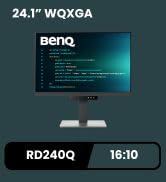

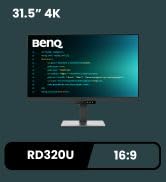
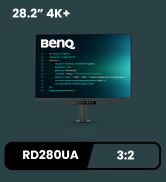

| ASIN | B0DFD2Q8F1 |
| Adaptive Sync | FreeSync |
| Additional Features | Flicker-Free |
| Aspect Ratio | 16:9 |
| Best Sellers Rank | #8,809 in Electronics ( See Top 100 in Electronics ) #382 in Computer Monitors |
| Brand | BenQ |
| Color | Metal Grey |
| Connectivity Technology | USB |
| Contrast Ratio | 2000:1 |
| Customer Reviews | 4.3 4.3 out of 5 stars (23) |
| Display Resolution Maximum | 3840 x 2160 Pixels |
| Display Technology | LCD |
| Display Type | LED |
| Hardware Connectivity | USB Type C |
| Has Color Screen | Yes |
| Item Dimensions D x W x H | 28"D x 23"W x 10.2"H |
| Item Weight | 34.2 Pounds |
| Manufacturer | BenQ |
| Model Name | RD320U |
| Model Number | RD320U |
| Mounting Type | Wall Mount |
| Native Resolution | 3840x2160 |
| Number of Component Outputs | 1 |
| Picture Quality Enhancement Technology | MoonHalo Backlight, Reflection Free |
| Refresh Rate | 60 Hz |
| Resolution | 4K UHD 2160p |
| Response Time | 4 Milliseconds |
| Screen Finish | Matte |
| Screen Size | 32 Inches |
| Shape | Flat |
| Total Number of HDMI Ports | 1 |
| Total USB 2.0 Ports | 2 |
| Total Usb Ports | 5 |
| UPC | 840046050634 |
| Viewing Angle | 160 Degrees |
| Warranty Description | 3 Years Manufacturer |
A**.
Great monitor for coding
THE BEST coding monitor I have ever had. The text on this screen is extremely crystal clear. Uncanny. And tons of USB and USB-C ports under and back. Super convenient. Functions perfectly and great for the money. The only downside is the refresh rate. But again, this is a monitor for coding not gaming. Highly recommended.
T**A
Great for Excel, backlight is Huge Plus
Love it, I work with Excel data everyday and this helps tremendously for my vision. It’s clean lines . The light in the back is exceptional plus. It lights up enough that I can use just that one with no lamps when I’m working . I bought 3 hats how good they are. I don’t think I will ever get another monitor only these. Get the Ergo Arm!!!
J**W
Great for Coders
I really like this monitor. As a developer, I spend 10+ hours a day staring at a computer screen. Eye strain is a real issue. I typically don’t care for the pre-loaded screen settings and I always create my own color scheme, but I have really come to love the “Code” presets. My only complaint, and the reason for 4/5 stars, is that the refresh rate is awful for a $700+ monitor. It is noticeably bad. But I’m not a gamer so it’s not a deal breaker.
G**E
Magic monitor - this is the best you can buy for high resolution text!
Magic monitor - this is the best you can buy for high resolution text! I use it for stock trading and it reduces eye stran and the charts look almost like they were printed on paper.
P**T
Eyes are comfy
Everything I could ask for and more in terms of reduced eye strain!
J**N
Good Monitor, with some drawbacks.
I bought this monitor to replace my 9 year old PD3200U. After using it for a few days I wanted to share my own opinion before you make a purchase. First here is the good points. 1. It is an amazing display. 4K LED is a huge upgrade from my PD3200U 4K LCD. Supports HDR, and you can see the difference. 2. The USB and HDMI/Display Port connections on my older PD3200U were located on the bottom. It was difficult at best to reconnect everything if I moved the monitor. On this one however the connections are right on the back. And, with the ring light on you can easily see where to plug everything in. Makes for a nice touch. 3. The halo or ring light on the back is a nice touch. OK now here is the bad. 1. If you are a gamer you would not like this display. It's a 60 Hz refresh rate only, so if you are coding, video editing, or other general work it's perfect, but for gaming it's NOT ideal. You would really want to find something with a 120 Hz refresh rate. 2. The base that this monitor is on does not have the best build quality. My old PD3200U's base is built like a tank. It also has a built in handle which makes for moving it around my easier. This new model has a smaller base and no handle. It's not a major thing, but you may want to consider the model with the arm. 3. The pictures on this listing are not 100% accurate. I thought that this model had 3 USB ports on the side of the monitor, but they are actually underneath it. However, with that aside it's still pretty easy to plug USB devices in if you pull the monitor all the way up before doing so. 4. The controls to use the KVM are terrible. The PD3200U had a small puck that came with it to let you easily switch KVM. This model however the menu system is a mess and not that easy to use. The software that you can download and use with this monitor may be better, but I'm on a Linux system so I can't use it. Also the PD3200U came with touch buttons on the front of the monitor to help you switch inputs. This new model does not have that. You have to navigate through BenQ's confusing menu system. I really think this is a downgrade, and in the end you may need a KVM switch to make that easier. BenQ should really redesign this. 5. You only get one Display Port connection. I'm not sure why this monitor comes with 2 HDMI connections and only 1 Display Port. It does have another USB-C connection you can use, but I think this is a strange thing. If you are going to give people 2 HDMI give them 2 Display Port connections. 6. The price is WAY too high for what you are getting. In my opinion this is a 400 to 500 dollar monitor at best. If it was a 120 Hz refresh rate it may justify the price, but I honestly don't think so. And, with the build quality of the base being subpar, I don't think this price point is justified. BenQ really needs to think about this. All in all it's not bad, but it's not the best either. If I were you I'd go with a 4K OLED monitor with a refresh rate of 120 Hz. If you can't swing that I'd still look at other options before getting this. It's too expensive for what it is.
T**E
New Monitor, Dead Pixels
When compared to other monitors, this monitor has unique features but it's not as good as influencers would have you believe. My Samsung G8 with some contrast adjustments looks about as good but has much clearer text. The monitor also had approx 17 dead pixels so far and Benq has not been responsive to date.
A**R
Check for dead/stuck pixels
Edit: I ended up getting an undamaged monitor. I love the screen space and brightness levels. I do think it’s easier on the eyes. Ordered two of these, both had bad pixels. Double check for dead or stuck pixels as soon as you get it. Giving it a 2 since I never got to use it. If I’ll ever get a good one, I’ll revisit this
Trustpilot
3 weeks ago
2 weeks ago