Buy anything from 5,000+ international stores. One checkout price. No surprise fees. Join 2M+ shoppers on Desertcart.
Desertcart purchases this item on your behalf and handles shipping, customs, and support to New Zealand.
🚀 Elevate your home network to WiFi 7 speed and security — because buffering is so last decade!
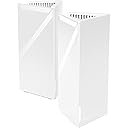
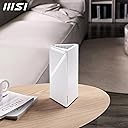
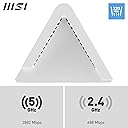
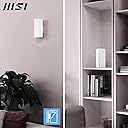
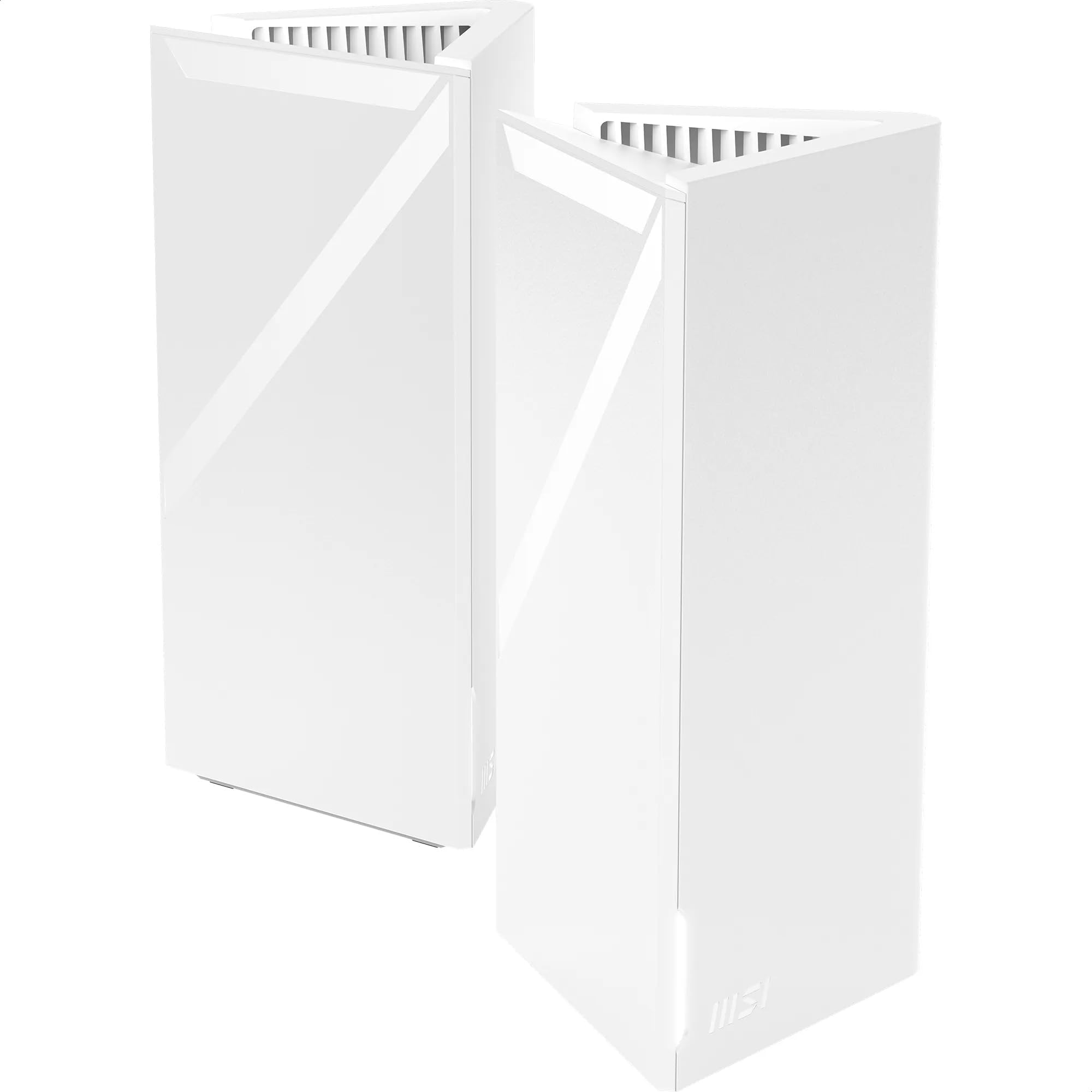
The Roamii BE Lite Mesh System- 2 Pack delivers cutting-edge WiFi 7 technology with 3600 Mbps speeds, dual-band coverage, and flexible wired/wireless backhaul. Designed for seamless whole-home connectivity, it features an easy-to-use app for setup and management, plus advanced FortiSecu security and parental controls. Ideal for streaming 8K content, immersive VR, and high-density environments, this sleek, white mesh system ensures your smart home stays fast, secure, and effortlessly connected.


| ASIN | B0DFMSX98S |
| Antenna Location | Zuhause, kleines Büro, Gaming, Streaming |
| Antenna Type | Internal |
| Best Sellers Rank | 7,400 in Computers & Accessories ( See Top 100 in Computers & Accessories ) 99 in Whole Home & Mesh Wi-Fi Systems |
| Box Contents | Roamii BE Lite Mesh System- 2 Pack |
| Brand | MSI |
| Brand Name | MSI |
| Colour | White |
| Compatible Devices | Personal Computer |
| Compatible devices | Personal Computer |
| Connectivity Protocol | Wi-Fi |
| Connectivity Technology | Wi-Fi |
| Control Method | App |
| Controller Type | App Control |
| Country of Origin | China |
| Coverage | Household |
| Customer Reviews | 2.6 out of 5 stars 17 Reviews |
| Data Transfer Rate | 3600 Megabits Per Second |
| Frequency Band Class | Dual-Band |
| Frequency band class | Dual-Band |
| Has Internet Connectivity | Yes |
| Is Modem Compatible | No |
| Item Weight | 1170 Grams |
| LAN Port Bandwidth | 1000 Mbps |
| Manufacturer | MSI |
| Manufacturer Part Number | MRBE50-2PK |
| Maximum Upstream Data Transfer Rate | 3600 Megabits Per Second |
| Model Name | Roamii BE Lite Mesh System- 2 Pack |
| Model Number | MRBE50-2PK |
| Model name | Roamii BE Lite Mesh System- 2 Pack |
| Number of Antennas | 2 |
| Number of Ports | 3 |
| Operating System | Linux |
| Other Special Features of the Product | Strahlformung |
| Product Warranty | 1 Year Manufacturer |
| Router Firewall Security Level | True |
| Router Network Type | mesh |
| Security Protocol | WPA, WPA2 |
| Special feature | Strahlformung |
| Unit Count | 1.0 count |
| Voltage | 230 Volts (AC) |
| Wi-Fi Generation | WiFi 7 |
| Wireless Compability | 802.11.be |
| Wireless communication standard | 802.11.be |
A**R
Terrible!
Terrible. Avoid and go with something that doesn't have terrible software: - complete nightmare to setup - when the system has a firmware update it does a complete reset, requiring you to reconfigure all the units from new - the app is terrible at best - the web admin is unusable Whilst working the unit signal strength and data speed is OK. However with the ongoing software issues and the units resetting themselves I would avoid.
P**N
A very capable product which is also very aesthetically pleasing.
MSI Roamii BE Lite WiFi 7 Lite Mesh System BE3600 My first impressions were that this was a quality product made by a quality company. There seems to have been a lot of effort by MSI to get the product design, packaging, set-up and app right for their first WiFi 7 mesh system. The only doubt is why they never included the 5-GHz band. Also included in the box is a pair of very designed wall brackets and fixings. Set-up was effortlessly, being guided through the process by the downloaded app. I only have an Android phone and therefore I cannot comment on the iphone installation. From out of the box to connection took me about 15 minutes with each step supplied with clear instructions. After installation there is a bright white led lit which can be distracting especially in the dark. There is an option In the settings to switch the led off but I would have preferred having an option to dim. Fitting the second node was also straightforward mainly because it comes pre-paired. In use, I found a lot better coverage, even reaching out to my garage. Obviously, the speed and signal reduced on distance and construction of the walls. I have had no dropout when using a laptop, phone and tablet streaming. Power consumption averaged out about 7 watts per node. A minor niggle is the supplied plugs. The cables and the gabbing go-up-the-way making it hard if not impossible to fit into certain adaptors. Overall, a very capable product which is also very aesthetically pleasing.
S**A
Rubbish UI and App
In terms of build quality the product is great, it looks stylish and comes with the wall mounts should you wish to use them. Hardware wise it’s great also, it’s ‘WiFi 7’ but limited to dual band 2.4ghz and 5ghz with MLO (although I could never get the MLO working). Also great coverage for a total of 2 nodes. However when you move over to the UI and ease of use, the product really falls short, the web UI is very very poor and so is the app. With little news online about MSI and their mesh endeavours I didn't feel this was a confident purchase that would have continued support. If you are happy with putting up with a poor web base UI, app and potential lack of support I would purchase this as it is great tech for its price, however, I have ultimately opted to return it due to its buggy interface.
P**.
Lousy app interface
Sent it back. Really lousy app and wouldn’t connect to my router. Bought a tp link WiFi 7 instead and set up in under 5 minutes
J**C
Not full Wifi7, but still offers improvement over Wifi6, if you have the necessary infrastructure
This Wifi 7 mesh system looks nice, and certainly not going to cause any eyesore when put up in the house. Firstly the advertised speed is 3600Mbps or 3.6Gbps, but be aware the actual speed will only ever be as fast as the weakest link in the chain. Now the thing to know about multiple access points is that they need a 'backhaul' to transfer the data between the access points and the main network/router. You can elect to use wifi, or much more preferably have them connected via Cat6/7 ethernet cables to a main hub. In my opinion if you're going such high speed, you really want to be using a 2.5Gbps network to make the most of it. This means you need a 2.5Gbps router as well as the cables in place. The units are powered using a power adapter using a barrel connector (provided) - but others I have use PoE which means they're powered using the ethernet cable - which means fewer cables, though I can understand from a consumer perspective this is probably easier. One big thing to know is that full Wifi7 implementation includes support for 6Ghz bands, which will free up a lot of bandwidth which wont suffer so interference from nearby 2.4 and 5Ghz routers (vs using those bands). This device doesn't seem to support the 6Ghz band - so do beware you're not buying something will a full Wifi7 implementation. In terms of performance, using Wifi7 supported devices you get a decent speed boost even without the 6Ghz channel. Testing on an iPhone 16 Pro, I achieved realworld speeds of around 900Mbps (0.9Gbps), better than I have with my existing Wifi6 setup but not exactly world changing. This then brings onto the biggest barrier - internal infrastructure. In order to be worthwhile, you need:- - A Wifi 7 compatible phone or device. Even recent phones like a Samsun Galaxy S23 Ultra or iPhone 15 Pro doesn't support the standard. Think iPhone 16 series, Google Pixel 8/9 or Samsung S24 Ultra as a minimum. - To make full use, you really need a 2.5Gbps hubs throughout and ethernet cables supporting the speed. (Note most internet routers only go up to 1Gbps and most internet ISPs only go up to 1Gbps internet speeds). - If you have servers and NAS drives and intend high speed data transfer, they will need 2.5Gbps network cards as a minimum to avoid being bottlenecked to 1gbps. And all these will only bring you to theoretical 2.5Gbps maximum - which is the limitation of the network port on the wifi devices. Overall for the average consumer, I really don't think you'll really notice the improvement above and beyond a decent Wifi6 one. If you do have a very good setup and really need the extra speed, then this will work for you. However if you want even more performance, you will want to pay more and have a solution which can make full use of the 6Ghz band.
D**S
brilliant
I have been very impressed with the mesh Wi-Fi router. I upgraded from a old mesh system. I have a smart home and use Apple HomeKit to upload my CCTV cameras to the cloud. This means my cameras are constantly streaming data over wifi 24/7. With my old router, the stream was very slow to load when opening and quite sluggish. Now, it opens instantly and all my recordings sync fast. I get my full 260 Mbps download speed in every room of my three bedroom house. I could have done with just one router because of how good the range is and how consistant the speed is, but with two, I get 100% speed even at the back of my garden shed without any latency or dropouts. The app has security features and is constantly warning me that a device on my network is being blocked from tracking my browsing data. it's hard to identify which device is causing the security issues. That said, I’m glad this feature is built in,
H**R
Great speeds but several issues
This is an expensive bit of kit and as a first foray into mesh systems for MSI, I was interested to see what they'd come up with. Being an entry level 'lite' model, it is probably suited to most users who just want to achieve a good signal throughout their home and get rid of any dead spots. The listing promised a quick setup time, using the accompanying app to control everything. Unfortunately, this wasn't the case. I already have a TP Link Deco mesh system so this should have just been a case of plugging in the MSI kit. I unplugged the internet cable going into my existing system and plugged it into the back of the MSI node. After going through the tutorial, I was never able to achieve a solid white light and the app reported 'no internet'. I know for a fact that there wasn't an issue with my internet, as I replugged my Deco system in and double checked, so I was puzzled as to why it was saying that. In my own home, I wasn't able to get past that point, so very disappointed that this was of no use to me and if I'd have paid my own money, it would have been returned. In order to give this a thorough review, I had to test it at a friend's house. Despite him having the same ISP as me (Virgin Media), it worked first time and was relatively easy to setup. So goodness knows why it wouldn't work at my house. Once setup, we did encounter an issue with his new wireless printer which would connect but then disconnect. This may very well be the printer - we are still investigating. However, this highlighted a flaw in the system that you cannot fix a device onto 2.4ghz or 5ghz like you can with my Deco system. Some devices can be fussy, so I really think not having this option is a mistake. Hopefully it will be addressed in a software/firmware update in the future. Despite the printer issue, everything works well. Without mesh he wasn't able to watch a video on his phone in his garden but we tried this with a speed test and he was pulling 200mb which is the maximum of what he is paying for. Pretty impressive! Overall, it's a decent entry level system but there are certainly improvements to be made. The app needs more customisability. Some people like a system to do everything for them but there should be more advanced options for tech geeks like me. I also couldn't find an option to buy a single node, should you need to improve the signal in an outbuilding for example.
A**R
Effective in many different ways
This is a good option if like us you have high WiFi needs. Two people working from home with heavy programs and constant video calls, as well as smart TV etc. Our Internet speed was already good, and this has not offered crazy improvement but the thing it has improved a lot is reliability when traffic is heavy, fast connection when further from router,and lack of lags. Setup was daunting for me but the instructions in the app made it easier and it took me under 30 minutes to fully figure it out. I'd recommend checking it has connected to WiFi 6 and 5 mhz, you might need to manually change both. The dual band came pre paired really so no issues there. The mesh devices look sleek and smart and the overall effectiveness is of high quality.
L**E
Schnelles WLAN Netzwerksystem mit einfacher Einrichtung
Ein gutes WLAN im Haus sorgt für deutlich mehr Komfort. Egal ob man moderne Haushaltsgeräte oder den Fernseher vernetzen möchte, eine stabile und schnelle Verbindung sorgt einfach für weniger Frust. Installation: Ich habe die beiden WLAN Würfel auf Tischen stehen. Man kann sie aber auch mit dem Adapter an die Wand hängen. Dies sieht schick aus und ist vor allem dann interessant, wenn man das Kabel mit einem Kabelkanal oder hinter der Wand entlanglaufen lassen kann. Zum Anschluss wird der gelbe Port des Mesh Systems mit dem Modem verbunden. Mit der herstellereigenen App wird das WLAN eingerichtet, indem man den selbsterklärenden Schritten folgt. Anwendung: Es werden insgesamt zwei Geräte geliefert, die zusammen ein einzelnes Netzwerk aufbauen. Ich habe ein Gerät im Wohnzimmer neben meinem Router und eines im ersten Stockwerk installiert, damit ich das gesamte Haus abdecke. Dabei schafft es das WLAN problemlos das Signal durch die Zimmerdecke an das Netzwerkgerät im oberen Stockwerk zu leiten, so dass ich ein nahtloses stabiles WLAN habe. Noch besser hätte ich es gefunden, das Mesh System meines Modems mit den beiden Würfeln zu erweitern. Dies habe ich aber noch nicht geschafft. MSI bildet ein separates Netzwerk. Die Fernsehverbindung war äußerst stabil und ich konnte auf höchster Qualität Filme gucken. Auch der Computer im oberen Stockwerk war stabil mit dem Internet verbunden. Allerdings war die Latenz etwas höher im Vergleich mit einem kabelgebundenen Netzwerk. Bei kompetitiven Spielen kann dies einen Unterschied machen. Zum Arbeiten und für Videokonferenzen reicht mir die Verbindung aber aus. Einstellungen: Das Netzwerk lässt sich sehr stark individualisieren. So gibt es Einstellungsmöglichkeiten für Kinder, um Inhalte zu sperren und die Nutzungszeit einzuschränken. Durch getrennte Netzwerke kann ich ein Gastnetzwerk oder eines für meine smarten Haushaltsgeräte einrichten. Wer mehr Überwachung möchte kann auch dies einstellen, indem man über Benachrichtigungen erfährt, ob ein bestimmter Service aufgerufen wurde. Ansonsten gibt es auch Statistiken, wie lange ein bestimmtes Gerät im Internet war. Fazit: Das Mesh System mit WiFi 7 ist auch für moderne Anwendungen mehr als ausreichend. An die Latenz eines kabelgebundenen Netzwerks kommt aber auch dieses System in meinem Haushalt nicht ganz heran. Dafür hat man eine große Anzahl an Möglichkeiten, um das Netzwerk ganz einfach von einer Handy App aus weiter zu individualisieren und zu schützen.
C**N
Lo q buscaba
Una pasada…. No pierdes casi nada de velocidad es “casi” estar enchufado al cable. Además muy fácil de configurar
N**N
!!
Not so easy to configure, one of them must be at the modem and nog behind a switch or it will cause a timeout in the app. App is nog the app tey are saying in the helpfiles, it is now the msi modem app. No https page, only http, so not very safe.
T**T
Echt enttäuschend
Ich habe mir die Roamii zum Black Freitag gekauft, schon bei der Einrichtung per App bin ich immer wieder auf Probleme gestoßen, keine Verbindung, abschnitte in der App auf einmal in einer anderen Sprache, Und eine sehr langwierige Einrichtung, Irgendwann hat es dann geklappt und ich habe meine zwei Roamiis eingerichtet, Internet klappt alles gut. Dachte ich nach einem Neustart klappt das nicht mehr. Kein Internet Verbindung mehr möglich, egal was ich versucht habe. Wie gesagt ich habe nur einmal neu gestartet. Also alles wieder zurück gesetzt und wieder neu eingerichtet. Gleiches Problem nach dem Neustart. Kennt Ihr das wenn man kein vertrauen mehr zu einer Sache hat wenn man es etliche mal probiert hat. Naja es sind auch kleinigkeiten die echt nerven, -Sehr lange Ladezeitn bei Einstellungen aufrufen über die Desktopansicht, -Die meisten Einstellungsänderungen machen immer einen Neustart, -Keine Namensänderung der einzelnen Geräte möglich, somit Unterscheidung nur per ip möglich -Passwort keine 2 gleichen zeichen in folge erlaub, hääää wat -Erklärungen der Einstellungen sehr schlecht übersetzt, Ich schicke sie zurück und bleibe echt enttäuscht von MSI... zu teuer für so viele Mängel
J**N
Pile of junk
Spend a good 2hrs and kept losing connection, saying couldn't connect remotely. Waste of time, going back
Trustpilot
1 week ago
1 month ago