Buy anything from 5,000+ international stores. One checkout price. No surprise fees. Join 2M+ shoppers on Desertcart.
Desertcart purchases this item on your behalf and handles shipping, customs, and support to New Zealand.
🚀 Elevate Your Brand Visibility with Next-Gen Digital Signage!
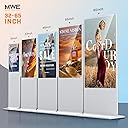
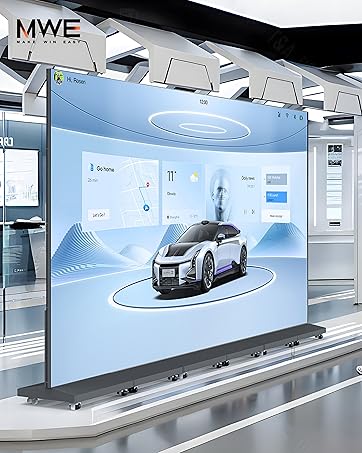
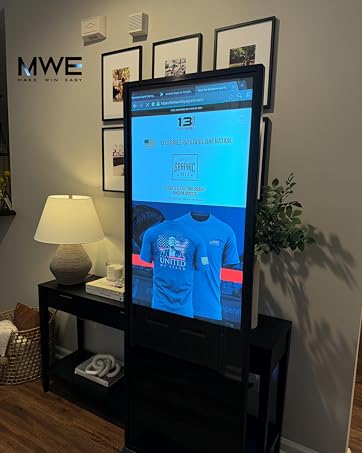
The MWE 54 Inch Digital Signage Display is a robust indoor floor-standing commercial totem featuring a Full HD 1080p IPS LCD screen with a 178° viewing angle. Powered by a stable Android OS, it offers versatile playback options including USB, HDMI, Wi-Fi, and remote control, plus smart split-screen layouts for multi-content display. Designed with a slim bezel and low power open cell technology, it ensures durability and energy efficiency. Ideal for retail, hospitality, and commercial venues, it comes with customizable branding options and a 3-year warranty for reliable professional use.


| ASIN | B0CQ7PKNPD |
| Additional Features | Android OS; CMS System; Automatic loop playback, subtitles scrolling, image video split screen, timed on/off, remote control; USB data input, HDMI input, support external player box installed inside; Wireless Wi-Fi; APK software package installation |
| Aspect Ratio | 16:9 |
| Best Sellers Rank | #18,980 in Electronics ( See Top 100 in Electronics ) #1 in Digital Kiosks & Interactive Displays #535 in Computer Monitors |
| Brand | QIXZOCV |
| Built-In Media | Digital Signage+Complete Accessories+Installation Tools+Free USB flash disk*1 |
| Color | White |
| Compatible Devices | Speaker |
| Connectivity Technology | USB Ethernet Wi-Fi Bluetooth HDMI Playbox |
| Contrast Ratio | 1300:1 |
| Customer Reviews | 4.6 4.6 out of 5 stars (76) |
| Display Resolution Maximum | 1920 x 1080 Pixels |
| Display Technology | LCD |
| Display Type | LCD |
| Hardware Connectivity | Bluetooth, HDMI, USB |
| Has Color Screen | Yes |
| Item Dimensions D x W x H | 30.08"D x 17.72"W x 77.16"H |
| Item Type Name | Industrial & Scientific Digital Signage Electronic |
| Manufacturer | QIXZOCV |
| Model Name | MWE-CS54WCN401 |
| Model Number | MWE-CS54WCN401 |
| Mounting Type | floor standing |
| Native Resolution | 1920x1080 |
| Refresh Rate | 60 Hz |
| Resolution | FHD 1080p |
| Screen Finish | Glossy |
| Screen Size | 54 Inches |
| Specific Uses For Product | Multimedia; Personal; Business; Adervertising; Brand Promotion |
| Total Number of HDMI Ports | 1 |
| Total USB 3.0 Ports | 2 |
| Total Usb Ports | 2 |
| Viewing Angle | 178 Degrees |
| Warranty Description | 3 years |
B**E
feel too bad
I bought this for my new restaurant to better promote it. After installation, I couldn't turn it on at all. I contacted customer service, but they never responded. This delayed my business operations.
A**R
Too hard to communicate to get to work correctly
I've had this for about 6 months now. I have not been able to work with China to get their Design Software (Very Basic and archaic design software) to work with the Kiosk. I can Post a JPEG and I can post a basic Powerpoint to the Kiosk after finding a wonky off brand Player on the internet. It's not like they have not tried to get it to work as the customer service has answered almost all my emails till lately. Now they are ghosting me. I can only transfer files by Jump Drive. I cannot get their file transfer method to work via WIFI. Really I think the communication gap is the problem. If you can get them to call you they are trying to respond through a translator app, speaking horrible English that doesn't make sense as the translator isn't translating well. Plus they are 12hrs behind us so when they call you are waking them up in the early hours of the morning. Does it work, yes, does it work like they say, maybe but after six months of diligently trying, it does not do what they say it can. I am very technical and can work through many things. FTP doesn't work. I would shy away from purchasing this.
K**N
Elevated our marketing presence
Our company purchased the 4K 55” Touchscreen Kiosk to display videos at trade shows. However, the features offered have gone beyond expectations, including running live website demos, serving as an interactive asset at our internal sales conference, and welcoming new hires and clients to our office. The ability to download and use third-party apps to remotely access and update the display helps elevate our marketing. The interface is user-friendly, whether you’re plugging in a USB device that automatically displays its contents or using an app. We have been able to utilize both features seamlessly. The display itself is sleek and modern, takes up minimal space at trade shows, and stands out from competitors. Both bright and vibrant, the content displayed comes through clearly. Overall, the digital signage has enhanced our appearance and been a worthwhile asset, with potential still to come.
R**3
Nice Unit: Outdated Andoid OS
The hardware seems great: feels solid, good picture, etc. The software is an old unsupported version of Android, which limits the apps and security available for the device. User manual, use interface, and customer service all work well but are a bit clunky (possibly due to translation from another language). I was pretty disappointed that the version of android was so old (and not updatable), as I wasn't able to download my favorite apps. But the primary purpose was display advertising, which it does well and the version of android doesn't matter for that. I ended up buying one for each of my 7 locations.
F**H
A GREAT Company to Work With...And An Amazing Product! Will Definitely Buy Again!!!
The Display is a marketing and customer interaction game changer. The customer service from the company is top of the top. The delivery was super fast. The set-up takes less than a half hour (provided you have your website set up properly). Connectivity to the Internet is super easy. It connects to the internet in seconds with very fast reaction time. Follow-on display items were added in a looping slideshow type format in less than an hour. The Display is visually clean, easy to use, effective, and intuitive for the client. After installation in our waiting area, many clients gravitated towards The Display and started interacting with it. Every person went looking for information about our programs AND showed interest in doing more business with us. We highly recommend the company AND the product. It is high quality and an amazing value. We will return to buy again a use this at our other businesses.
A**5
A beautiful and modern digital kiosk
This digital kiosk is a standalone display unit that has everything built in to create a beautiful and modern informational kiosk It was shipped in a huge but well protected box and I was able to assemble this unit in about 15 minutes by myself. Once assembled the kiosk is structurally very solid and with the wheels allowing it to be movable. I added a slim portable battery pack and now I can move the kiosk anywhere in the building The LCD display is very bright and resolution is very good. The viewing angle is indeed very wide as the vendor’s stated. Color are vibrant and match my color wheel in my design application The android os running allows you to pretty much install your own applications and if you are good coding you can easily run your own applications on this kiosk The WiFi chip easily found and connected to my 5G, and with the built in browser I was able to display a webpage You don’t have to do all this to get it working as a digital kiosk. The provided application is simple to setup although a bit cumbersome it still provided what I needed by customizing various settings It takes a bit to understand how the system works and the provide manual does not instruct you how to do this correctly. I had to email tech support and they were very quick to provide the answers I asked. I will share some of the tips for getting this system fully working to its intended potential 1. Your design should be created as a 1080 wide by 1920 high resolution. Basically HD but in portrait mode 2. If you use the 3 window split function your design should be 1080 wide by 640 high. 3. The display plays files in sequence by using either the timestamp of the files or name. However, with timestamp the time resolution ‘seems’ to be only based on seconds. And since I export all my slides at the same time. The resolution isn’t big enough for the display to properly sequence the slides. 4. I used the file name to order the sequence and to get it properly display the order I want, I had to name my files 1a, 1b, 1c etc… This is because anything with a 1 in front comes first in their numbering sequence. For example 1,10,15 all come before 2,3,4,5 etc. Therefore you cannot just export your design as sequential numbered files 5. When switching to 3 window split function. The top window uses file naming 1b, 2b, 3b and the bottom window uses file named 1a,2a,3a. I think it’s just the letters ending with ‘a’ and ‘b’ 6. As stated in the manual. All these files need to be in a folder called AutoPlayFile in the root directory of your usb key 7. If you have autoplay turned on - meaning the slide show just starts on boot up. The slide show will just turn on after a few seconds no matter what menu you are in. This is a bit annoying when I’m trying to change some settings and the slide show just comes on. I’ve learned to turn off the autoplay while working on changing the settings 8. If you selected copy from usb to display in the configuration. It takes a few seconds for it to do this after you hit submit. It would seem like nothing is happening but just pay attention to see a quick status which flashes just for a few seconds saying it is copying from usb. And after it copies the file, it would seem like nothing is happening but if you have autoplay turned on. Just wait until the timeout and the display should start showing 9. And one last thing. I think the file name has to start with a number. I tried one time just copying a single file with a letter in front and nothing displayed.
K**I
We purchased this touchscreen kiosk for use in our office lobby, and it has exceeded expectations in every way. The display is crisp, responsive, and very intuitive to use — exactly what you’d want in a public-facing device. Setup was straightforward, and the build quality feels solid and professional. What really stands out is how well it handles interaction: no lag, smooth scrolling, and accurate touch response. We’ve used it for visitor check-ins and digital signage, and it’s been running flawlessly. Highly recommend this unit if you’re looking for a reliable, commercial-grade touchscreen kiosk. It’s a great value for the performance and design quality you get.
M**(
The QIXZOCV 43" Digital Display has been a fantastic tool for educating our community about African Nova Scotian history. Its clear, vibrant screen makes sharing stories, photos, and videos engaging and accessible. It has helped spark conversations, preserve culture, and make learning interactive at our events across Nova Scotia.
A**D
I recently purchased this touch screen kiosk, and it has exceeded my expectations. The design is sleek and modern, making it a perfect addition to our Store setup. The touchscreen is highly responsive, providing a smooth and user-friendly experience. Setup was straightforward, and the system runs flawlessly. It has significantly improved our customer interaction and streamlined operations. Highly recommended for anyone looking for a reliable and efficient kiosk!
B**L
This thing is awesome! Super sturdy, made mostly of metal, and has good locking casters. The touch screen works really well, and it’s been perfect for turning into a touchscreen jukebox for parties. Big shoutout to the company’s support team too—when I accidentally broke a cable when connecting a mini pc in the back, they sent me a new cable for free and even gave me a video tutorial on how to swap it out. Overall, great quality, great support. Highly recommend!
S**Y
Product exceeded my expectations, we will be purchasing 2 more. Customer service was outstanding.
Trustpilot
4 days ago
3 weeks ago