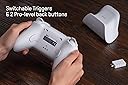
🔥 Elevate your play with precision, power, and style 🎮
The 8Bitdo Ultimate 2 Wireless Gaming Controller combines cutting-edge TMR joysticks, switchable Hall Effect/tactile triggers, and exclusive 8Speed wireless technology to deliver ultra-low latency and exceptional precision. Designed for PC and Android gamers, it features a sleek charging dock, customizable RGB lighting, and pro-level back buttons, making it the ultimate versatile controller for serious players seeking flawless performance and style.


| ASIN | B0DRCV3SPH |
| Batteries | 1 AAAA batteries required. (included) |
| Best Sellers Rank | #1,613 in Video Games ( See Top 100 in Video Games ) #106 in PC Game Controllers |
| Customer Reviews | 4.4 4.4 out of 5 stars (789) |
| Date First Available | December 19, 2024 |
| Item Weight | 1.41 pounds |
| Manufacturer | 8BitDo |
| Package Dimensions | 6.46 x 5.39 x 3.31 inches; 1.41 Pounds |
| Release date | December 19, 2024 |
| Type of item | Video Game |
J**N
Fantastic controller
Very comfortable and satisfying controller. Works much better with the provided 2.4ghz adapter than Bluetooth: on BT mode I occasionally drop a connection and the sticks will stop responding properly until a power cycle on the pad. The charging dock is sleek and effortless and the battery time is superior to most 1st Party controllers I'm finding. The back paddle buttons aren't intrusive and I barely notice the extra shoulder buttons unless I go seeking them intentionally. The build feels solid with a comfortable weight and the rumble feedback feels appropriately dialed in. I recommend this controller highly for anyone looking for something in the XB form factor with extra features.
J**A
swiss army knife of controllers
In my opinion for the price, this is basically the best universal controller out there. pros - - works with everything i have tried it with so far with little to no troubleshooting. (phones,tablets,computers,macs,apple tv.... im pretty sure it would actually work on most consoles too - especially if you have a normal 8bitdo dongle) - can customize the button inputs and setup macros - has 3 profiles for mentioned customized input profiles. - traditional Dpad is better imo compared to the weird circle one on xbox controllers. I am just more used to the older style of dpads. I guess diagonal inputs might be harder compared to xbox dpad... but I have been using this type of dpad since I was like 2yo so I think I'm good. - joysticks are great. if anything it seems like their range of sensitivity is greater than what I am used too (xbox controller). might need to play around with dead zones depending on game. - simple charging base and rechargeable batteries. pretty much never have to worry about batteries so long as I put it on the base when I am done using it. This a godsend compared to the bull ms is running with xbox controllers still using disposable batteries and charging extra to get a rechargable. - it has a turbo button. personally think this is silly, but nice to have I guess. It doesn't turbo that fast, I can mash faster but if a game or something has a repeated task that requires a button press its good for that. (ie mining some rock or tree or some crap like that) -8bitdo stuff is easy to customize, take apart and fix. Haven't needed to do anything yet, but I have found other people out there documenting how to customize it which is great. cons - - software used to set back buttons and macros is kind of janky. Doesn't actually install on computer(windows) and is just a downloaded exe file that you have to find every time you want to change something. obviously easily fixed with a shortcut, but just kind of weird to me since everything else 8bitdo does feels more polished. - buttons are kind of bubbly and squishy. Pretty much the same as a xbox controller. If you are used to PlayStation buttons, it feels like a cheap toy at first (even on xbox controllers). They are functionally fine, but I know people are picky about their buttons. - I know it doesn't always mean that much, but the controller was much lighter than expected and plastic feels a little cheap compared to the standard xbox controller, which I guess makes sense because ...its cheaper. At first I didn't like it because its usually a sign that the rest will feel cheap (I like my electronics dense and solid feeling lol) but I quickly got used to it and it doesn't bother me now. - back buttons and macros don't work on every device. only devices where xinput is used. - other 8 bitdo controllers I have more control on how the device connects. in example my fighting sticks have separate controls for input type (x input vs other) and then another control for (2.4g vs Bluetooth). I think they kind of bundled these settings together and its sort of confusing - they have a switch labeled X and D on the back, which I thought was Xinput and Dinput, but its not?? I think the x is dongle only and the d is bluetooth. Just sort of lame because my other 8bitdo controllers I can do both xinput and dinput over bluetooth and I can control it. ( this is nice because I have noticed some devices work with both, but treat them differently - example being a apple TV, if I use xinput it treats it appears as a xbox controller and dinput shows up as a 8bitdo controller) - The lack of input type control is only important because the back buttons and macros seem to only work with Xinput. for example I want to use my controller on the apple tv via bluetooth, so I switch the back switch to "D" to enable bluetooth because thats the only way to do bluetooth as far as I know. This works fine but presumably makes it dinput, disabling the macro/back buttons. Not the end of the world, but I have TWO 8bitdo controllers where they both can do xinput and dinput via bluetooth to my apple tv and I can control which is used. This means I could hypothetically use the macros/back buttons via bluetooth on my appleTV but since I cant really control this, the buttons have no function.
J**R
Superior Steam Deck Support over Bluetooth Connection
Great product that feels solid and is still the perfect controller for Steam Deck / Steam OS! [XBox Mode] You can emulate an Xbox controller on PC and Steam Deck with the included wireless dongle, but L4/R4 and back buttons (M1/M2) won’t be recognized - don’t worry! There is a simple fix for this that I’ve included below. [How to enable and customize extra buttons] Using Bluetooth mode on your Steam Deck or PC will automatically inform Steam of the additional buttons and will even show this controller’s custom layout! 1. Switch to Bluetooth mode on the back of the controller 2. Enable bluetooth on your PC/Steam Deck 3. Connect to this controller from the list of Bluetooth devices. 4. Visit Steam’s Controller page for whatever game you’re about to play and find the L4/R4 buttons and M1/M2 back buttons to customize them :) [Bonus Tips] - if you choose to use the included wireless dongle (not in Bluetooth mode), you will benefit from slightly improved input latency. In practice, I didn’t notice any difference, but it could have a minor impact on heavily input-reliant games like fighters (but again, I didn’t notice any meaningful difference - a bluetooth connection from any device isn’t expected to be any faster than Bluetooth on this device) - the back paddles are extremely satisfying; in the perfect position, *just* out of the way to not be pressed accidentally (like Switch 2 Pro controller), but requires even less force to actuate and provides a satisfying click - lights have several modes and intensity adjustment, all controlled from the device and its onboard memory - no need to connect to a computer to change or disable them - direction pas (cross) is fantastic, all controls feel extremely satisfying, and the chassis of the case is very similar to Switch pro controllers (which I’m good with but I won’t appeal to everyone) - the charging wire is very short, but… if you have the Valve Dock for Steam Deck, you can plug this controller’s dock into that! No additional charging DC plug is necessary, keeping your entertainment console feeling clean - some (not most) games on PC support split-screen co-op - Divinity Original Sin series and so does Baldur’s Gate 3.. but both players need controllers (no keyboard/mouse config for one of two players). So! I am planning to buy another one of these exact same controllers the next time they go on sale :D
T**A
Uno de los mejores controles que puedes tener para tu PC
V**I
Works for Mac. Good Product.
J**J
This is probably the best controller I’ve ever used. As a Windows user, I’ve been using official Xbox controllers as I’ve been under the impression that Xbox controllers are the “native” or best option, given that it’s a Microsoft product. I even went to buy the official rechargeable battery pack for these controller. However, I’ve been experiencing a lot of issues with the Xbox controller randomly disconnecting (via Bluetooth), and after some digging and doing everything that others claim to work (e.g. update controller firmware), nothing worked. Therefore, out of frustration I decided to look at my options. Definitely not another Xbox controller, but PS5 controllers are pretty expensive. At the end, I decided to give 8bitdo controllers a try and I have to say that I’m really impressed by the controller. The hold and feel of the controller is great for me. It wasn’t too big or too small and it felt comfortable after somewhat long sessions (around 2 hours). The best feature is definitely the included charging station. As another review pointed out, taking the controller off the charging station immediately connects the controller to the PC with absolutely zero issues, and putting back on the charger charges the controller immediately as well. The convenience cannot be understated and I no longer have to manually plug a cable to charge my controller as I did with the Xbox ones. For battery life, I also never actually hit the point where the controller was out of battery because every time I break it’s on the charging station and I’ve never games more than perhaps 2.5-3 hours a session. However, if you game for extremely long sessions, might be beneficial to see if anyone else has experience with this, although for most gamers I think you’d be fine. I also never thought that I’d enjoy the options that this controller provides, mainly the Hall Effect Triggers and non-linear tactile triggers, making the experience somewhat customized when playing games that require frequent taps of the LT / RT buttons (RPGs) and games that require long holds (driving games). The controller also has a bunch of extra buttons that are pretty well placed. I haven’t used these yet but I’m sure they’ll be useful at some point. Again, just having the option for more buttons is a big advantage. The TMR joysticks honestly didn’t feel too different from the Xbox “regular” joysticks. On paper it’s better but practically probably not that noticeable. Finally, the software was average, I wasn’t impressed and wasn’t disappointed, but having some back light customization is pretty neat. Overall, at this price point this controller is the undisputed king of both value and quality. I’m very happy with my purchase and I plan to buy 8bitdo controllers in the future if I need more.
R**.
Amazing controller, Top quality and really nice to use. I really wanted to give it 5 stars because I'm in love with it, but it was very confusing to use at first as it has some extra bottoms that are very easy to accidentally press and had unwanted functions, so I needed to spend over an hour checking the manual and looking online for solutions and eventually resorting to downloading the app to disable those extra buttons. Other than that, it's an amazing controller.
Y**F
اليد ما تنفع لروكيت ليج لانه لازم في اللعبة نكون ضاغطين على R2 اغلب الوقت دحين الR2 صار يعطيني على الضغطة الكاملة اربعين في المية واقل والمشكلة صارت لي وصارت لاثنين من اصحابي لكن الباقي كله ممتاز جدا واليد رهيبة مره لكن لروكيت ليج ما انصح فيها ابدا
Trustpilot
1 month ago
1 week ago