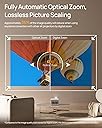
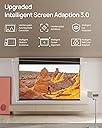
After a somewhat convoluted setup process, and getting used to some system-related integration quirks, I got this rather plain looking box up and running in my home theater, primarily powered by my Apple TV 4K... and was sufficiently blown away. A "DolbyVision" notification flashed on the screen, letting me know that the viewing mode would be modified, and after some time of viewing, I realized I was hopelessly addicted. I was literally not prepared for how good the image was going to look on my 100-inch screen. The last time I remembered seeing a projected image that clear was a special digital screening of "The Hobbit: Desolation of Smaug" at a movie theater. It was as if I was watching the output of a digitally shot video file directly from the server. I browsed through several other films in my Apple TV library, and I almost broke it with so much jumping around from movie to movie that they wouldn't start up anymore (I must have overloaded the streaming capabilities of my router). Fortunately a quick shut down and restart remedied the issue, and I proceeded with more caution going forward. I will mention (and your mileage may vary, depending on your home setup), that I ran into some glitches in the process of making my upgraded theater system run more smoothly. Since my media sources are channeled through my Onkyo receiver and out to the projector, I had to be mindful of the behavior of my HDMI data integration. When I start up my Apple TV 4K box, it automatically powers up both the receiver and the projector. After a brief appearance of the Google Play interface (the projector's native operating system). HDMI takes over, does a brief search, and switches to Apple TV, which becomes the primary media source. For awhile, my Sony Blu-Ray player also switched on automatically, and the HDMI in turn switched over to the Blu-Ray as media source, which was annoying until I discovered how to disable that function in the player's settings. Suffice to say, this has been a good education for me in HDMI dataflow! I can now watch Blu-Rays by switching it over manually, and they look almost as wonderful as the streamed DolbyVision output from my Apple TV 4K. One of the features that exceeded my expectations (aside from the astounding image quality) is the manual keystone adjustment. Since my setup dictates I keep my projector on a stand, one thing that was problematic with my previous projector was having to leave the stand in the middle of the floor at a fixed distance from the screen, and it was never 100% fit into the viewing area. With the XGIMI HORIZON Ultra's manual keystone capabilities, I can have the projector moved over against the wall, projecting from an angle, and can distort the image to fit perfectly on the screen by dragging the 4 corners of the projected image INDEPENDENTLY up, down, left, and right. You can also zoom in and out to refine the fit, after which the image auto-focuses itself using a projected pattern. No more tripping over the wide-legged projector stand, moving it back and forth into the room, and making endless adjustments that were never perfect. (I would install a ceiling mount, but I don't think my landlady would be thrilled about more holes in the ceiling and walls than I already have). A couple of minor complaints, nothing that would diminish my 5-star rating: I made a point of purchasing a projector that was 3D capable, and this one is, even though it's not overly emphasized in the product description. My complaint is the 3D mode has to be selected manually by opening a menu and choosing the proper method, which is kind of a hassle. I'm hoping a future firmware update from XGIMI will remedy that, since I can't imagine people having any use for multiple 3D modes other than one that utilizes active lenses. Also, you can only use lenses that were designed for this specific projector. I discovered other standard active lenses don't work... but when you get the right ones, it's worth the expense IMO. The other change I'd request would be the ability to deactivate the default Google Play/Android operating system that launches at startup, which (as an Apple user) I would never put to use. I also have Amazon Prime, which runs through my Apple TV 4K. How many operating systems can one need?? Aside from these trivial quibbles, I couldn't be happier with this addition to my home theater. I just wish I had more time to spend using it, more people around I could show it off to, and especially wish I didn't share a wall with a neighbor so I can crank up the volume on my Onkyo Dolby Atmos receiver without disrupting his life (he's a really nice guy, already tolerates me enough with my music practice). I honestly wasn't ready for how fantastic this projector would turn out to be, not to mention how smoothly it integrates with the rest of my setup.