Desertcart purchases this item on your behalf and handles shipping, customs, and support to New Zealand.
🎯 Level up your game with precision and style — don’t get left behind!
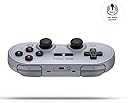
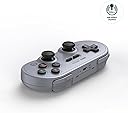
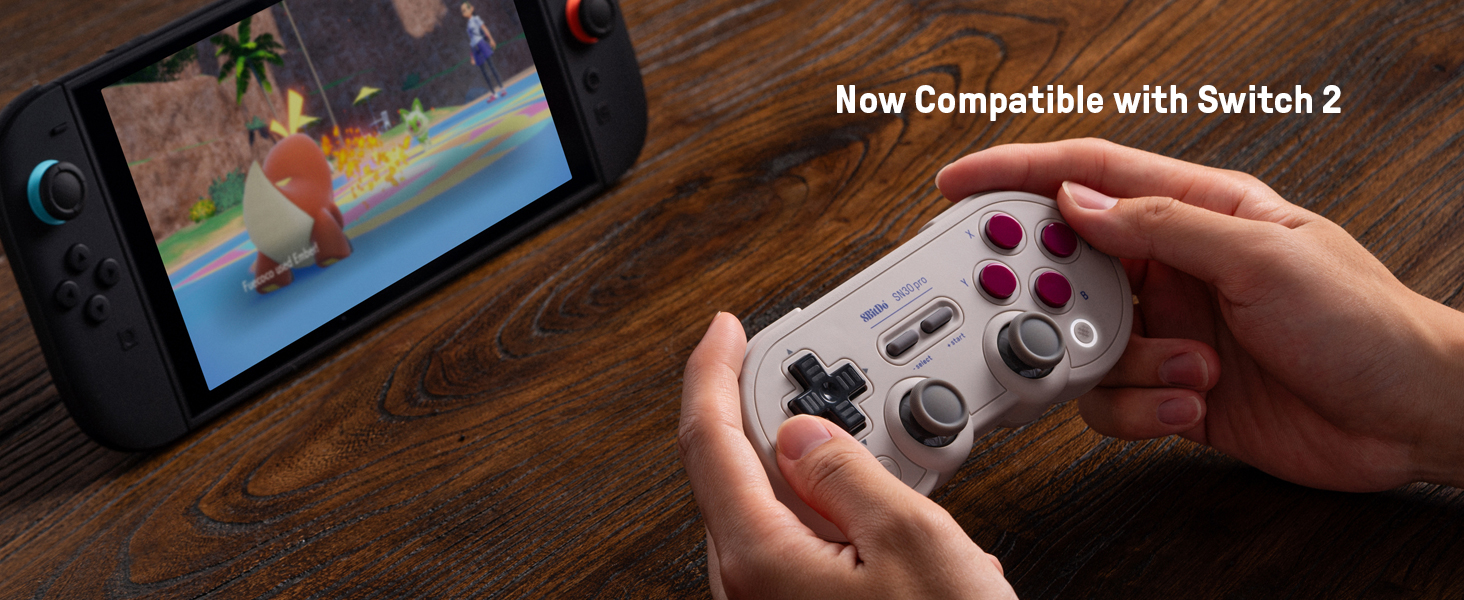
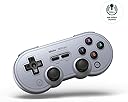
The 8BitDo SN30 Pro Bluetooth Controller is a versatile, rechargeable gamepad featuring a hall effect joystick for precise input, wireless Bluetooth connectivity, and broad compatibility with Switch, PC, MacOS, Android, Steam Deck, Raspberry Pi, and Apple devices. It combines classic retro design with modern features like motion controls, rumble vibration, and USB-C charging, making it a top choice for gamers seeking both nostalgia and cutting-edge performance.


| ASIN | B0CSP6TTJJ |
| Amazon 売れ筋ランキング | ゲーム - 566位 ( ゲームの売れ筋ランキングを見る ) Nintendo Switch 2コントローラー - 19位 |
| カスタマーレビュー | 4.2 5つ星のうち4.2 (1,625) var dpAcrHasRegisteredArcLinkClickAction; P.when('A', 'ready').execute(function(A) { if (dpAcrHasRegisteredArcLinkClickAction !== true) { dpAcrHasRegisteredArcLinkClickAction = true; A.declarative( 'acrLink-click-metrics', 'click', { "allowLinkDefault": true }, function (event) { if (window.ue) { ue.count("acrLinkClickCount", (ue.count("acrLinkClickCount") || 0) + 1); } } ); … |
| 商品モデル番号 | 6922621505044 |
| 年齢対象 | 全年齢対象 |
| 言語 | 英語 |
| 電池 | 1 単3形 電池(付属) |
ぱ**ん
丁度良い大きさ、ボタン押し心地◎
十字キーは真ん中押しても左右や上下が認識しないタイプで、偶にある雑な十字キー操作でキャラが動かなくなったりする現象が起こり辛いキーです(7敗) 右側のABYXボタンは、スーファミと同じ配置で、反応も押した時のペコペコ音も心地よい 新しい為か、LRボタンを含め少し固めな気がしましたが、ちょっと押すと確実に認識するので好感触 連射機能付き、Switch・PC・Androidに対応。Bluetoothの他、有線でも動作する。 動作時間は長く、充電もそんなに時間がかからない。(マニュアルでは充電1-2時間。動作14時間と主張) 充電しながらBluetooth通信は可能ですが、PCに繋ぐ場合は充電専用ケーブルでなければ通信が切断されます。 挙動を理解して使えば普段使いに最適なコントローラーの一つだと思います。 電源オンはスタートボタン。 各プラットフォームで認識させる時は、必ず下記の操作をしましょう。 パッケージに日本語入りのマニュアルもあるし、ネットでマニュアルをダウンロードする事も出来ます。 Switch:Y+スタートで電源を入れる。 Windows:X+スタートで電源を入れる。 Android・Apple:B+スタートで電源を入れる。 これをやんないと、ちゃんとコントローラーを認識せずに、変なボタン配置になったりします。 有線でも同様です、上の操作をしてから付属のUSB(CtoA)ケーブルで接続してやれば認識します。 しかしながら、一つだけ不満点を挙げるのであれば電源オフの操作手順で、スタートボタンを3秒押すというもの。 滅多にないと思うけど、スタートボタンだけを3秒押すゲームがあるとするとストレスになるかもね。 他のキー+スタートであれば電源は切れないのは確認済み。支障は無いと思います。欠点にはならない。多分。
品**玖
製品はレトロで好き
見た目も軽さも良いいです。私は今までSwitchのコントローラーでゲームをしてました。このコントローラーもSwitchのようなボタン配置だと思ったのですが、表記はSwitch、ボタン配置内容はXbox、というような感じでした。 もし配置の変え方を知っている方がいれば教えて欲しいです。
A**ト
レトロ可愛い
見た目がレトロでとても可愛らしいコントローラーです。古いゲーム機を思い出させるようなデザインで、手に取るだけで少し懐かしい気分になれます。使用感についても特に問題はなく、ボタンの押し心地やスティックの操作性も良好で、長時間の使用でも手が疲れにくい印象です。 さらに、サイズが非常にコンパクトで軽量なため、外出時にも気軽に持ち運ぶことができます。旅行先や出張先でゲームを楽しみたいときにも便利で、バッグの中でも場所を取らないのが嬉しいポイントです。デザイン性と実用性の両方を兼ね備えた、満足度の高いコントローラーだと思います。
鷲**巌
100点に近い満足度のコントローラー
購入から2か月間、毎日数時間使用してみてのレビューになります。 // 良かった点 - 質感が非常に高い。(デザイン、十字キーやボタンの質感) - 軽量。 - 連射機能があり、さらに連射機能をオンにしているときはボタンが光るので、オン、オフの区別がわかりやすい。 Windows11環境で、RetroArchを使いレトロゲームをプレイするのに使っています。(SteamやNintendo Switchでの使用経験なし) // 悪かった点 2か月間毎日使用してみて、非常に満足度が高くて正直悪い点を思いつくのが難しいのですが、敢えて言うなら、ボタンを押したときの音は、Nintendo Switch Proコントローラーと比べると少し音がするかなぁ程度です。普段イヤフォンをつけてゲームしているので、プレイ中にコントローラーの音は全く気になりません。 // 購入を検討している人への注意事項 - 購入して箱から取り出したら、付属のUSBケーブルをコントローラーとPCに接続してフル充電して下さい。充電中は、オレンジのランプが点灯しています。充電が終わればランプが消えます。 - 8BitDoの公式サイトからファームウェアを最新にするためのソフトをダウンロードしてください。 - コントローラーをUSBでPCにつないだ状態でファームウェアソフトを起動すれば、最新にアップデートできます。 - Windowsへの接続は、Bluetoothとデバイスの項目からデバイスの追加を選んで認識させるだけです。 - コントローラーを使うときは、最初にスタートボタンを長押しします。そうすると、コントローラーが振動して使用可能になっていることがわかります。(ONの状態のときは、緑のランプが点灯します。) 一定時間コントローラの入力がないとOFFに切り替わるので、再度使用するときは再びスタートボタンを長押しすれば使えるようなります。 // SN30 Pro 有線コントローラーを検討している人への注意喚起 8BitDo SN30 pro Bluetooth接続コントローラには有線接続版があります。(こちらの方が価格が安い。)こちらの商品の購入はやめた方がいいと思います。 自分は最初に有線を購入したのですが、コントローラーにファームウェアがインストールされておらず、Win10, 11どちらのPCでも接続が認識されず、さらに公式サイトからファームウェアソフトをダウンロードしてインストールを試みましたがこれもうまくいかず、結局返品してBluetooth版を購入しました。 Bluetooth版は、使用上何の問題もなく非常に完成度の高いコントローラーに仕上がっていますので、有線かBluetoothで迷っているのなら有線版は避けた方がいいと思います。 // 結論 8BitDoのコントローラーは、他にM30 Bluetoothゲーミングコントローラー(6ボタンパッド)、Pro2も所有して使用していますが、どのコントローラーも質感が高く使いやすいです。 自分の使用経験から、8BitDoのコントローラーは自信をもっておススメできると思っています。
Y**I
ほどよくいい製品
見た目は思った以上に安っぽい 各ボタンもしっかり奥まで押さないと反応しないところもある。 ただ価格と携帯性の問題があるのでそこは妥協ポイント。 軽く小さく対応製品も多く、typec充電でワイヤレスなのは素晴らしいポイント。 iPad等でたまに外でゲームを遊んだりする人にはピッタリの商品だと思う
や**ん
商品自体は良い
Switch2にも問題無く接続でき、”Switch2本体のスリープ解除後"であれば、簡単にボタン1つで接続できます。 軽いし、ゲームの操作性も良く、バイブレーターも内蔵されています。 ただし、本コントローラのみでSwitch2のスリープ解除はできません。 本商品が悪いわけではなく、Switch1の純正プロコントローラですら、Switch2のスリープ解除は無理なので、どうしようもありません。 Switch2のプロコントローラを買わせるための任天堂の戦略ですね。せこい。 8BitDo SN30 Pro 接続〇 スリープ復帰× Switch1プロコン 接続〇 スリープ復帰× Switch2プロコン 接続〇 スリープ復帰〇 ・・・出費がかさみました。。
T**T
A Nostalgic Masterpiece
The 8BitDo Controller is a must-have for retro gaming fans. Its design beautifully captures the essence of the SNES era, while offering modern wireless convenience. The build quality is top-notch, with responsive buttons and a comfortable feel. Whether you’re reliving classic games or enjoying modern ones, this controller delivers a seamless experience with a nostalgic touch. I recommend!!
ぷ**ぃ
レバーや十字キーの誤入力ほぼ無く快適に
switchのProコンやProコン2、ジョイコンなどの十字キーやレバーの誤入力が酷すぎてぷよテトやパックマンなどのパズルゲームや2Dアクションゲームがまともに出来なかったのでAIに相談するとこのコントローラーに辿り着いた。誤入力もほぼ無く快適。なんで早く買わなかったのかと後悔。まだ数回プレイしただけでここまで思わせてくれるコントローラーは初めて。これからアケアカ等のレトロゲームを買い漁る予定。良い買い物をした。
M**N
Lovely Controller - Would recommend!
Took a while to arrive, however, love this controller!
E**A
Melhor qualidade preço
Excelente qualidade. Muito bonito com estilo retro.
D**E
Läuft perfekt
Restlos zufrieden. TV Gerät hat es gleich erkannt und läuft ohne Verzögerung. Nostalgie Faktor wird für mich befriedigt. 👍
J**R
Works with Tesla
Bought to use with a Tesla. The B/A and X/Y buttons are swapped from what the Tesla sees but otherwise works great! Nice and compact but still quite comfortable to hold.
J**H
The ultimate "All-in-One" retro controller, Perfect for MiSTer!
If you are looking for a single gamepad that can handle almost every retro console in your library, this is the one to get. I use this primarily on my MiSTer FPGA, and it is fantastic. It captures that classic SNES feel perfectly but adds modern features like dual clickable joysticks and triggers, making it feel like a hybrid between a Nintendo classic and a DualShock. The addition of Hall Effect joysticks in this version is a huge upgrade, as it basically eliminates the worry of stick drift over time. The D-pad is also excellent, it’s firm and responsive, which is essential for platformers and fighting games. Whether I'm playing 16-bit classics or PlayStation 1 cores, this controller handles it all without needing to swap hardware. Pros: - Incredible Versatility: Works with everything from MiSTer and Steam Deck to Switch 2 and Android. One controller really does do it all. - Hall Effect Joysticks: Magnetic sensors mean no physical wear and tear on the sticks, ensuring long-term precision. - Authentic Feel: The form factor is a perfect tribute to the SNES, and the buttons have that classic "mushy but responsive" feel. - Modern Features: Includes rumble, motion controls, and a USB-C port for easy charging or wired low-latency play. - Portable: Its slim, flat profile makes it very easy to toss in a bag compared to bulkier modern gamepads. Cons: - Ergonomics for Long Sessions: Because it maintains the flat SNES shape, it doesn’t have the "handles" of a modern controller; if you have large hands, you might feel some fatigue after several hours of play. - Syncing: Switching between different devices (like moving from MiSTer to a Switch) requires remembering the specific button combos to change modes. Final Verdict: For retro enthusiasts, this is a must-have. It bridges the gap between old-school aesthetics and modern reliability perfectly. If you only want to buy one gamepad for your entire retro setup, this is the best candidate on the market.
Trustpilot
1 week ago
3 days ago