![Elgato Stream Deck MK.2 Elgato Stream Deck MK.2 [15-Key Layout] Controller for Live Content Creation, Streamer Device Compatible with OBS/Twitch/YouTube, Works with Mac/PC](https://m.media-amazon.com/images/I/51Rj+5OLFeL.jpg)


🎥 Elevate your stream game—command your content with a tap!
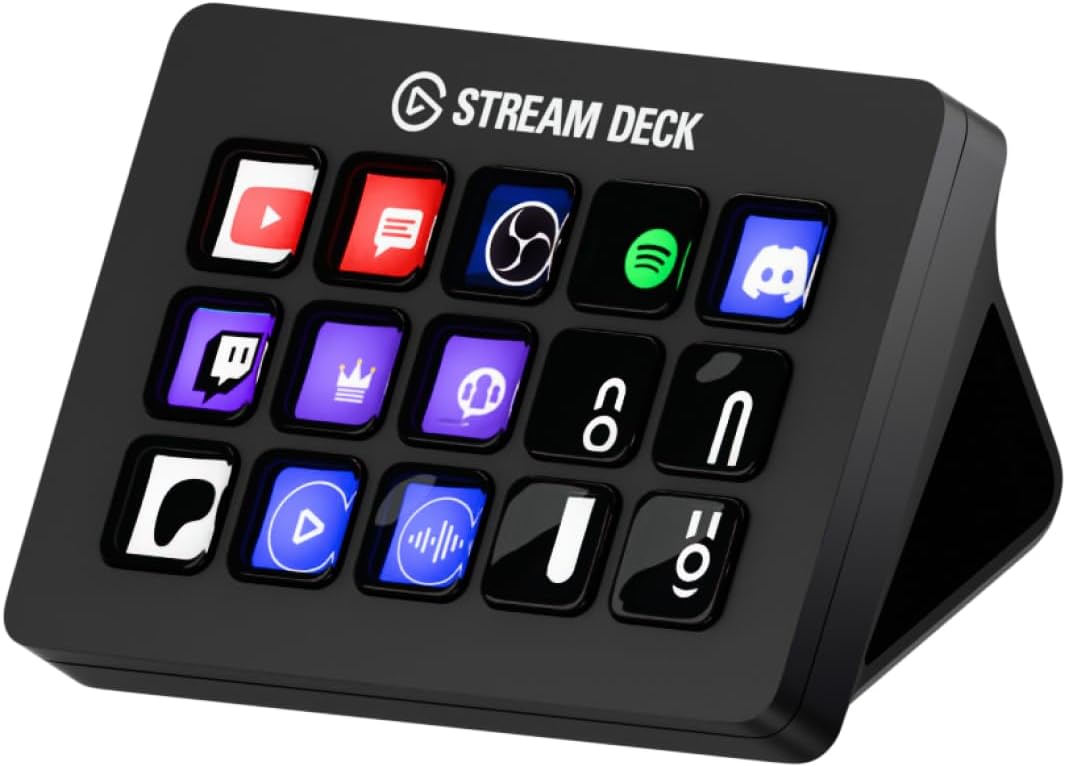
The Elgato Stream Deck MK.2 is a sleek, 15-key customizable controller designed for live content creators. Compatible with Mac and PC, it offers seamless USB-C connectivity and integrates with popular platforms like OBS, Twitch, and YouTube. Its vibrant LCD keys provide instant access to complex commands, making it an essential tool for professional streamers and digital creators seeking efficiency and style.


| ASIN | B09738CV2G |
| Amazon Bestseller | #71,482 in Computers ( See Top 100 in Computers ) #4,915 in Computer Keyboards, Mice & Accessories |
| Batteries Included | No |
| Batteries Required | No |
| Brand | Elgato |
| Color Name | Black |
| Compatible Devices | Mac/PC |
| Connectivity Technology | USB |
| Customer Reviews | 4.6 4.6 out of 5 stars (9,549) |
| Date First Available | July 12, 2021 |
| Included Components | Stream Deck MK.2, Desktop Stand, USB-C Cable, Quick Start Guide |
| Item Model Number | 10GBA9901 |
| Item Weight | 0.15 Kilograms |
| Item model number | 10GBA9901 |
| Manufacturer | CORSAIR |
| Material | Plastic |
| Model Year | 2021 |
| Product Dimensions | 8.4 x 11.8 x 2.5 cm; 145 g |
| Release date | October 29, 2021 |
| Size | 本体【並行輸入品】 |
| Special Features | Customizable |
高**梨
使いやすい。設定すればワンボタンで色々とすぐに出来るのでめっちゃ便利 ただmp3などの音声を30個くらい割り当てて順番に押して再生したところ20個くらいのところで音がガビガビになり砂嵐状態になった。 何事もほどほどに。
購**者
使い方は無限大 YoutubeやWebを見るだけで上手く使えばキーボード不要になる XLの32キーと迷ったが15キーでもOK
H**.
職場で使っています。ルーチンでやることを自動化してボタンに割り付けています。 便利だし、よく考えられていいんですが、ちょっと値段が高いです。 もっと複雑なソフト(DTMや動画処理など)で使うと、元がとれるかなという感じです。
光**ー
これ、配信しない人にもマジでおすすめ。普段ブログ書いてるんだけど、よく使う機能をボタンにしとくだけで爆速になるし、FF14を起動したら今度はそっち用のボタンに自動で変わるのがヤバい。 アイコンも自作できて、デスクがお洒落になってテンション上がる(笑)
A**犬
これがないとやってられない。 同メーカから出ているフットペダルを持っている人はマストアイテム プロパティを手軽に変えれるので素晴らしい 使い方では相当便利に使えます。 自分は ゲーム・SW直起動系、よく見るサイトのリンク、リソース監視、仕事タスクで使い分けて使い分けています。
ま**ん
定番のガジェットです。 類似品購入も考えたのですが、やはり本家本物の方が良いと思い購入しました。 私の用途の場合、ボタン類は15個タイプが一番使いやすいと思います。
と**者
ストリーマーやゲーマーにおすすめされることが多いと思いますが、自分は仕事や普段のブラウジングに使用しています。 【使用例】 ・パソコンの音量調整やヘッドホン・スピーカーの切り替え。 ・サイトやアプリの呼び出し、操作。 ・よく使う定型文などを複数用意してペースト。(納品時、請求書発行時など) ・マクロを使用してログインIDとパスワードを自動入力したり、複数の作業を一発でできるようにしたり。 もっとも多い使用の仕方としては音量だったり速度を変えるときです。 youtubeを見る際、音量を調整したり再生速度を倍速にしたりポチッと一発でできるのが非常に快適です。 マクロ機能があるので仕事でも大活躍します。 動画編集やイラスト、エクセルなどいろいろな操作を登録したり、専用のアプリで人が作った便利機能を無料で取り入れることも可能です。 自分はID・パスワードをgoogleが自動で出してくれないサイトなどはこのデバイスに登録して自動入力するようマクロを組んでいます。 ※セキュリティー上はよろしくないと思いますので自己責任で。 できることが多すぎて機能を使いきれませんね。 仕事を時短したり普段の快適性を上げるための使いかたを模索する時間が最高にワクワクできる素敵なデバイスです。
池**人
使用して1年以上たちます。その間に新型がでたり少し小さいのが出たりしましたがこれで充分です。いや、このサイズこの仕様が自分にはぴったりです。これからも使っていきます。よろしくね
F**L
Recebi dentro do prazo e ainda preciso aprender como utilizar
A**E
I'm genuinely surprised at how many options there are for these buttons, and even more with how many free plugins you can download on their marketplace. I can control way more than I initially thought, as I was going in thinking I'd only use it for my VTuber expressions and soundboard stuff, but now I feel like I could make use of this on my regular day-to-day. The stream deck itself is the perfect size to not get in the way or take up too much space on your desk and at the same time you can still program folders upon folders, and pages of commands and buttons, so you don't necessarily need to buy a bigger stream deck with more buttons. The software is really smooth and easy to use, and works perfectly on Windows 10 even though it says it requires Windows 11 on the download page. All the settings you can choose for the text and icons are straight-forward and feel intuitive, you can even use any of your own PNG images or GIF files for the icons. It's as close to plug and play as possible and everything just... WORKS I highly recommend getting this, even if you're not a streamer cause you'll still find a plethora of ways to utilize it. Whether it's opening URLs from just a button, opening any of your applications, placing any world clock you want, joining a Discord voice channel with a press of a button, muting, deafening, making presets for where your windows open and align, etc. There's so much more to it than just typical streamer usage, but with such, there's a crazy amount of things that'll increase your quality of life and ease while streaming. Everything about this product screams high quality, including a very well-thought-out program. It'll be a massive timesaver for you.
D**A
I LOVE this gadget!! Is it required? No. Do I use it every day may times a day? YES! It’s got a small profile so it’s not obtrusive on the desk. I really do feel like it saves me time as accessing apps and such is very easy. What I didn’t realize was that the buttons are menu options. For example, for one of them I have it set to apps. When I select that it goes down into a sub menu where I have 9 apps configured for quick access. I thought each button would only have one shortcut use. I didn’t realize there was an option for submenus. It’s fairly easy to set up, the buttons are easy to use and it seems durable. I’ve noticed very little lag. What I haven’t been able to figure out is quick ways to mute. I have a MuteMe which I was hoping to replace with this, but so far it be not figured that out. I’ve had it for around 2 months and it’s my favorite desk accessory.
A**R
In description it's MK.2 version. But I got first version. Not big deal for me - it's still usable. But it's wrong in description. Be carefully if you need exactly MK.2 version. Otherwise - no problem at all. Device works perfectly.
A**R
منتج معروف ولا يحتاج للتقييم
Trustpilot
3 days ago
2 weeks ago