Desertcart purchases this item on your behalf and handles shipping, customs, and support to New Zealand.
📚 Scan smarter, not harder — your ultimate pro document sidekick!
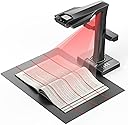
The CZUR ET MAX is a professional-grade book and document scanner featuring a 38MP CMOS sensor with 410 DPI resolution, patented curve-flattening technology for distortion-free scans, and ultra-fast 1.5-second page capture. Supporting A3-sized documents and 180+ languages OCR, it seamlessly integrates with Windows, macOS, and Linux systems, plus offers HDMI output for real-time display—ideal for managers and professionals handling high-volume, multi-language scanning tasks.


| ASIN | B0FCBVYMC6 |
| Best Sellers Rank | #61,888 in Computers ( See Top 100 in Computers ) #88 in Document Scanners |
| Brand | CZUR |
| Color Depth | 24 bits_per_pixel |
| Connection Type | USB |
| Connectivity technology | USB |
| Customer Reviews | 4.2 out of 5 stars 41 Reviews |
| Item Weight | 1 Kilograms |
| Item weight | 1 Kilograms |
| Light Source Type | LED |
| Manufacturer | CZUR |
| Media Type | USB |
| Minimum System Requirements | Windows, macOS, Linux (Kubuntu 22.04, Linux mint 21.2, MX-3.1, Ubuntu 16.04, Ubuntu 18.04.2, Ubuntu 20.04, Ubuntu 22.04, TUXEDO-OS-2) |
| Model Name | CZUR ET MAX |
| Model name | CZUR ET MAX |
| Optical Sensor Technology | CMOS |
| Resolution | 7168*5376 |
| Scanner Type | Book, Document |
| Scanner type | Book, Document |
| Unit Count | 1.0 Count |
A**Z
Great
Great scanner
R**N
It works!
It works. Last week I completed a 1000+ plus page scan of a Cybersecurity study guide in under three hours. I was able to convert the document to a several searchable pdfs decided by areas of knowledge. It was an absolutely painless experience. I would highly recommend this scanner to anyone in need of a scanner able to go through a high volume of documents. I've been able to successfully input those PDFs into NoteBookLM where I plan to use my AI tool to generate more easily consumable study aids, and use it as a coach to help me better prepare to get certification ready. I give the Czur solution a 10 out of 10.
L**U
Why I Ditched My Flatbed Scanner for CZUR
I had my doubts when I initially purchased the Czur scanner. Previously, I relied on a flatbed scanner to digitize yearbooks and scrapbooks, aiming to save these mementos for my children and grandchildren. Since they’ve never displayed much curiosity about these old keepsakes, I worried they might end up discarded one day. The flatbed method was extremely time-consuming, however, so I hunted for a more efficient alternative and stumbled upon the Czur device. I decided it was a reasonable gamble. Setting it up was straightforward. While the accompanying manual is limited in detail, numerous online guides allowed me to start using it in no time. After roughly 30 minutes of testing, I was astonished: digitizing a full yearbook—something that used to take hours with a flatbed—now took under five minutes. It first captures pages as JPGs, then converts them into multiple formats (PDF, TIFF, Word, searchable PDF, and others) according to your preferences. I tested both the foot pedal and automatic page-turn detection, and both functioned smoothly. For older, warped books, I needed to use the finger cots (I had to watch online tutorials to master their use, but it was simple once I got the hang of it). Each page takes just a second or two to scan, and the quality is excellent. My yearbooks and scrapbooks are filled with photos and handwritten notes, and the Czur reproduced them accurately. To be honest, it doesn’t quite match the photo quality of a specialized scanner like the Epson FF-680, but a major advantage is that I don’t have to take photos out of scrapbooks. For laminated pages or plastic covers that created glare with the overhead light, I simply turned off the default arm lamp and switched on the side lamps (easily done by pressing a button on the back)—this completely got rid of the glare. The scans are more than adequate for archiving purposes; only if you planned to enlarge them into posters would you notice any difference. All in all, the Czur scanner saves an incredible amount of time compared to flatbed scanners. I strongly suggest it to anyone looking to preserve old documents, yearbooks, or scrapbooks.
S**S
Very expensive paperweight
I use Linux, not Windows, so I specifically looked for a book scanner that supported Linux, and this one claimed to. The first clue that showed this was not going to go well was when I installed their proprietary, which has not been updated in a year, although the windows and Mac versions were all updated last month. I fire up the software, and they are using a unique white on white colour scheme, making the white writing very hard to read on the white background. Then I was a bit surprised that my scanner was showing up as a camera and not a scanner, so I start looking for settings to fix this, which is where I find that all the settings are literally in Chinese, so that didn't go well either. I go through all the basic steps, fully update my OS to the latest LTS version, which is April 2026, make sure all my software is up to date, reinstall their software, and no change. So I contact tech support, which responds with "it only works on Ubuntu from 2022 to 2024", which isnt a great answer in 2026. So I am now the owner of an expensive paperweight, and they are happy that they have my money after falsely claiming to support my OS.
R**E
Excellent for scanning journals and travelogues
My kids kept travel journals on every trip or vacation we took, pasting plane, museum and show tickets in pages, adding foreign coins and lots of postcards, often with copied art on the facing page. They are terrific but nearly impossible to scan with a flatbed scanner, and moreover there are 44 of them, 1935 pages total. With this scanner, I was able to scan the entire set in a single long day. The scans look great. It is a remarkably good piece of equipment. The black mat rolled flat, with a slight curve just at the edge, so I did not experience the problem others report. I was concerned by reports that the software sends a lot of data to China, so I ran the software inside a virtual Ubuntu machine that was both blocked from the rest of the network, and even from the PC running the VM. It wasn't sending data outside except when it first started up, and when one requests the manual. Overall I felt excessively paranoid but better safe. The software fits a rectangle to the book on the mat. It does this essentially perfectly. What makes the job go very quickly is that you can have it scan when motion stops, so that every time a page is turned, it snaps the next page, giving a ding that it is time to turn the page. You don't need to straighten the book -- it figures out when it is on an angle and adjusts. I quit looking after a while, doing an entire scan by ear. The scans are very high quality. In contrast to getting the angle exactly right, it doesn't flatten all that well. But that is a lot to ask, I think, of the software. Because the books I was scanning have a lot of stuff glued to the pages, they could have a serious bulge, and the software attenuates but does not eliminate the bulge. I was hesitant to spend $800 on a scanner, but I'm glad I did. The experience was much better than I hoped. I probably could have done the same job with less resolution, like the 24MP, but I'll get enough use out of it to warrant the better one. I have tried in the past using a rig with a cell phone suspended above a desk and a circular light, but somehow it always wound up with glare. This worked. For glossy postcards pasted in the pages, I turned off the light next to the camera and turned on the "mid level" light that came with the unit, and had no glare. Another nice thing about this experience is that it comes with a foot pedal, which I used if I needed to hold a page down. (The yellow page holders showed up in the images -- may they aren't hidden in the linux software? But I just cropped them out.) The box is incredibly well packed and you could probably drop it ten stories without damaging it. I put it all back for storage. The mid-level light gives one a lot of control to eliminate glare. This device is definitely expensive, but it is very well-made and a great tool.
E**O
Absolutely Outstanding Book Scanner — Exceeded All Expectations
The CZUR ET MAX has been a game-changer for my workflow. The 38MP camera captures incredibly sharp images, and the flattening technology works beautifully even with thick books. Scanning is fast, accurate, and consistent, saving me hours compared to traditional flatbed scanners. The software is intuitive, the OCR is surprisingly precise, and the device handles everything from books to loose documents effortlessly. Build quality feels premium, and setup was simple. One small area for improvement: out of five notebooks I scanned, a couple of pages came out slightly tilted. It’s not a major issue, and I’m confident this can be addressed in future software updates. Everything else works flawlessly. Overall, the ET MAX is a professional-grade tool with outstanding value. If you work with books, archives, or documents regularly, this scanner is absolutely worth it. Highly recommended.
Trustpilot
1 week ago
1 month ago