
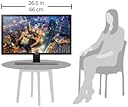
U28E570D
Product ID: 81223157
Details
- Aspect Ratio16:9
- BrandSamsung
- Resolution4K UHD 2160p
- Screen Size28 Inches
- Screen Surface Descriptionsmooth
⚡1ms ultra-fast response time
🎮AMD FreeSync for smooth gaming
🖥️3840x2160 4K UHD resolution
🚀 Elevate your workspace & gameplay with Samsung’s 4K powerhouse — don’t just see it, live it!
The Samsung LU28E570DS/ZA is a 28-inch 4K UHD gaming monitor featuring a stunning 3840x2160 resolution and 1 billion colors for ultra-realistic visuals. Designed for both professional multitasking and immersive gaming, it offers AMD FreeSync with a 1ms response time to eliminate screen tearing and lag. Enhanced with Flicker-Free and Eye Saver modes, it minimizes eye strain during extended use. Its versatile connectivity supports PCs, Macs, and gaming consoles, while the sleek metallic stand complements any modern setup. Ideal for millennials balancing work-from-home productivity and casual gaming, this monitor delivers premium performance without premium pricing.

| ASIN | B07FBNPTDD |
| Adaptive Sync | FreeSync |
| Additional Features | Flicker-Free, Tilt Adjustment |
| Aspect Ratio | 16:9 |
| Best Sellers Rank | #691,275 in Electronics ( See Top 100 in Electronics ) #13,155 in Computer Monitors |
| Brand | Samsung |
| Color | BLUE, BLACK |
| Connectivity Technology | DisplayPort, HDMI |
| Contrast Ratio | `1000:1 |
| Customer Reviews | 4.5 out of 5 stars 1,486 Reviews |
| Display Resolution Maximum | 3840 x 2160 pixels |
| Display Technology | LED |
| Display Type | LED |
| Global Trade Identification Number | 00887276289830 |
| Hardware Connectivity | USB |
| Image Contrast Ratio | `1000:1 |
| Included Components | Hdmi, DP |
| Item Dimensions D x W x H | 7.36"D x 26.01"W x 18.44"H |
| Item Type Name | Monitors |
| Item Weight | 11.6 pounds |
| Manufacturer | Samsung Electronics DAV |
| Model Name | LU28E570DS/ZA |
| Model Number | LU28E570DS/ZA |
| Mounting Type | Wall Mount |
| Native Resolution | 3840x2160 |
| Number of Component Outputs | 2 |
| Picture Quality Enhancement Technology | AMD Radeon FreeSync |
| Pixel Pitch | 7.93 |
| Processor Count | 1 |
| Refresh Rate | 60 hertz |
| Resolution | 4K UHD 2160p |
| Response Time | 1 milliseconds |
| Screen Finish | smooth |
| Screen Size | 28 inches |
| Screen Surface Description | smooth |
| Series Number | 57 |
| Specific Uses For Product | personal, gaming, business |
| Total Number of HDMI Ports | 2 |
| Total USB 2.0 Ports | 1 |
| Total USB 3.0 Ports | 1 |
| Total Usb Ports | 1 |
| UPC | 887276289830 |
| Viewing Angle | 170 degrees |
| Voltage | 100240 volts |
| Warranty Description | 1 year |
S**C
Amazing monitor at a great price!
I've always been hesitant to take the leap and upgrade to a 4K monitor, I've previously only been using 900p and 1080p monitors. However when I saw that Samsung has this 4K monitor at such a great priced compared to other options, I decided to finally give it a try. I've been wanting to take full advantage of my gaming hardware anyways which is the primary use of this monitor. Being a 28 inch monitor, this was definitely the biggest one I've used so far and I was a bit worried beforehand that it might be too big. But as it turns out, the larger size is definitely a plus. In addition to that, the image quality was very good too, definitely one of the nicer 4K displays I've seen of that size. The monitor also has a lot of great features like Picture in Picture that actually works very well too. A personal plus of the monitor for me is that it turns on very quickly. It's a small feature overall but a big positive thing in my book. I've had a lot of monitors in the past that took awhile to turn on and display the image, but this one from Samsung is very quick. Overall, this monitor is definitely one of the best displays I've ever personally used especially considering the price compared to other monitors out there. I would highly recommend this monitor to anyone looking to upgrade to a 4K monitor without breaking the bank but are also looking for a trusted and reputable brand too. The only downsides I can really think of are that the out of box default settings make the monitor a little too bright for me and the contrast too high, but after some time fiddling around with the settings, I found a comfortable setting for me. There weren't really any presets that quite suited my preferences so I did have to adjust the settings manually. It's really a matter of personal preference in that case though. Aside from that, I haven't had any other issues with this monitor. I look forward to doing more 4K gaming on this monitor!
D**I
A Tremendous 4K monitor that performs like a champ
The Samsung UE570 is a 28” 4K UHD monitor with AMD FreeSync giving you a 1ms response time. It has two HDMI 2.0 and 1 DisplayPort connection to give you a wealth of options. I say this because this larger monitor offers a nice Picture by Picture (Picture In Picture as well) mode to increase the fun or your multitasking needs. From a personal standpoint, I have never had a monitor this large and with such a crisp picture. Early this year, I acquired a 27” from another company and the difference was amazing. I have done everything from 4K video streaming to gaming to productivity tools on it and it’s been wonderful. I have even done things at the same time and it’s held its own. I didn't realize how nice it would be to have a 4K monitor until now. It’s now a staple of my work-home computer setup. I run with a 20”, 27” and 28” connected to a PC and a laptop. After extensive use, I really only have a few minor issues with it. The first is the stand. It’s rather large and protrudes to the front and back a little more than say a square platform stand. With how wide it is, it makes it hard to set up on a desk. It also doesn’t swivel or move up or down. It does tilt though. I will probably mount it at some point to alleviate that issue. The next one is the control for the settings. It took some time, but I finally got used to the “joystick controller” that does it all. I would have preferred a few separated buttons for easier maneuvering. The last one is the connectors right in the middle of the back of the monitor. Unless your cables are longer or you have an extension, your placement will be limited. The headphone jack is the strangest one. You will definitely need a longer cable for that one. There are some other items that would be on the wishlist to make this monitor perfect, but they aren’t deal breakers. Things like less bezel and controls/buttons on the front. All in all, the Samsung UE570 is a great monitor. It has performed well under heavy gaming, streaming sports, and movie watching. It may not be designed specifically for those tasks, but it can certainly hold its own. After playing with this one, I might need a second one to even everything out. I recommend others consider doing the same.
R**H
Amazing Monitor
This is a very nice monitor. I didn't realize how nice a 4k monitor was until now. At first it wasn't working for me as my test computer couldn't display in 4k, it was limited to 2k. Once I replaced my outdated video card in the test system, the video looked amazing. I lost some real estate going from 2 x 21" monitors to this 28" monitor, but it was worth it. It would've been nice if this was a curved display, but at 28", a flat screen is fine, though I doubt I personally would go much larger than 28" without getting a curved display. This monitor has some pretty nice features, it works with AMD Freesync, although it's not Freesync 2, and it has 1 ms response. Those two features alone make this a great gaming monitor. In addition to that, this monitor can also display from 2 different sources at the same time. It can display in a Picture By Picture (PBP) format (one source on the left side of the screen, the other source on the right half of the screen) and it can display in Picture In Picture (PIP) mode, like you would find in some TV's. The only thing I don't like about the monitor so far is the stand. it's a static stand that won't raise or lower the monitor height and won't twist from side to side without moving the whole stand. Good thing though is that the monitor has VESA mounts on the back so the stand can be replaced with something better. The inputs on the back are pretty minimal, you get 2 x HDMI inputs, 1 x Full size Display Port input and headset input. Along with those, on the back is the power port right next to the headset input and next to where the stand connects to the monitor, there is a hole for a lock. The OSD controls are also located on the back, in the lower corner, of the monitor. This monitor will get a LOT of use, I'm really going to enjoy editing my 4k videos on this monitor.
A**X
Great 4K budget monitor!!
I owned one of these monitors before in the past a long time ago, bought it at Best Buy and I ordered one from here. Really great quality monitor for my Mac. I used this as a quick budget gaming monitor and it will serve as a secondary monitor when I buy a better gaming monitor. Note: This is NOT a gaming monitor. It's only 60Hz and really doesn't have those gaming features but honestly unless you're like creme de la crop eSports guy this will do in a pinch. I don't notice any problems whatsoever playing Destiny 2 or anything else on this monitor. You can't beat the cost at $250 for a 4K display! The only con, and this is why it gets 4 stars: The stand is garbage. You cannot raise or lower the monitor, and the VESA mount is in an awkward place, so this will not work with another monitors on multi-monitor arms where each mount is in the same place on a line, because the mount here is towards the tippy top of the monitor. So if you need an ergonomic setup where you want to raise the monitor up to eye level this isn't the monitor for you!!! Of course, you can get by with a monitor stand that you place the actual monitor on top of .. I got on efrom here and it works well. This will work great though as a portrait monitor on a monitor arm because the VESA mount is horizontally centered so if it's in portrait mode the mount won't present the same problem.
J**T
Perfect Upgrade to 4K
I've been using a 1080p monitor since building my computer but recently I've wanted to step up to a 4K . This Samsung seemed to strike a good balance between price and performance so I decided to pull the trigger. Right now I'm using this together with my old monitor and the difference is night and day. Having two monitors is great but the brightness, sharpness, viewing angles, and picture quality on the 4K is amazing by comparison. I've never had another high quality monitor to compare to but so far I'm very pleased. I do a fair amount of gaming and the low response time has been great for that. No stuttering or other input lag issues. The monitor has FreeSync but I have an nVidia card so unfortunately I can't take advantage of it. My next step is to get another monitor arm so I can use the VESA mounts. Right now I've got the monitor sitting on a few books since my desk high isn't ideal. Overall I'm very happy with my purchase! The monitor has done everything I've wanted and it didn't hurt my pocket to do so!
F**.
Enough good cannot be said about this monitor..
I have yet to run across a more usable monitor in my nearly 50 year carrier; that is saying a lot.. Picture is great, durability is great (my oldest UE570 is around 3 years old, and it is constantly left on), the newest just arrived last week. Of the 6 monitors I have on personal computers, 6 are Samsung, and 4 of those are the Samsung 28-inch UE570 UHD 4K monitors.. (I don't count the monitors on work computers because they are provided by my employer who is more interested in cost).. So what don't I like about it.. 1) there isn't a simple way to select which of the 3 video inputs to use, and it auto switches if the current channel goes away (as in the computer reboots). 2) The VESA mount on the rear is near the top of the monitor.. In some cases this makes the monitor too low when mounted on a adjustable monitor arm.. Would I recommended this monitor?? Having bought 4 over the past years is as strong a recommendation I can make.. I wish I had enough to buy one more :-) .. flk
T**G
Amazing! Great for Xbox One S
4k picture at 60hz refresh rate and 1ms response time? For the price, this thing is incredible. I bought this mainly for playing games and watching TV through my Xbox One S, and I can confirm that 4K at 60hz is possible with this monitor. Only one of the two HDMI ports handles 4K though, so be aware of that. The monitor is a perfect size for me, big enough to play from a bit of a distance, but also not huge to where I can't get up close. The settings do need some tweaking in order for you to get the best picture, so just play around with those. I actually went off of the settings that someone else listed in the reviews as a starting point, and tweaked to my personal preference from there. This monitor is an easy 10/10 and I highly recommend it for gamers, Netflix watchers, or even those who need it for work!
B**R
Excellent monitor...
The only problem that I have had with my monitor, was making the necessary adjustments to the driver software to adjust the "overscan" so that the default locations for ICONS on the desktop were visable. (The default settings had everything positioned such that the first 50% of the left hand side of the first column of icons, and the top of the top bar, and the bottom of the botom task bar were just "off the screen" and therefore not visible. I found that using my NVIDIA-SETTINGS software I could add a 100 pixel "border" or overscan which moved everything to the right, down and up as necessary so that the task bars and desktop surface was fully usable. I have now used the monitor on both my LINUX and on my WINDOWS-10 systems and I am very happy with the clarity, brightness and contrast. All in all it was a good purchase for me.
A**O
Equipo de muy buena calidad
Es mi segunda pantalla que compro, me gusta la resolución y como mejora las imagenes de menor calidad, no opiné en el punto referente a juegos, aunque tiene una opción para ajustarlo a "modo juego" pero el monitor no lo utilizo para juegos, lo utilizo para trabajo. me gusta mucho la calidad del producto, el poder ver imagenes desde dos fuentes diferentes y variar el tamaño de cada fuente a mi gusto.
L**R
very good so far
good but only have had a short time
D**E
Great monitor, really appreciated connection cables included.
Excellent product, will consider samsung products for new TV for family.
E**R
Buen monitor a buen precio
Se nota que es de calidad aunque sugiero qué existiera más opciones de visualización ya qué yo lo compre para mi Xbox one s, me gusto que el tamaño es bueno incluso para ver películas y que cuenta con un puerto dedicado para 4k, asi como una coneccion para auriculares qué en mi caso lo uso para bocinas
Trustpilot
1 month ago
1 month ago