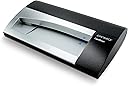
๐ Scan Smarter, Network Faster โ Own Your Contact Universe!
The DYMO CardScan v9 Executive is a high-resolution (1000 dpi) business card scanner designed for PC and Mac users, featuring multi-language support (7 languages, 14 countries) and USB connectivity. It offers precise OCR scanning with color card compatibility, direct Outlook integration (Windows only), and smart US address verification. Ideal for professionals seeking to streamline contact management and expand global networking with reliable, easy-to-use software.
| ASIN | B004YC2WEM |
| Best Sellers Rank | #411,926 in Office Products ( See Top 100 in Office Products ) #22 in Business Card Scanners |
| Brand | DYMO |
| Built-In Media | Computer Scanner, Scanners |
| Connection Type | USB |
| Connectivity Technology | USB |
| Customer Reviews | 3.5 out of 5 stars 175 Reviews |
| Global Trade Identification Number | 00792980000896 |
| Item Dimensions D x W x H | 3.15"D x 6.69"W x 8.27"H |
| Item Type Name | Sanford Brands - 1760686, CardScan V9 Executive |
| Item Weight | 1.5 Pounds |
| Manufacturer | Sanford |
| Media Type | Business Card |
| Minimum System Requirements | Windows 7 |
| Model Name | CardScan v9 |
| Optical Sensor Technology | CIS |
| Product Dimensions | 3.15"D x 6.69"W x 8.27"H |
| Resolution | 1000 |
| Scanner Type | Document |
| Standard Sheet Capacity | 1 |
| UPC | 809199904058 803982726995 792980000896 |
F**T
Outstanding, reliable, effective tool for businessmen
The DYMO CardScan v9 is a Godsend for me. I am in marketing and attend dozens of trade shows and conferences each year collecting networking contacts and customer leads non-stop. It isn't uncommon to get home from an event with 50 to 75 cards I need to get into my contact list and into a database for lead nurturing. In most cases this device and software captures all the information on the card with absolute accuracy requiring no editing on my part. With some of the more insane card designs out there I will have to edit the data captured, but that isn't hard and I still save hours getting the business card data into Outlook and SFDC. The biggest plus for me, however, is the software's ability to interpret international phone numbers and addresses. My employer issued me a competing product and while it worked okay, it did not integrate into MS Office and it could not handle non-US addresses or phone numbers. That was a non-starter for me. Another cool feature of the CardScan v9 software is the ability to scan any image of a card. I can take a photo of a business card with my smartphone and use CardScan to get all the data into Outlook and SFDC. I love this product. it saves me dozens of man-hours at work each month.
S**L
won't register, no support, can't use it, it's going back
bought this thing to replace a CardScan that stopped working a few months ago ( half-accepted a card, then jammed). needed it for a weekend dedicated to paperwork and importing a few hundred cards. installation worked ok, but couldn't register it. wouldn't complete the process, just hung there after plugging in the PIN. Option to activate by phone suggested to call but left no number. went to Support tab under Help and read this: Email Technical Support Call: +442035648354 Hours of Operation: Monday to Friday: 9:00 - 17:00 no idea the time zone that the support center is in.... nice phone number. shame on me for thinking a new model would be any better. this one is going back tomorrow. i wish someone would manufacture a simple business card scanner that just worked. the reviews are all over the place on these things. i'm certainly not master-of-the-universe busy, but am in sales and don't have the time to monkey around with the iphone apps that aim to do this. i want a simple little gizmo that will go through cards like a woodchipper.
D**R
Great business card scanner and software
Have been using an older B&W CardScan 60 for many years and loved it. Upgraded to new computer, Windows 7 64-bit and old hardware was no longer supported, which is not surprising. So I bought this new CardScan 800C and love it. The V9 software installed without a hitch and works better than older version. My old contacts database was read into the new software without problem. There are fewer mistakes in the OCR, although this may be a function of the new scanner vs. the new software. Looked into a phone app to scan cards, but many complaining reviews. This true hardware scanner purpose built for business cards probably performs much better than phone applications. One problem has cropped up; occasional lost usb connection. I have solved this by unplugging, restarting, then plugging back in. Bit of a hassle. Plus the unit bottom would get warm. So now I simply leave it unplugged until I need it; plug in; start software; do my scanning; and disconnect. This will probably allow the scanner to live longer too. Overall, very happy with the new CardScan 800C/v9.
T**N
Software Works Great
Normally I don't write reviews but this system works. I don't use the card reader much and bought it for the contact data base program. If you are compiling a customer list, you should consider this program. The "drag and drop" is perfect for quick data entry. The "address check" seems to work well and reduces postage returns. Lots of sortable categories. It's easy to print a single envelope or a whole list. Can choose from a number of nice fonts. No crashes or conflicts yet. All and all, it's a very good program.
I**S
Nice!
I did find one card it wouldn't scan. Someone gave me a clear card! Their card looks cool, but this scanner will not recognize it. Other than that, the scanner and software are perfect. It interfaces with my ScanBizCards app, and has a very low error rate on OCR. There are cheaper products available, but they can't match the quality of the DYMO. The images are perfect.
S**T
Not compatible with recent versions of OSX.
Junk. Plain and simple. The product is advertised as compatible with Apple OS X, but through a time intensive process of tracking down other users, have come to learn that this only works on OS X 10.7 and earlier. (?!) If you are running Yosemite (10.10) or El Capitan (10.11) you are out of luck. The Software will install, but won't recognize the scanner and there are no updated drivers for this unit. Guess I don't really understand the Dymo business model. Save yourself the trouble and buy another company's product. Disappointed.
S**N
So Far I LOVE This!
I ordered this late on Monday night. It arrived about noon ON TUESDAY!!!! How awesome is that? It took about 3 minutes to set it up and I was scanning. I am on a PC with Windows 7 and Office 2010. I've already scanned about 3 years worth of business cards, categorized them and written notes. This is a Godsend! I bought it because of a review I saw here that I could get an add in and scan my cards directly into Sales force. Can't figure out how to do that part yet. Here's the review if anyone knows how I could get that information, I'd be most appreciative: Scan to Salesforce easily, August 5, 2013 By James Donald McGinnis - See all my reviews Amazon Verified Purchase(What's this?) This review is from: DYMO CardScan v9 Executive Contact Management System for PC and Mac (1760686) (Personal Computers) with the supplemental program SCAN210 (available online for a fee), this unit scans business cards with ease and a surprisingly good optical reader which discerns most information quite nicely. Like anything else, it takes a while to get used to it but, for what we paid and the purpose it serves, this is a very good product.
R**L
3 Stars Pending DYMO's Help...
I have been a loyal Carscan user for many, many years. The device is invaluable if you work in Sales or Marketing and collect lots of business cards. After switching to Mac for work (I have used Apple computers for over 30 YEARS now,) I finally decide to skip trying to make my ancient PC version work under a virtual machine on my mid-2011 MBA and purchased the 800c version for Mac. Rodya's review, found here: http://www.amazon.com/review/R13QH0ZJVRQTVU/ref=cm_cr_pr_viewpnt#R13QH0ZJVRQTVU is completely spot-on. I am currently waiting to hear back from DYMO support to get the links to the "correct" software download. I'm hoping that in < 24-48 hours I can upgrade this review to 5-stars. Setup: 31-inch MBA mid-2011, 1.8GHz dual-core Core i7, 4GB 1333MHz DDR3, OSX 10.7.2 Pros: - The 800c is beautifully packaged, and started right up - Software installation via DVD using Apple's remote disk (MBA has no optical drive) was a breeze - Scanning speed is VERY fast -- less than 1.5sec per card -- NICE! - Batch processing is also VERY fast -- probably less than 3.0sec per card for full color OCR - Accuracy is absolutely on par with my past experiences: not 100%, but better than anything else on the market - Hooray that the device is powered by USB only! Now I can put it away in a drawer until I need it! No more cluttered desktop or yet another DC adapter to keep track of. This is a HUGE plus in my book. I might even take it with my on my next international trip so I can toss all the physical cards before my return flight... - The software seems very intuitive, with zero to little learning curve - Cardscan's familiar editing mode, which highlights scanned areas on the cards while you edit is still there - App launches fast and works great -- no slowness or crashes - Very solid .VCF export, including batches of cards (my plan is to command-click cards that I want to put into Outlook, batch export to .VCF files, and then drag & drop these files into Outlook) Cons: - Software would not register per Rodya's warning. Infinite spinny ball when waiting for registration - Also per Rodya's warning, could not find the S/W download on DYMO's website -- c'mon DYMO, this is a documented problem from over two months ago, please get on your web staff to improve support and links. I don't want to contact your customer support. You don't want me to contact your customer support. Let's help each other... - Direct export to Outlook Mac 2011 would be wonderful, but this might be a Microsoft issue and not a DYMO issue -- DYMO? - Export to Address Book is nice, but because of Microsoft / Apple problems with Outlook sync, this is not a usable path to get cards into Outlook. Again, definitely not DYMO's issue, but a usability issue none the less... Overall, I'm VERY happy to say that the 800c is working almost as wonderfully as I'd hoped. I dropped $85 to get Neat Receipts' "NeatWorks" software in the hopes that I could use my (FANTASTIC) Fujistsu ScanSnap S510M as a card scanner. As I feared, Neat's OCR completely SUCK compared to Cardscan's -- no contest. I have also tried using WorldCard Mobile, CamCard, and half a dozen other iOS based apps to scan and OCR cards into my contact database. Some of these are quite good for the odd one-off card. However, when you have a stack of > 50 cards piled up on your desk, and you need to capture all of them quickly and accurately, nothing beats Cardscan. Here's hoping DYMO comes through. I would love to upgrade this review to 5-stars (and will) if they can fix the S/W registration problem quickly and permanently.
G**T
Windows 11 and Microsoft Exchange
Cannot use this with Windows 11 and Microsoft Exchange
S**N
Five Stars
Works like a dream. The integration with Office is great. Terrific timesaver.
S**1
this product has been discontinued
Had a heck of a time trying to install this. Support team at cardscan was useless
C**M
No complaints!
The delivery was faster than expected. The card scanner was easy to setup and use. Worth the purchase. Was able to scan over 300 business cards in less than 2 hours
A**R
Four Stars
The product is very good it help me to organize my self.
Trustpilot
1 day ago
3 weeks ago